


InDesign script returns wrong value for paragraphStyle.fontStyle
I’m analyzing layouts, to find all fonts, we can’t use (license does not allow online-PDFs).
To make it less likely a problematic font is used again later on, I also want to find fonts, that are only defined in a style (even if they are not actually used).
Generally this works fine, but unfortunately in some cases InDesing does report back wrong font styles (e.g. Book, instead of Regular). Font family names are always correct.
———
My function to read paragraph styles looks something like this (simplified):
function get_paragraph_style_fonts(doc){
    var p_styles = doc.allParagraphStyles;

    for(var i=0; i<p_styles.length; i++){
        var this_style_name = p_styles[i]['name'];
        var this_style_font_style = p_styles[i]['fontStyle'];

        alert(this_style_name + "\n" + this_style_font_style);
}
In the Layout my paragraph is set to Strada OT Regular:
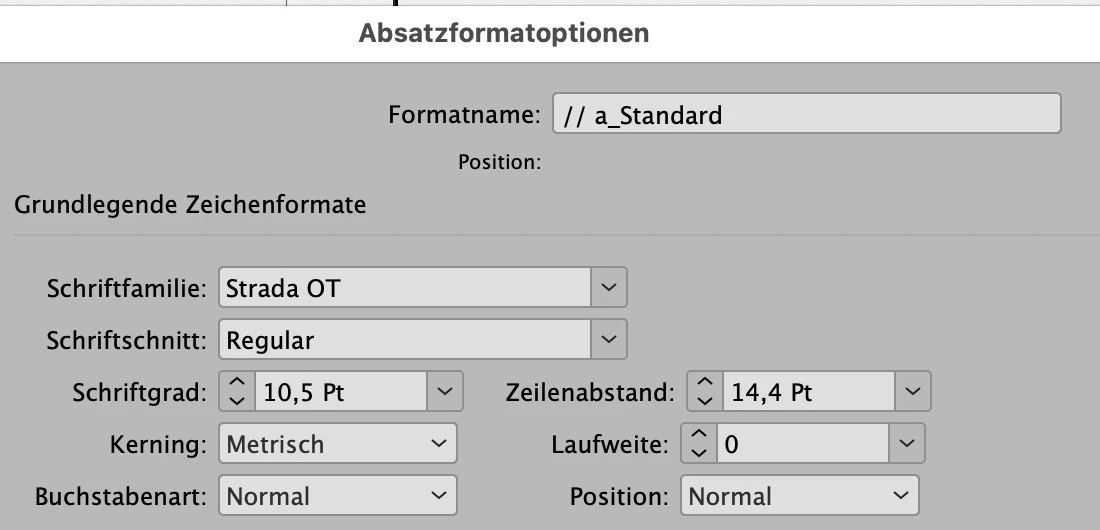
But for whatever reason, the script shows it as Strada OT Book:
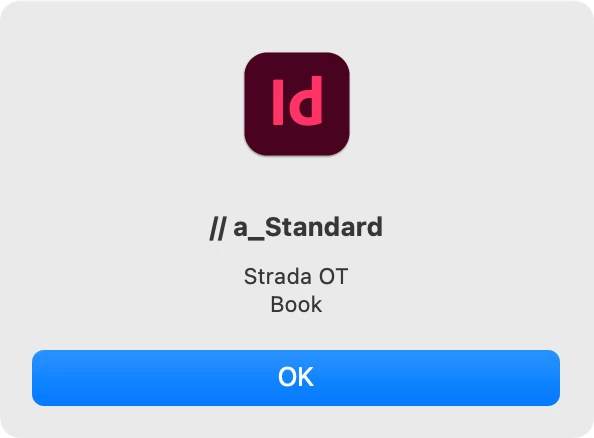
There is no GREP-style or nested format (I hope, this is the correct englisch term) interfering.
I tried the following without any success:
- duplicate / rename the format
- remove format and creating a new one from the styled text
- export to IDML and reimport
The only thing, that removes the problem is to manually change the font style (e.g. from Regular to Medium), close the paragraph style dialog and then reset the font style to Regular. After this process, the function correctly alerts Strada OT Regular.
Unfortunately, this is no solution to my problem, as it can only be done manually (I can’t change the font style by script, because from the script I don’t know the font style to reset it properly).
———
I also had a look at the IDML file:
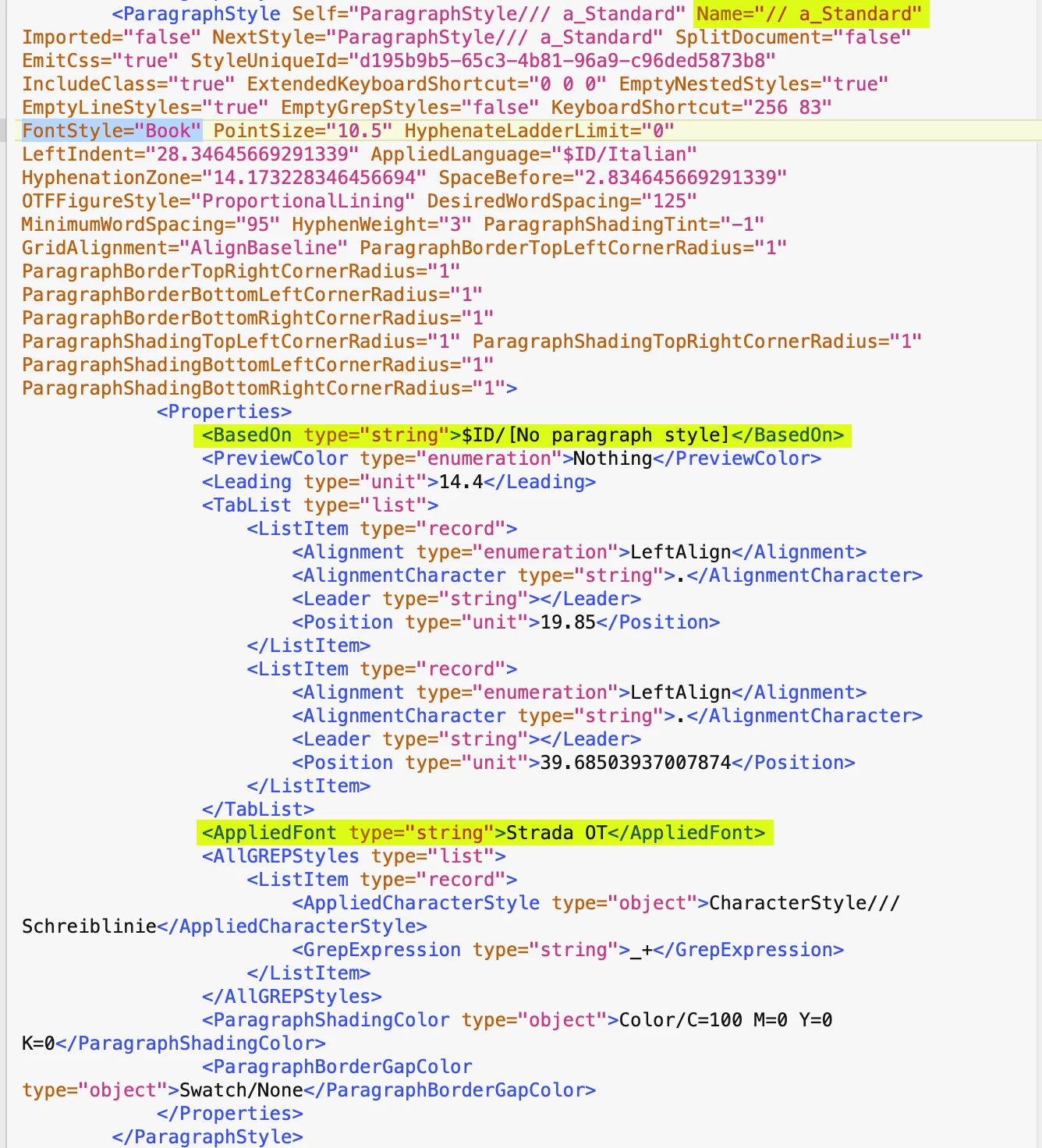
Although the font style is displayed correctly in InDesign (before export to idml and after reopening the IDML), in the IDML it is listed as Book. The only connection to Regular I can find is the parent style [No paragraph style]. This style indeed uses Regular.
Here’s a screenshot of the IDML:
———
This does not happen all the time, but regularely.
It is not only this document and not only this font.
———
Does anybody have an idea, what’s going on?
Is this an InDesign bug (I think so)?
I there a way around this?
I can also ignore this, my script is still helpfull, but I would like to understand, whats going on.
– And of course in the best cas fix the issue.
Best regards,
Martin
 AdChoices