
Copy link to clipboard
Copied
Hi all, I have a catalogue of products of which I have a script to convert to other currencies.
I have prices for both RRP and TRADE.
The RRP price I need to round up to the nearest whole number.
The TRADE I need to leave with 2 decimal places.
For example:
RRP: £8.00
TRADE: £3.25
My polish conversion rate is x 5.7 which gives me:
RRP: 45.60zł - (My script is converting to 46zł which is correct.)
TRADE: 18.53zł - (This is correct with the decimal places.)
I add in the zł by finding and replacing the £
My question is, is there a script that will accommodate both of these price conversions?
At the moment I can only do one or the other.
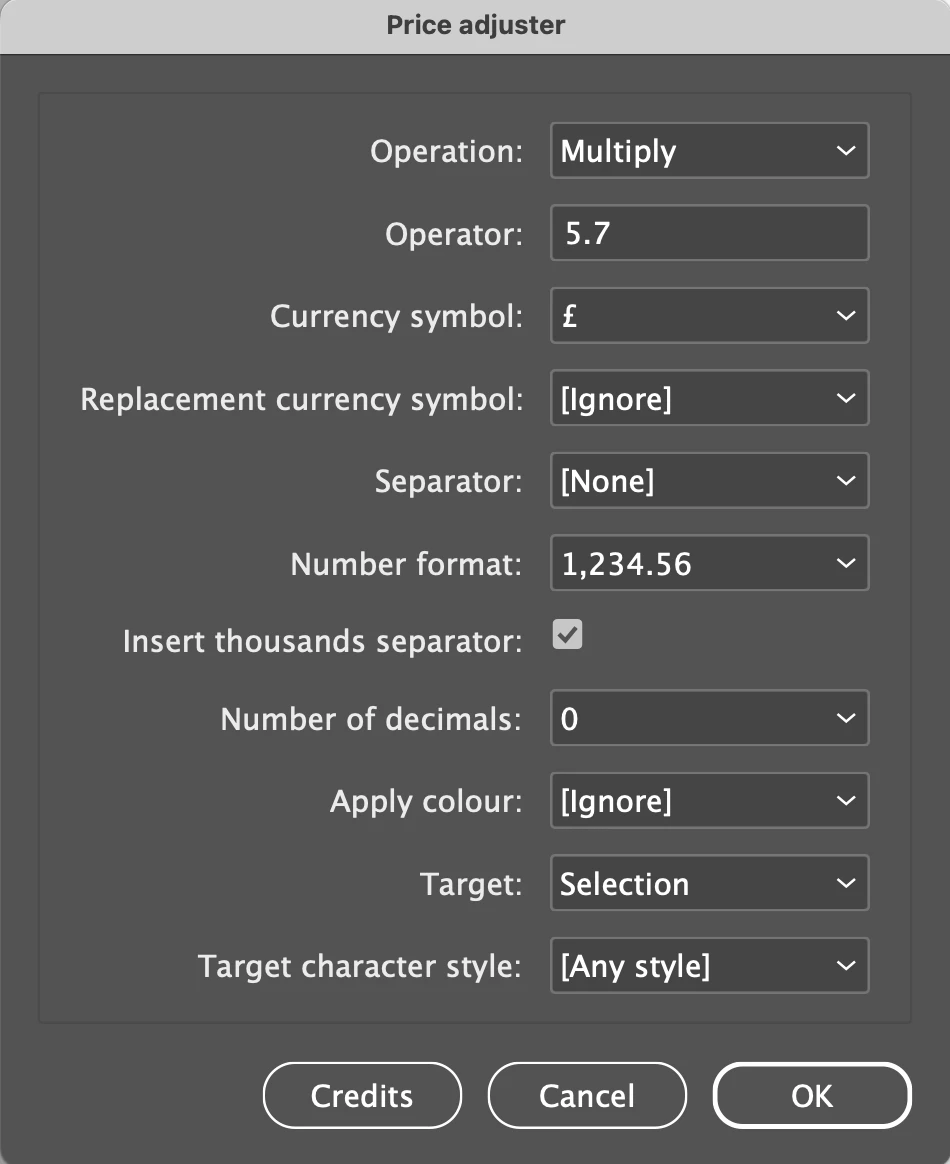
Apologies if my explanation isn't clear
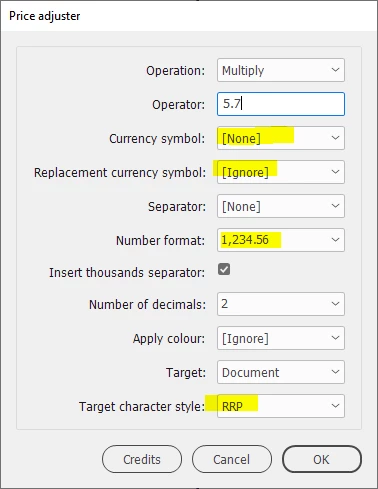
> this is the format for the entire catalogue...
Ok, finally. Do this:
1. Create two character styles, one called Trade, the other, RRP. They need no formatting.
2. Apply the RRP style to RRP: £\K[\d,\.]+
3. Apply the Trade style to TRADE: £\K[\d,\.]+
You can apply these styles using the GREP tab of the Find/Change window.
Then you can use the price adjuster script.
I think I know what's wrong. The pound symbol is outside the character style so you should set the currency symbol to None.
Copy link to clipboard
Copied
You're right, Robert. I was confused by Daniel's use of 'rounding up, because what he really wants is, well, I don't think there's a standard term for it. 'Rounding up to the next integer minus 0.01' maybe. Anyway, this will andle it:
(function () {
app.findGrepPreferences = null;
app.findGrepPreferences.findWhat = '(?<=[£€$])?[\\d,]+\\.\\K\\d+';
app.findGrepPreferences.appliedCharacterStyle =
app.documents[0].characterStyles.item('RRP');
var s;
var found = app.documents[0].findGrep();
for (var i = found.length-1; i >= 0; i--) {
if (parseInt(found[i].contents) > 0) {
found[i].contents = '99';
}
}
}());
Get ready! An upgraded Adobe Community experience is coming in January.
Learn more