


- Home
- InDesign
- Discussions
- InDesign Share for Review - tools and annotations ...
- InDesign Share for Review - tools and annotations ...

Copy link to clipboard
Copied
I createed a review in Catalina and now in Big Sur i can see the comments left on that one but the tools to highlight and markout, etc are gone.
Plus, all the highlights of where people made comments don't appear. The marker drawings do but no text highlights. This was all working before the update. Again, I can see the comments on the right but can't tell where they are made in the browser version of the review.


 1 Correct answer


InDesign User Voice reports that the engineers are currently working on investigating that issue. You can add comments there.

 7
Replies
7
7
Replies
7


Copy link to clipboard
Copied
Hi,
I have the same problem, nothing in the menu appears
I can't see the comments in InDesign neither
In Adobe Cloud the comments are displayed but I can't see where in my document
It worked great ten days ago
I'm on macOS High Sierra (10.13.6) and still Indesign 2020 as I must change the OS to do the update (but can't currently do it)
Is there any way to export the document and all the comments from Adobe Cloud to a pdf - or better, fix the problem?
Copy link to clipboard
Copied
I will add that - for me - all seems to be fine in InDesign itself. It is just the browser view that is wrong.
Copy link to clipboard
Copied
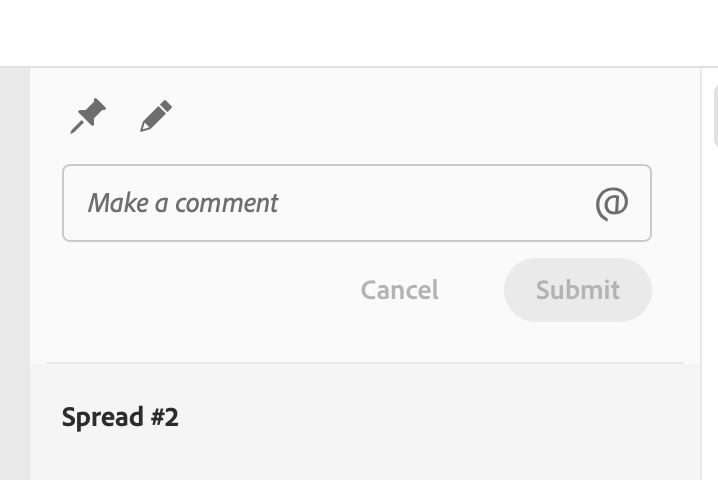
Just last week there was text tools up here - now they are gone.
Copy link to clipboard
Copied
InDesign User Voice reports that the engineers are currently working on investigating that issue. You can add comments there.
Copy link to clipboard
Copied
Thanks!

Copy link to clipboard
Copied
Same problem AGAIN. I really wish this tool was more consistent.

Copy link to clipboard
Copied
Try to use Microsoft Edge (if u use Google Chrome instead).
Lately I came across several Javascript errors with Crome while Edge executes the same website without any problems.
(Annotation tools are showing up in Edge and not in Chrome)


Get ready! An upgraded Adobe Community experience is coming in January.
Learn more
 AdChoices