


Copy link to clipboard
Copied
I'm experiencing an issue with numbered lists. Can anyone help me resolve this issue? I can't get the second line to align under the first word of the first line. I know it's a simple fix, but I'm going around in circles. Thank you.



 1 Correct answer


No, that isn't a bug. You are using a font with proportional figures, and the zero is wider that the one, two or three.
Just set the tab stop and hanging indent to accomodate the 10. and you should be good to go.
- Type > Tabs
- Move the tab to the right (the arrow)
- Then Shift+drag the bottom white triangle to align it with the tab for a hanging indent.
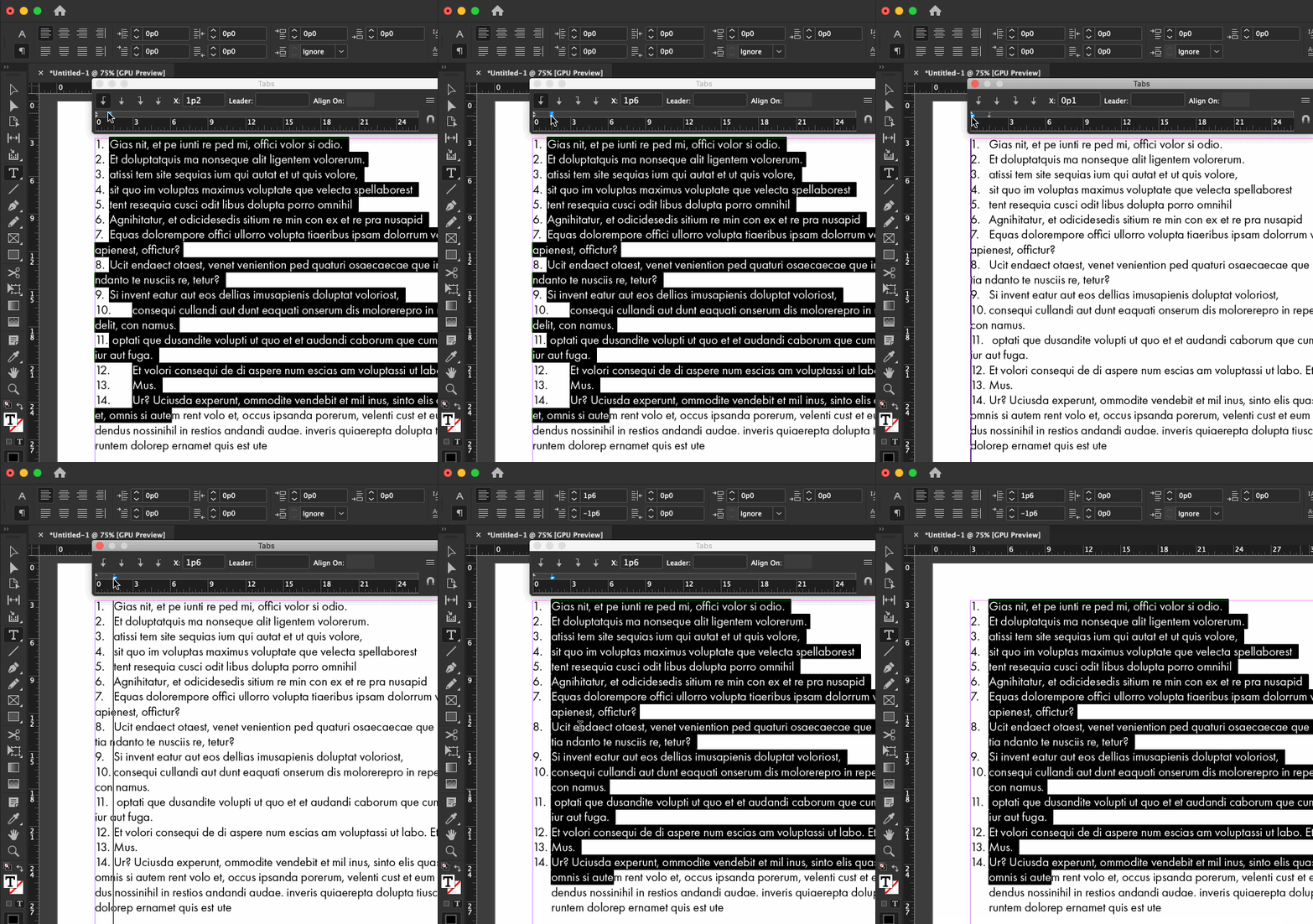
If you are using auto-numbers this is even easier in the Bullets and Numbering dialog box, but I can't tell if you are or not so this works
...
 7
Replies
7
7
Replies
7

Copy link to clipboard
Copied
No, that isn't a bug. You are using a font with proportional figures, and the zero is wider that the one, two or three.
Just set the tab stop and hanging indent to accomodate the 10. and you should be good to go.
- Type > Tabs
- Move the tab to the right (the arrow)
- Then Shift+drag the bottom white triangle to align it with the tab for a hanging indent.
If you are using auto-numbers this is even easier in the Bullets and Numbering dialog box, but I can't tell if you are or not so this works with any list.
~Barb
Copy link to clipboard
Copied
Thank you so much Barb!

Copy link to clipboard
Copied
How is it easier in the Bullets and Numbering dialog box
Copy link to clipboard
Copied
Always happy to help. 😊
~Barb

Copy link to clipboard
Copied
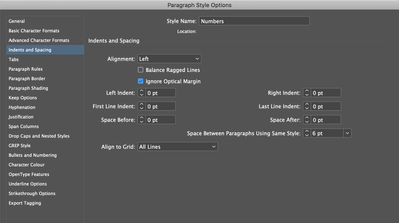
In addition to Barb's advice, if you are using Optical Margin Alignment in the story, turn it off for your numbered and bulleted paragraphs.
Copy link to clipboard
Copied
why? This did not alter my text in any way
Copy link to clipboard
Copied
How is it easier in the Bullets and Numbering dialog box
Because you can just type in the hanging indent values, rather than dragging and dropping the miniscule triangles.
~Barb
Likes
Likes


Get ready! An upgraded Adobe Community experience is coming in January.
Learn more
 AdChoices