


- Home
- InDesign
- Discussions
- Removing the suffix from an Image name via inset t...
- Removing the suffix from an Image name via inset t...

Copy link to clipboard
Copied
Hello,
If I want to use the variable option to Insert the Image Name, via - Type Menu-Text Variable - Image Name, is there a way to get the Image Name to appear without the suffix (.psd, .jpg etc..).
thank you,
Babs


 1 Correct answer
Hi Vinny,
Thank you for the article... It looks like I may need to convert all the variables to static captions first... In which case this looks like it will work. I was trying too avoid this, as these documents can be ongoing and would have to doing this each time we added images.
But, it may be the only way.....
I will test this tomorrow when at this client..
thank you all,
Babs

 18
Replies
18
18
Replies
18


Copy link to clipboard
Copied
Hi Babs,
you could try to remove the suffix after creating the captions.
But that would require to use the static version of the functionality so that the every character of your image name is editable. Then you could do a find/change action with a GREP pattern to remove the suffix by means of your applied paragraph style that should be unique to your captions.
One example:
GREP find pattern if the image name is at the very end of the caption:
Your applied paragraph style plus:
\..{2,4}\z
( That would find a dot followed by 2 to 4 characters at the end of a story. Placed graphics could be include e.g. .ai , .pdf , .jpg , .jpeg etc.pp. )
replace with a dot perhaps:
\.
Or with nothing if you do not want a character after the name of a placed graphic at the end.
Regards,
Uwe
Copy link to clipboard
Copied
Hello Uwe,
That would work great, except that these are being made with the Insert variable "image name", not a caption. Which doesn't seem to find anything? I can't even use the Find/Change to just find the word .jpg?
Do you know if variables can be searched? Maybe they cannot be changed?
thanks!
Babs

Copy link to clipboard
Copied
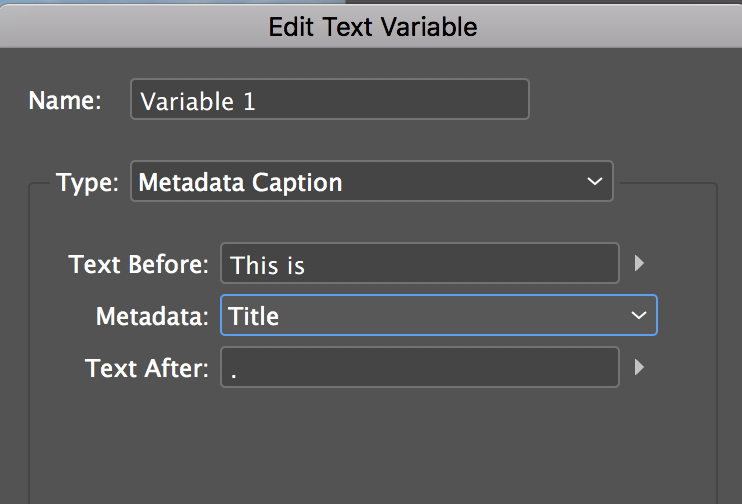
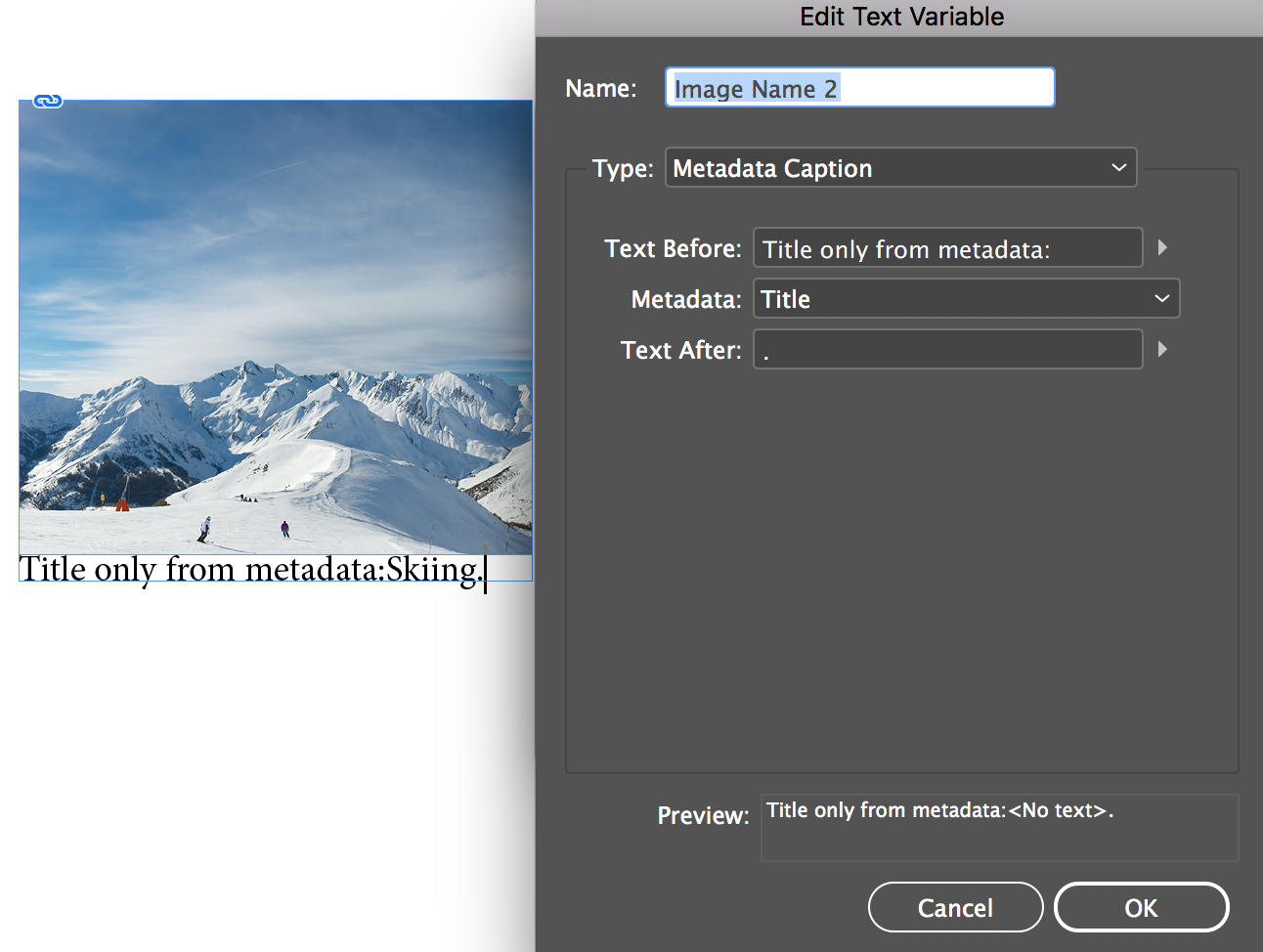
Change the metadata from Name to Title.
EDIT: My mistake. I didn't realize the document title was defined in the metadata in the two files I tested last night. I'm am assuming you don't want to add metadata (and that it isn't already provided).
~Barb
Copy link to clipboard
Copied
Hi Barb,
Actually, it is just the name I want to bring into the "image name" variable, but without the extension.
So, that would not work... But thank you...... I really do need to get in there and play more with editing options.
Babs
Copy link to clipboard
Copied
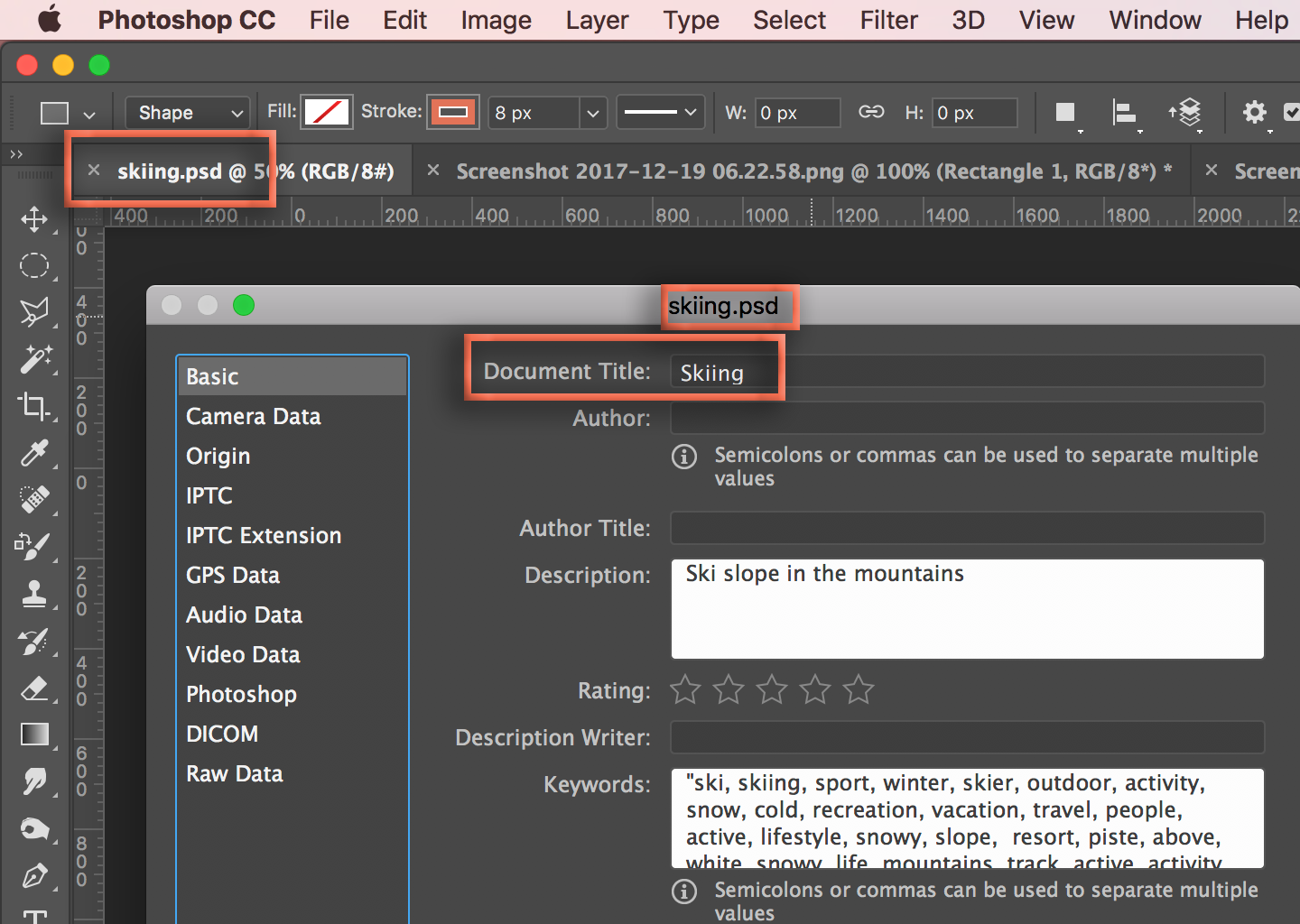
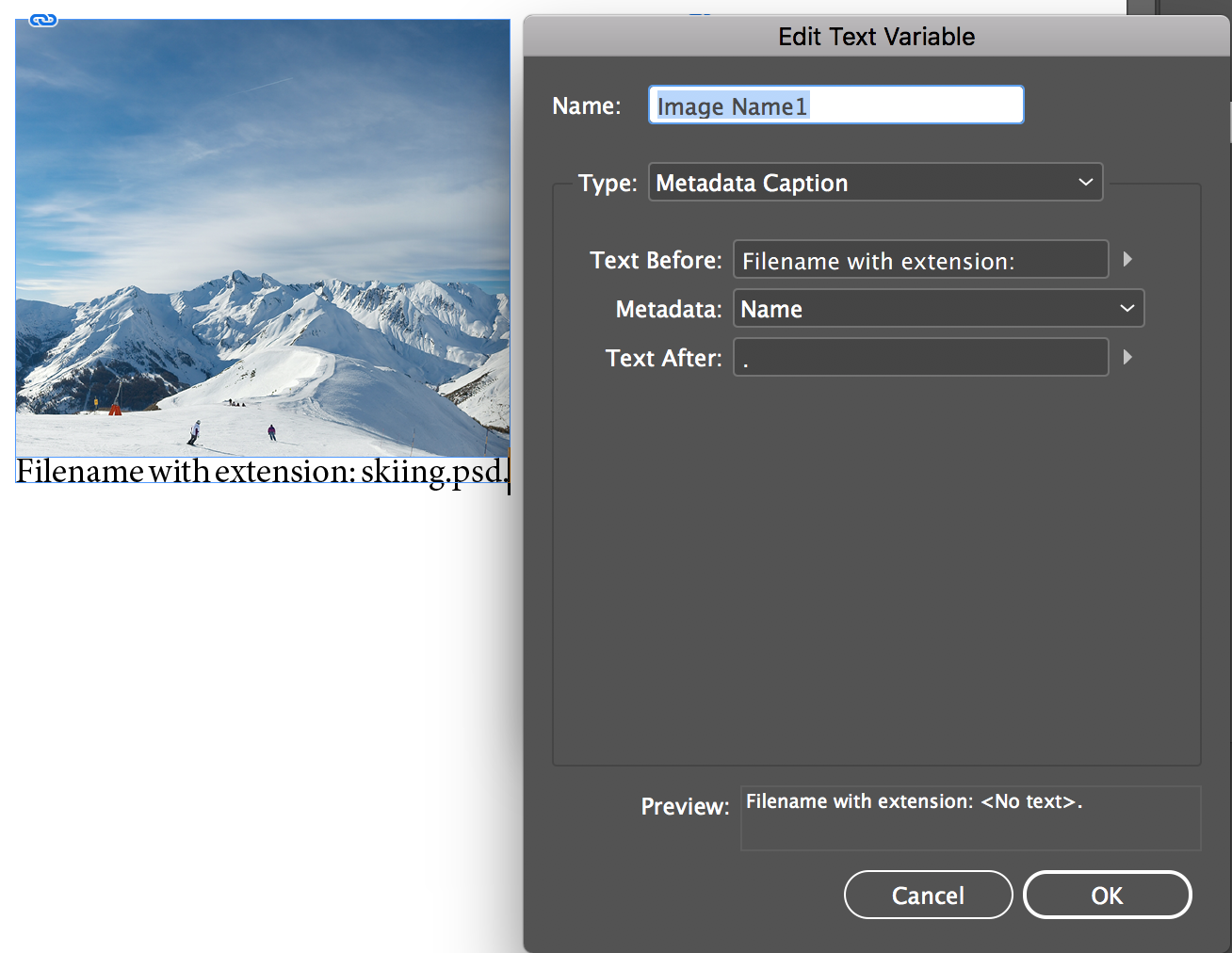
Since more work is required no matter what, I'll just try to redeem myself ( ) by pointing out that you can add the file name to the metadata without the extension and then pull that into either a variable or a live caption. Both examples are based on the Image Name variable.
Copy link to clipboard
Copied
Hi Barb,
Was thinking about the metadata option in Photoshop, but was hesitant due to the work, but…. If I do the script in PS, this definitely has potential! 
Thank you for your further probe here!!!!
Much appreciated!
babs

Copy link to clipboard
Copied
Maybe this article would help:
https://indesignsecrets.com/how-to-make-the-file-extension-go-away-in-captions.php
Correct answer by
iBabs2
AUTHOR
Copy link to clipboard
Copied
Hi Vinny,
Thank you for the article... It looks like I may need to convert all the variables to static captions first... In which case this looks like it will work. I was trying too avoid this, as these documents can be ongoing and would have to doing this each time we added images.
But, it may be the only way.....
I will test this tomorrow when at this client..
thank you all,
Babs
Copy link to clipboard
Copied
Possibly a Photoshop script could copy the filename (with no extension) into the Title metadata.
Then, Barb's suggestion would work fine.
But this is way beyond my skills.
Maybe you could post a request in the Photoshop scripting forum?
Copy link to clipboard
Copied
Hey Vinny,
I am going to look at this option to do the script for PS and then follow Barbs lead
thanks!!!
babs

Copy link to clipboard
Copied
when I had to do this, I cheated -- i applied a character style with no fill colour via GREP to the file extensions I was using (.ai, .jpg, .png)
the text is still there though of course, but it was fine for my purposes to hide it.
Copy link to clipboard
Copied
Hi Doug…..
Yes, it is a bit of a cheat, but will look at this option as well. The only thing that may halt this option, is sometimes the copy will be over a textured background? If that is the case, this will be an issue. But, if it is over a solid color background, this would be a good work around.
Thank you!
babs
Copy link to clipboard
Copied
Hi Babs:
Let us know what you find over in the scripting arena, and keep in mind that you can use GREP styles on static captions, but not on variables or live captions.
~Barb
Copy link to clipboard
Copied
Hi Barb,
Got in from work and started to take a look around. Found something promising for a Bridge rename script, but must be older, as I do not see scripts anymore in Bridge 2018 in the application or application support area...??
I will check out macscripter over the weekend to find more on this.
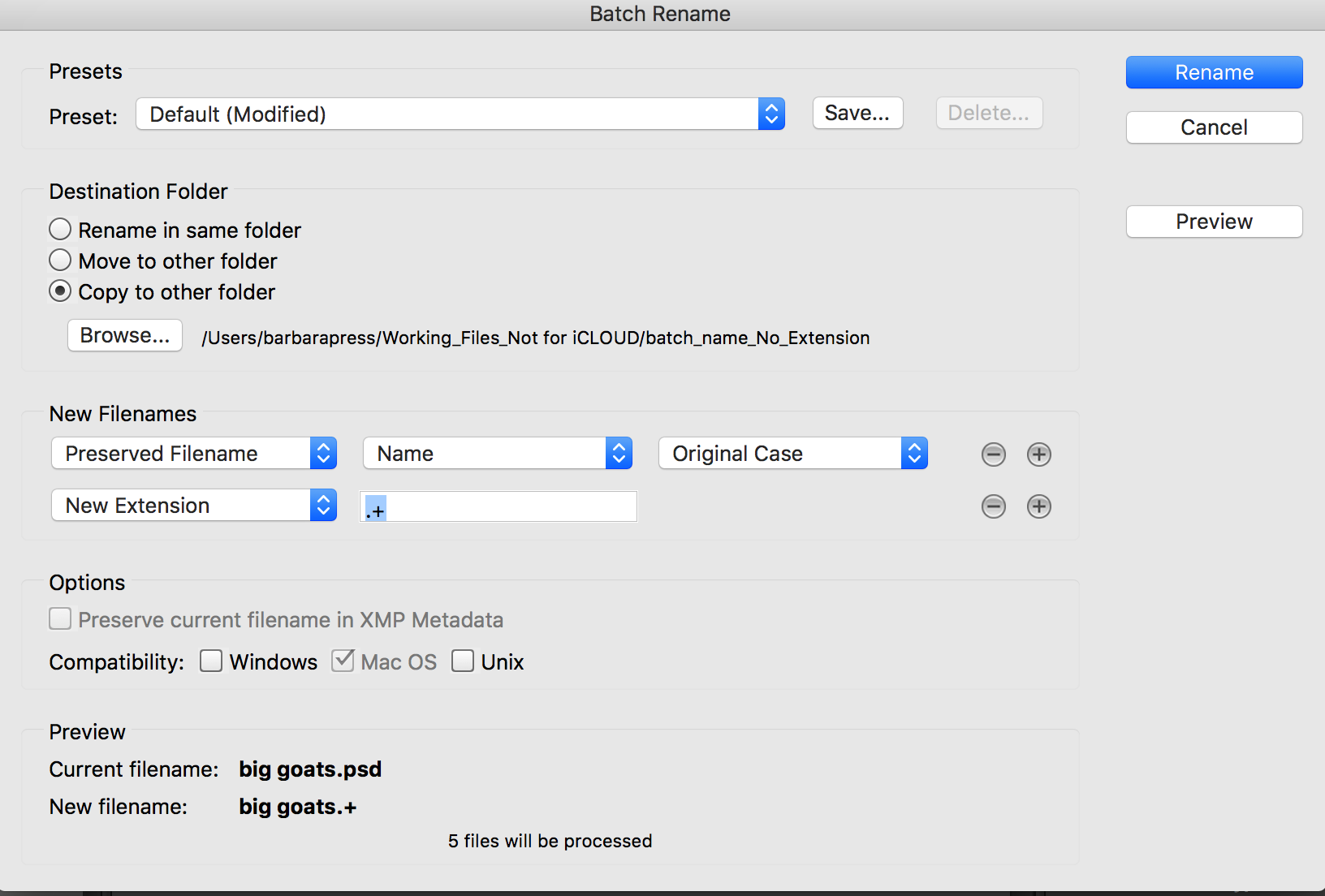
However, I did, for now, try a batch rename in bridge, that would at least let me delete the suffix and replace it with one character, I chose a + sign. Then I could do a Grep find and change for that alone (\.\+) .. Like you said, I have to use captions not variables, but in a pinch it will work... But it is not ideal... The variable would be so much better, for positioning reasons.
So, definitely more to come after the holiday weekend..
thank you again! I will be back
Copy link to clipboard
Copied
Hi Barb,
Got some help in the Bridge area for scripting: This worked in Bridge:
- #target bridge
- if( BridgeTalk.appName == "bridge" ) {
- fileToDesc = MenuElement.create("command", "Add FileName to Description", "at the end of Tools");
- }
- fileToDesc.onSelect = function () {
- var thumbs = app.document.selections;
- if (ExternalObject.AdobeXMPScript == undefined) ExternalObject.AdobeXMPScript = new ExternalObject("lib:AdobeXMPScript");
- for(var a =0;a<thumbs.length;a++){
- var selectedFile = new Thumbnail(thumbs);
- app.synchronousMode = true;
- var xmp = new XMPMeta(selectedFile.synchronousMetadata.serialize());
- var Desc = getArrayItems(XMPConst.NS_DC, "description");
- if(Desc != "") Desc+= ";";
- xmp.deleteProperty(XMPConst.NS_DC, "description");
- xmp.setLocalizedText( XMPConst.NS_DC, "description", null, "x-default", Desc += decodeURI(selectedFile.spec.name).replace(/\..+$/,""));
- var newPacket = xmp.serialize(XMPConst.SERIALIZE_USE_COMPACT_FORMAT);
- selectedFile.metadata = new Metadata(newPacket);
- }
- ExternalObject.AdobeXMPScript.unload();
- ExternalObject.AdobeXMPScript = undefined;
- function getArrayItems(ns, prop){
- var arrItem=[];
- try{
- var items = xmp.countArrayItems(ns, prop);
- for(var i = 1;i <= items;i++){
- arrItem.push(xmp.getArrayItem(ns, prop, i));
- }
- return arrItem.toString();
- }catch(e){alert(e +" Line: "+ e.line);}
- }
- }
Babs
Copy link to clipboard
Copied
That's so awesome! This is a such great community—in this case pulling people together from InDesign, Photoshop and Bridge to solve this for you.
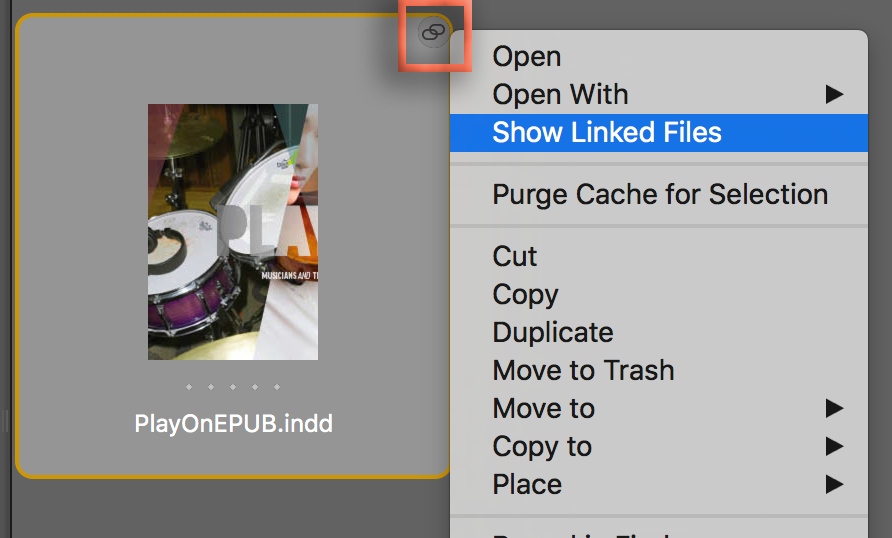
And you know you can run this on one file, or multiple files, right? Or if the images were already added to InDesign, you can go back to Bridge and right-click the link icon above the .indd file > Show Linked Files and run it on those images.
Happy holidays, Babs!
~Barb
Copy link to clipboard
Copied
Hi Barb!
Agreed... awesome community of people!!
Yes, I tested it on one and multiple files.... I love that I can "append" to the existing info in the desscitpion file, making this more powerful for use with inDesign captions.
I did not know that little tidbit you just shared from the icon in the photo attached.. that's terrific... thank you!
Happy happy holidays to you too Barb!
Cheers!
Babs
Copy link to clipboard
Copied
iBabs2 wrote
Hi Doug…..
Yes, it is a bit of a cheat, but will look at this option as well. The only thing that may halt this option, is sometimes the copy will be over a textured background? If that is the case, this will be an issue. But, if it is over a solid color background, this would be a good work around.
Thank you!
babs
hopefully you find a proper solution, but if you do need to do this, the background doesn't matter -- since it has no fill, the text is invisible.


Get ready! An upgraded Adobe Community experience is coming in January.
Learn more
 AdChoices