


Shrinking text

Copy link to clipboard
Copied
When I press space in front of a text box, it shrinks.
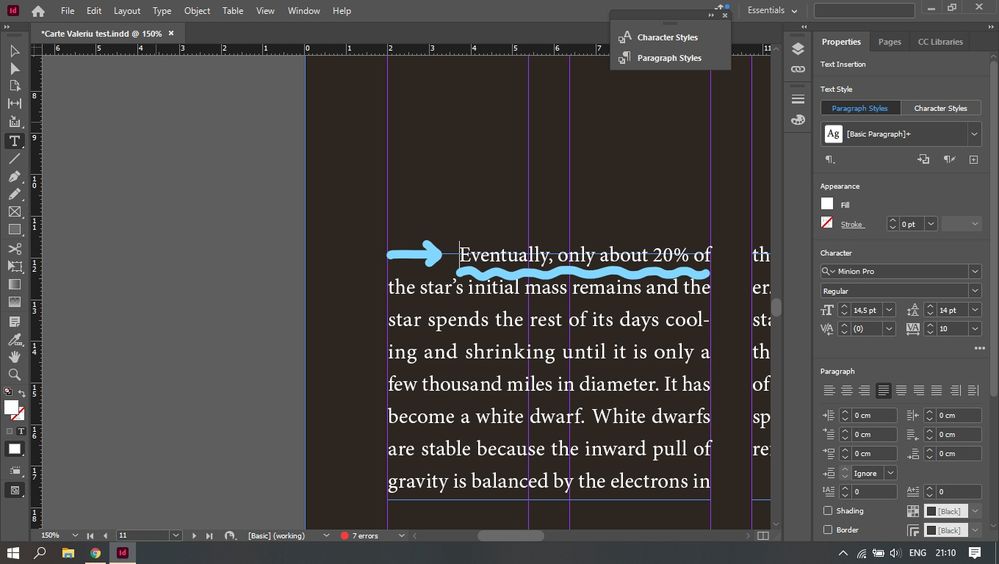
Anyone knows how to solve this?
Thanks!


 7
Replies
7
7
Replies
7


Copy link to clipboard
Copied
Can you provide more information about the problem? You screen shot does not make it clear what is going wrong.
A before and after screen shot with hidden characters showing would do a lot to help us understand.
.
Copy link to clipboard
Copied
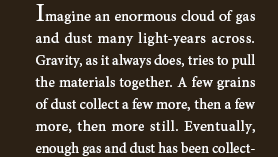
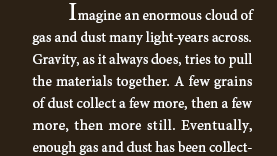
Before and after:


Copy link to clipboard
Copied
Do you mean the spaces in the first line? It is because the text is justified, as Eugene wrote. When you justify a text in narrow columns, you have to play with the justifications settings, as rob day explained here:
https://community.adobe.com/t5/indesign/different-spacing-between-words/m-p/12112585
I do not want to be rude, but type setting is a long apprenticeship…

Copy link to clipboard
Copied
@Valeriu Are you talking about a drop cap when you say shrinking? Is it the capital "E" that you think is a smaller font size than what a normal capitalized letter in that font should be? Also, in general, you should not be using spaces or tabs in front of text to make an intention but instead, in your paragraph style, set your first line to indent to where you want it. Any more description of your problem you can share or show us would be helpful to know!

Copy link to clipboard
Copied
I agree with Jain.
In addition, you have a negative leading: 14.5/14, but it looks like more space between the lines than that. How are you doing the line spacing? Also, instead of using overrides on [Basic Paragraph], you might want to take 10 seconds to create a Paragraph style from the text you have formatted.
One last thing: what are the seven errors that are showing in your Preflight panel?
~ Jane

Copy link to clipboard
Copied
Its because it's justified text.
https://helpx.adobe.com/be_en/indesign/using/text-composition.html
https://creativepro.com/indesign-how-to-mind-the-gaps/

Copy link to clipboard
Copied
It's a little hard to tell but it doesn't appear as if anything is 'shrinking' in terms of scale, at least - more that the spacing on the first line is tighter, because of the longer word (empty spaces) you are adding and because the paragraph is justified. I assume at some point if you continue adding spaces words will be forced onto the next line.


Get ready! An upgraded Adobe Community experience is coming in January.
Learn more
 AdChoices