Exit
  • Global community
    • Language:
      • Deutsch
      • English
      • Español
      • Français
      • Português
  • 日本語コミュニティ
  • 한국 커뮤니티
0

Split text frame but keep text flow

New Here ,
Jul 16, 2018 Jul 16, 2018

Hi to all of you,

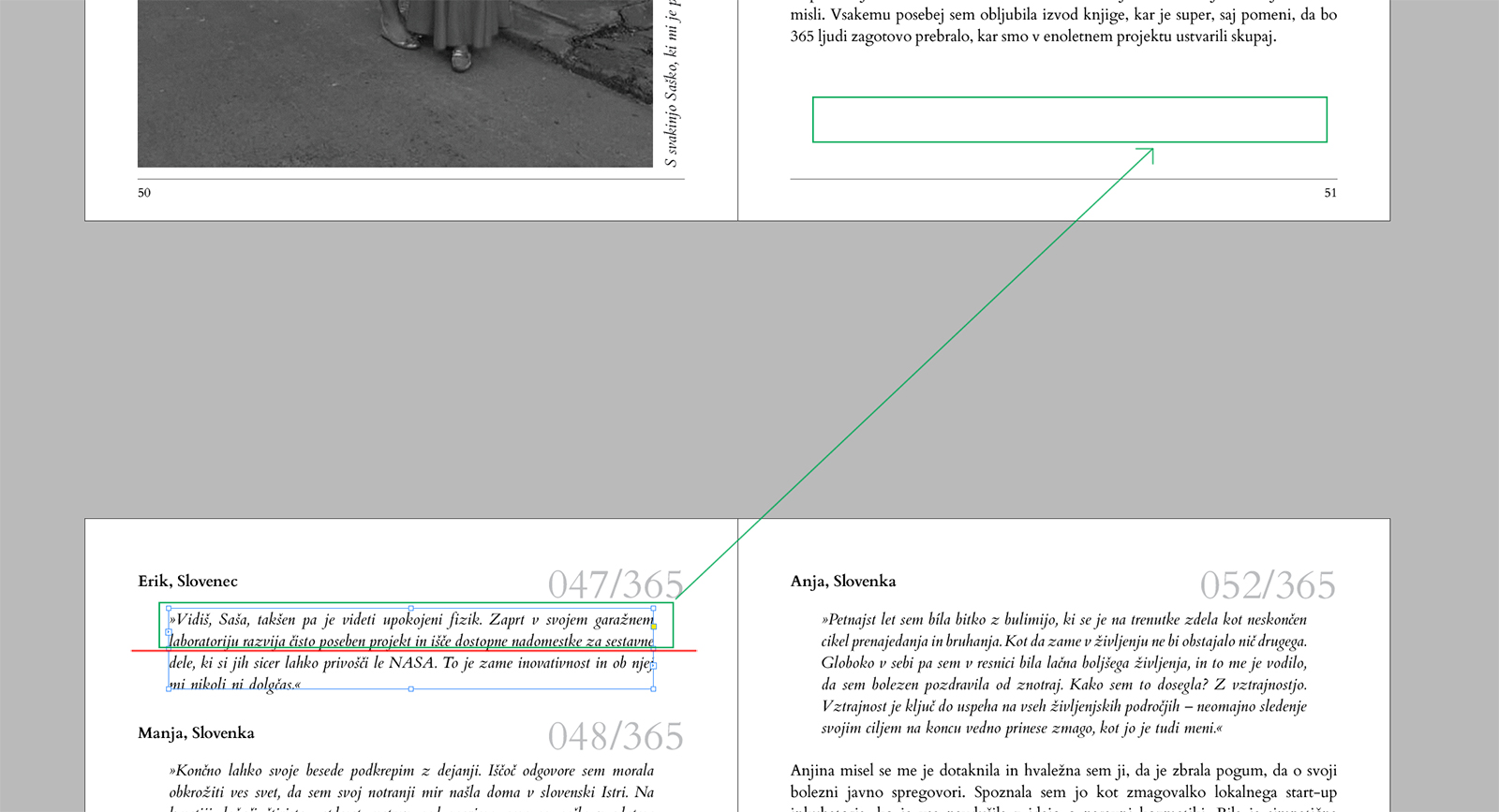
I have one (maybe simple) request for help. I am working on a book and I have one problem/question/sitiation/..

.

As you can see i have on particular text frame with 4 lines of text.

Now I would like to split that frame on two parts but maintain text flow (throughout the book).

I 'know' I can copy original frame, erase 3th & 4th line, move it on previous page and then delete 1st and 2nd text line in the original frame line but I think this is lame and not proper way to do.

Id_Help.jpg

THANK YOU very much for your time and help.

Ron

334
Translate
Report
Community guidelines
Be kind and respectful, give credit to the original source of content, and search for duplicates before posting. Learn more
community guidelines

correct answers 1 Correct answer

Advocate , Jul 16, 2018 Jul 16, 2018

Just go to prevous frame and select it. tehen click on output port (right bottom corner) and then just draw a new frame

pawel

Translate
Advocate ,
Jul 16, 2018 Jul 16, 2018

Just go to prevous frame and select it. tehen click on output port (right bottom corner) and then just draw a new frame

pawel

Translate
Report
Community guidelines
Be kind and respectful, give credit to the original source of content, and search for duplicates before posting. Learn more
community guidelines
New Here ,
Jul 16, 2018 Jul 16, 2018
LATEST

OM... THANKY YOU!

Now I feel so stupid but very happy!

THANK YOU!

Translate
Report
Community guidelines
Be kind and respectful, give credit to the original source of content, and search for duplicates before posting. Learn more
community guidelines