Participating Frequently
June 17, 2021
Question

Trouble Exporting Spreads to Single Pages - PLEASE HELP

  • June 17, 2021
  • 2 replies
  • 5360 views

Hi, 


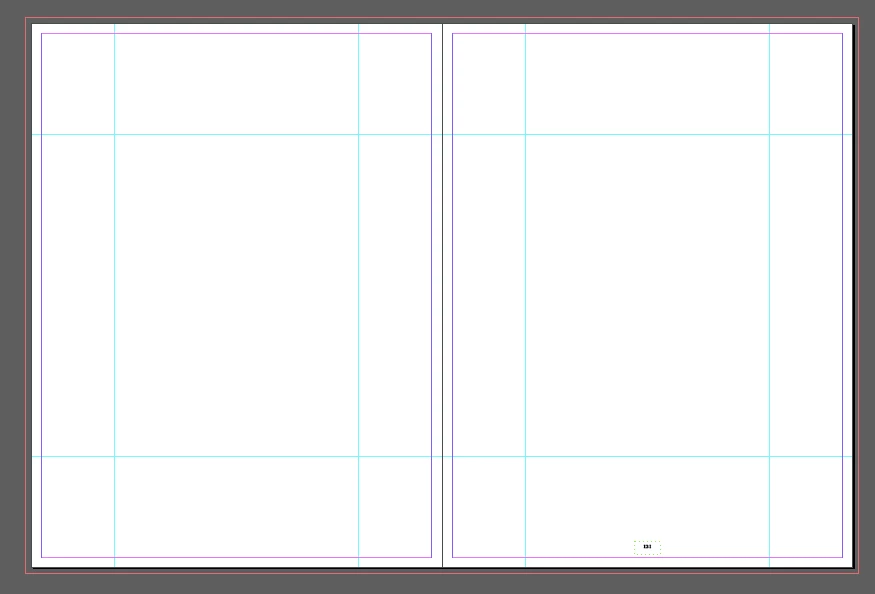
I am currently creating a document within InDesign and I have the project set up as facing pages so I can create spreads to see what the book would look like. The printing company I am using need single pages. When I export the document to a PDF as spreads, there are no problems. However, when I export as pages (like the printing company needs me to) the images have a strange overlap where they have extended to the middle bleed (photo attatched). I have also attatched a picture of what the photobook outline looks like. Does anyone know how I can resolve this issue and get to print asap?! 
This topic has been closed for replies.

2 replies

J E L
Community Expert
Community Expert
June 17, 2021

@ethans78139117 Always ask your printer how to set your Bleed and Slug for export, and for all the specific settings for that matter. For nearly all the professional book printers I work with, these are the settings below. Don’t check “Use Document Bleed Settings” but set Top, Bottom, and Outside to 0.125 and Inside to 0. Try this and then look at your single-page PDF and you won’t see that inside margin overlap. But ask your printer!!


Participating Frequently
June 17, 2021

Hi Jain, 


Thank you for your response. 


I'm using the Job Options provided by the printing company which I have attatched as a photo (first picture). The document was set up as single pages and the only change I have made is to make the document Facing pages to get an understanding of the spreads before exporting as pages rather than spreads. I have attatched the original document setup and page also. 


If I have kept marks/bleeds the same but just switched to spreads do you think this overlap issue is ok? 

J E L
Community Expert
Community Expert
June 17, 2021

It is hard to say but in the General tab, you should be selecting "Pages" and not "Spreads" if the printer wants single pages, which is a typical spec. The overlap you are seeing is because of the bleed settings they asked for, which are the document bleed settings. If your printer is okay with that setting, even though it doesn't look right to you when viewing the PDF, then that's fine. I'm a "what you see is what you get" kind of person so I don't like seeing that overlap in a PDF but every printer has their own tools and workflows. You should clarify with them just in case!

Community Expert
June 17, 2021

Perfectly normal and the printer will appreaciate this extra information.


If you don't want to include it in the PDF Export Options

File>Export>PDF

Go to Marks and Bleeds

In the bleeds section - set the inner bleeds to 0.

Participating Frequently
June 17, 2021

Hi Eugene, 


Thank you for your quick reply!


So from this I take it I can leave the inner bleed as it is and the printer will trim the overlapping parts so that the pages run smoothly? 

Community Expert
June 17, 2021

Where the pages are bound the bleed for the inner edges will be hidden under the spine/folds.


Imagine

Page 1 is paired with page 28.

So if you unmangle a magazine it would be

28 | 1

2 | 27

26 | 3


So your page 1 inner bleed actually is related to page 28 outer bleed. 


But the printer manages all this with software called imposition.


Having a bit of wiggle room with 3 or 5mm bleed on the inner pages means they can maneuver the page depending on the paper stock.

It's a process known as Creep.


https://www.printivity.com/insights/2019/07/09/what-is-creep-in-a-saddle-stitch-booklet/


Just means if the printer needs to shift page 5 to the right for the imposition, they can as you've given them the image information for that side.


It's literally nothing to worry about. 


The printer will have an imposition template.

And each page will be centred in the correct position on the template.


https://helpx.adobe.com/ca/indesign/using/printing-booklets.html


It's fine - and if in doubt you can always check with your print vendor if they want the inner bleeds or not.