Exit
  • Global community
    • Language:
      • Deutsch
      • English
      • Español
      • Français
      • Português
  • 日本語コミュニティ
  • 한국 커뮤니티
0

Wrong color

New Here ,
May 14, 2021 May 14, 2021

Hi everyone,

I've had the problem for some time now, especially with Indesign, that our corporate design color magenta (#e3007e) is not displayed as a "bright" color but as a mixture of pink and gray. This happens strangely with text fields as well as with images I insert. I have already played with the color profiles and deleted and reinstalled the entire Adobe Cloud. None of this has helped and I have no idea what to do about it, so maybe someone has an idea.

Thanks already!

TOPICS
Bug , Performance
222
Translate
Report
Community guidelines
Be kind and respectful, give credit to the original source of content, and search for duplicates before posting. Learn more
community guidelines
New Here ,
May 14, 2021 May 14, 2021

I also have the color in my CC libary, here the color is shown in right way, but when I use it, it's this like greyish pink.

Translate
Report
Community guidelines
Be kind and respectful, give credit to the original source of content, and search for duplicates before posting. Learn more
community guidelines
Community Expert ,
May 14, 2021 May 14, 2021
LATEST

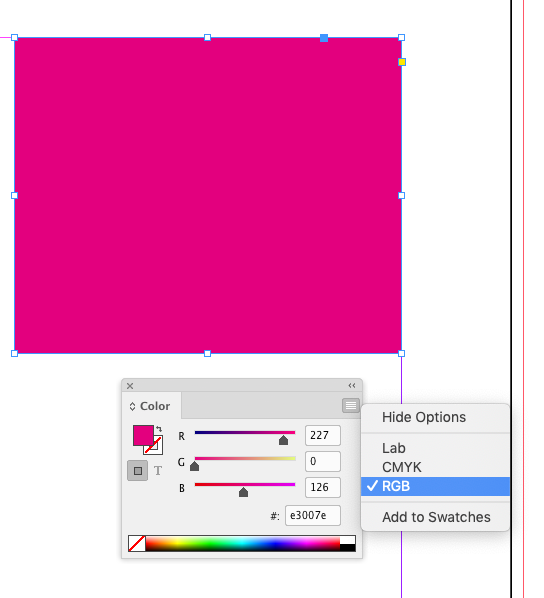
Make sure the Swatch or fill’s Color Mode is set to RGB—hex is an RGB notation.
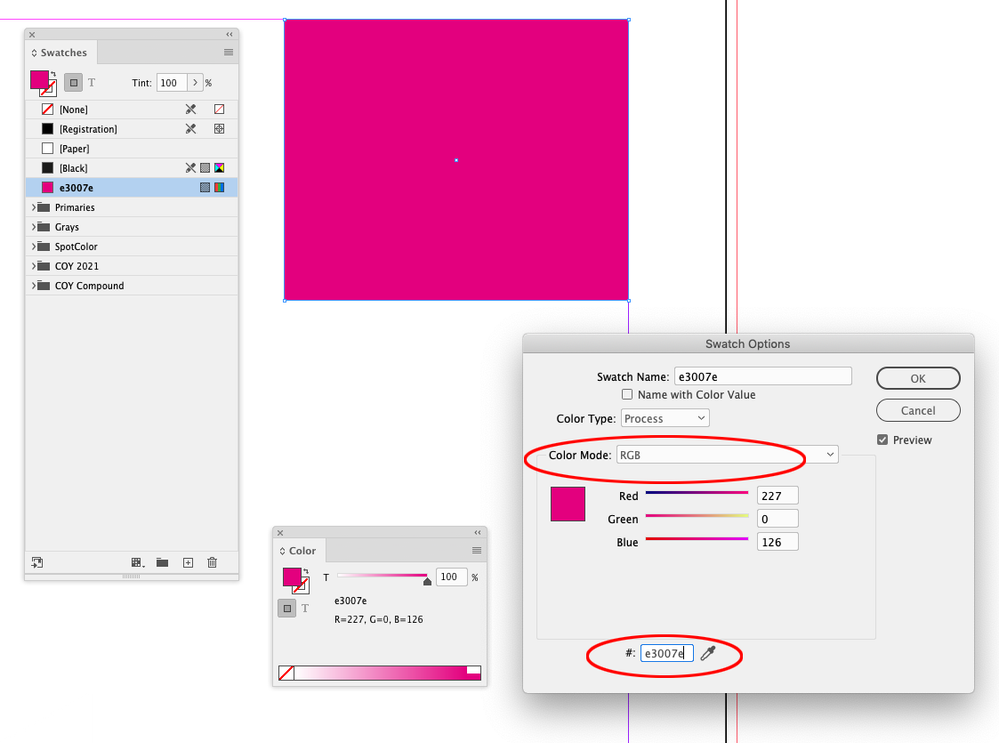
Screen Shot 17.png


Screen Shot 19.png


The assigned RGB profile would affect the appearance of #e3007e
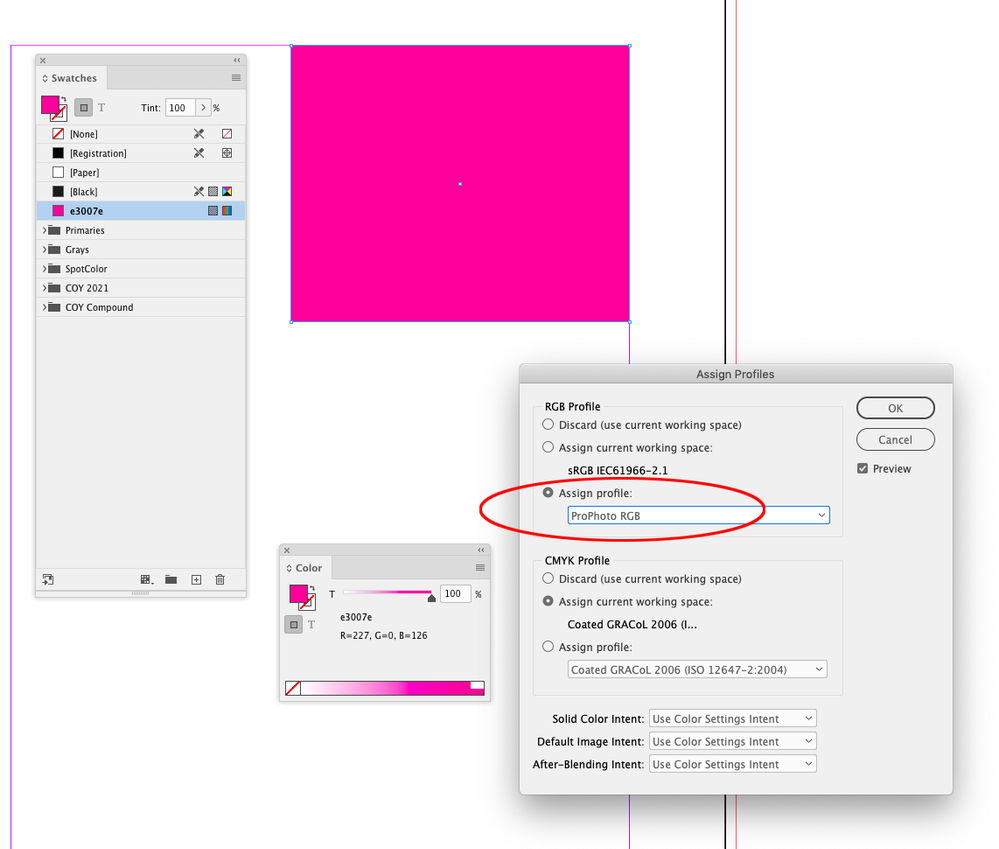
 

Screen Shot 18.png


Also, if there is any transparent object on the spread, or you have Overpint Preview turned on RGB colors will be displayed in your document’s assigned CMYK profile.

Translate
Report
Community guidelines
Be kind and respectful, give credit to the original source of content, and search for duplicates before posting. Learn more
community guidelines
