


- Home
- InDesign
- Discussions
- How do I delete all empty graphics frames from a d...
- How do I delete all empty graphics frames from a d...
How do I delete all empty graphics frames from a document?

Copy link to clipboard
Copied
I have data merged a document and need to remove all the empty graphics frames as quick as possible.
I have found solutions for deleting empty text frames but not graphics frames. Can somebody help with this as it will save soo much time and RSI!
I found an applescript solution here:
http://forums.adobe.com/thread/756281
However, I am running Windows 7 and Id CC
Cheers,
Kris.


 10
Replies
10
10
Replies
10



Copy link to clipboard
Copied
HI MToys
I didnt check out the post from the other forum, but to remove all empty graphic frames from a doc without any conditions, you can try this code:
var myGraphicFrames = app.activeDocument.rectangles;
for (i=myGraphicFrames.length-1; i>=0; i--) {
if (myGraphicFrames.graphics.length < 1)
myGraphicFrames.remove();
}
Davey


Copy link to clipboard
Copied
@myDavey – but there are conditions.
(Nearly) every time a layout is done…
Before:
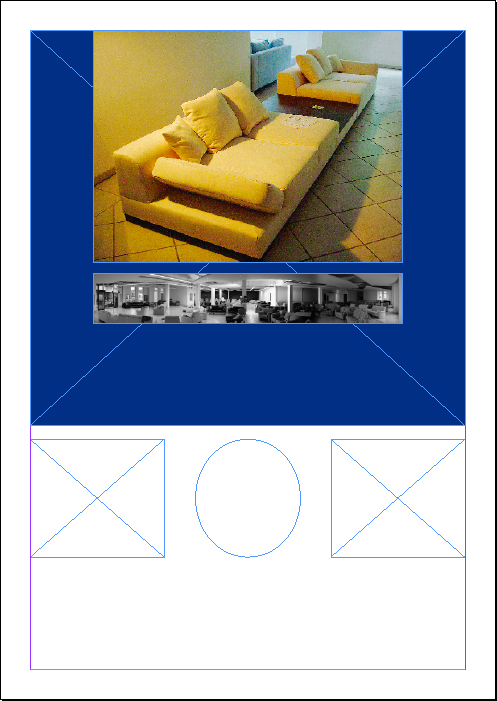
After:
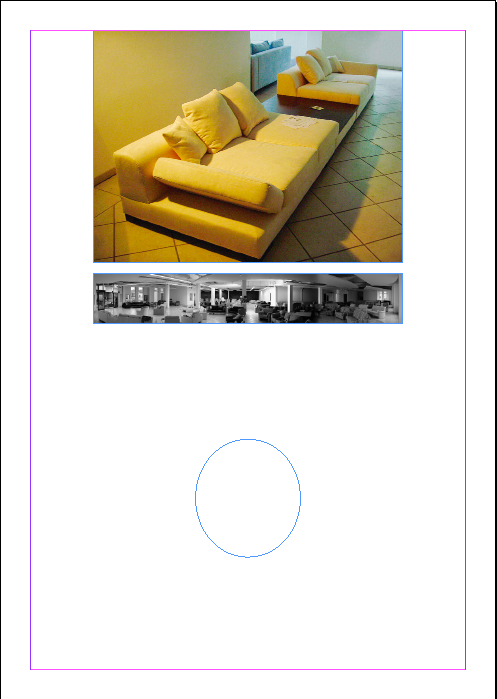
Uwe
Copy link to clipboard
Copied
@Uwe - Thanks
I happened to have just had a few jobs where I needed to delete rectangles w/o conditions
I was just playing around with pictures on the pasteboard - outside any text frames (setting up a calendar, and a collage)
There were no strokes or colors or anchored objects or text wrap
So, in those cases, this script does the job.
But it wont be hard to just add some if statements into the code.
All the best
Davey

Copy link to clipboard
Copied
I have the feeling that such a script would be similar in construction to the one that was used to fix empty textframes:
http://forums.adobe.com/message/5895008#5895008
I believe it would be taking the following script:
var myStories = app.activeDocument.stories.everyItem().getElements();
for (i = myStories.length - 1; i >= 0; i--){
var myTextFrames = myStories.textContainers;
for (j = myTextFrames.length - 1; j >= 0; j--) {
var stroke = myTextFrames
.strokeWeight; var color = myTextFrames
.fillColor.name; var wrap = myTextFrames
.textWrapPreferences.textWrapMode; //alert (color)
if (myTextFrames
.contents == "" && stroke == "0" && color == "None" && wrap === TextWrapModes.NONE){ //alert ("yes")
myTextFrames
.remove(); }
}
}
But changing from stories to rectangles/ovals/polygons that are either graphic or unassigned.
As to how it is written... i'm still learning so my efforts have been in vain so far.
Copy link to clipboard
Copied
I guess it might be of help to others, so I decided to write up a script
The script works as follows:
- The script deletes all EMPTY rectangles.
- If you would like the script to take rectangle properties into consideration before deleting, you must select a rectangle that has those properties.
- If you would like the script to take only some properties into consideration, then, At the top of the script, you'll see a list of properties. Any value you want to consider, set its value to true. Otherwise set it to false.
- The script runs in a doScript function allowing for an easy 1 undo. In order to use this, you have to save the script as a script, and write the chosen script name in the script itself where it says "INSERT_HERE_THE_SCRIPT_NAME".
However, if you would like to pass on this, just comment out the doScript line and uncomment the previous line.
The script was tested and seems to work well and correctly.
As I am a new scripter to javascript and InDesign, I would appreciate to here any constructive critcism
Hope it helps!
Davey
const Object_Style = true,
Fill_Color = true,
Fill_Tint = true,
Fill_Transparency_Settings = true,
Item_Layer = true,
Stroke_Color = true,
Stroke_Weight = true,
Stroke_Type = true,
Stroke_Transparency_Settings = true,
Stroke_Tint = true,
Stroke_Alignment = true;
// main();
app.doScript(main, undefined , undefined, UndoModes.fastEntireScript, "INSERT_HERE_THE_SCRIPT_NAME")
function main() {
var myDoc = app.activeDocument;
var myGraphicFrames = app.activeDocument.rectangles;
var mySample = app.selection[0];
if (mySample.constructor.name == "Rectangle") {
var isSample = true;
var objSty, fClr, fTint, fTrans, lay, sClr, sWeight, sType, sTrans, sTint, sAlign;
GetProps(mySample);
}
for (var i = myGraphicFrames.length-1; i >= 0; i--) {
if (myGraphicFrames.graphics.length < 1) {
myGraphicFrames.select();
if (isSample) if (!checkProps(myGraphicFrames)) continue;
myGraphicFrames.remove();
}
}
// ======================================
function GetProps(mySample) {
objSty = mySample.appliedObjectStyle;
fClr = mySample.fillColor;
fTint = mySample.fillTint;
fTrans = mySample.fillTransparencySettings;
lay = mySample.itemLayer.name;
sClr = mySample.strokeColor;
sWeight = mySample.strokeWeight;
sType = mySample.strokeType;
sTrans = mySample.strokeTransparencySettings;
sTint = mySample.strokeTint;
sAlign = mySample.strokeAlignment;
}
// ======================================
function checkProps(myFrame) {
var i=0;
if (Object_Style) if (myFrame.appliedObjectStyle != objSty) return false;
if (Fill_Color) if (myFrame.fillColor != fClr) return false;
if (Fill_Tint) if (myFrame.fillTint != fTint) return false;
if (Fill_Transparency_Settings) if (myGraphicFrames.fillTransparencySettings != fTrans) return false;
if (Item_Layer) if (myFrame.itemLayer.name != lay) return false;
if (Stroke_Color) if (myFrame.strokeColor != sClr) return false;
if (Stroke_Weight) if (myFrame.strokeWeight != sWeight) return false;
if (Stroke_Type) if (myFrame.strokeType != sType) return false;
if (Stroke_Transparency_Settings) if (myGraphicFrames.strokeTransparencySettings != sTrans) return false;
if (Stroke_Tint) if (myFrame.strokeTint != sTint) return false;
if (Stroke_Alignment) if (myFrame.strokeAlignment != sAlign) return false;
return true;
}
}
P.S. I didnt get involved with the anchored object settings because I wasnt sure if it can be all inclusive, or if each setting has to be separated. If it can be all inclusive, then its a breeze, otherwise... its a wind! 
Copy link to clipboard
Copied
I modded the earlier script posted by myDavey and combined it with a blank text box remover so that the following script removes:
- any textboxes that have no fill, no stroke, no text-wrap, but may contain empty data merge fields;
- any rectangles, polygons or ovals that have no fill, no stroke, no textwrap and no image.
var myDocument = app.activeDocument;
app.findTextPreferences = app.changeTextPreferences = null;
app.findTextPreferences.findWhat = "<FEFF>";
app.changeTextPreferences.changeTo = "";
myDocument.changeText();
app.findTextPreferences = app.changeTextPreferences = null;
var myStories = app.activeDocument.stories.everyItem().getElements();
for (i = myStories.length - 1; i >= 0; i--){
var myTextFrames = myStories.textContainers;
for (j = myTextFrames.length - 1; j >= 0; j--) {
var stroke = myTextFrames
.strokeWeight; var color = myTextFrames
.fillColor.name; var wrap = myTextFrames
.textWrapPreferences.textWrapMode; //alert (color)
if (myTextFrames
.contents == "" && stroke == "0" && color == "None" && wrap === TextWrapModes.NONE){ //alert ("yes")
myTextFrames
.remove(); }
}
}
var _d = app.documents[0],
_allStories = _d.stories;
for (var n = _allStories.length - 1; n >= 0; n--){
var _storyAllTextFrames = _allStories
.textContainers; for (var m = _storyAllTextFrames.length - 1; m >= 0; m--){
if (_storyAllTextFrames
.contents === "") try{
_storyAllTextFrames
.contentType = ContentType.UNASSIGNED; }catch(e){};
}
}
var myGraphicFrames = app.activeDocument.rectangles;
for (i=myGraphicFrames.length-1; i>=0; i--) {
var stroke = myGraphicFrames.strokeWeight;
var color = myGraphicFrames.fillColor.name;
var wrap = myGraphicFrames.textWrapPreferences.textWrapMode;
if (myGraphicFrames.graphics.length < 1 && stroke == "0" && color == "None" && wrap === TextWrapModes.NONE)
myGraphicFrames.remove();
}
var myOvalFrames = app.activeDocument.ovals;
for (i=myOvalFrames.length-1; i>=0; i--) {
var stroke = myOvalFrames.strokeWeight;
var color = myOvalFrames.fillColor.name;
var wrap = myOvalFrames.textWrapPreferences.textWrapMode;
if (myOvalFrames.graphics.length < 1 && stroke == "0" && color == "None" && wrap === TextWrapModes.NONE)
myOvalFrames.remove();
}
var myPolygonFrames = app.activeDocument.polygons;
for (i=myPolygonFrames.length-1; i>=0; i--) {
var stroke = myPolygonFrames.strokeWeight;
var color = myPolygonFrames.fillColor.name;
var wrap = myPolygonFrames.textWrapPreferences.textWrapMode;
if (myPolygonFrames.graphics.length < 1 && stroke == "0" && color == "None" && wrap === TextWrapModes.NONE)
myPolygonFrames.remove();
}
to test this script to make sure it works, I have made an InDesign file that has various text boxes, shapes etc... and have marked the ones that SHOULD delete with a red X.
https://dl.dropboxusercontent.com/u/55743036/empty%20textbox%20test.idml
Thoughts?
Colly
Message was edited by: cdflash the java syntax wasn't working so the script initially did not display
Copy link to clipboard
Copied
Your test works great but not sure why I can't get it to delete some empty frames in my document?
Some also have fills which is necessary as well. However, on second thoughts I could add the fill after with a style.
Copy link to clipboard
Copied
Thanks myDavey this one works a treat for removing the rectangles. 
I would like to remove other shapes as well. How is this possible? 
Copy link to clipboard
Copied
Hi MToys
I added a little to the script so that it will work on Ovals and Polygons also. [Not TextFrames]
You just have to set the values for which of the frame types you want to delete.
You can do this by setting the const values at the top of the script for DeleteRectangle, DeleteOvals, DeletePolygons
There are a few uncertainties that I had:
- If an object is selected, should the script only delete that objects frame type.
I.e., If you select an oval, should the script know to delete only ovals.
At this point, I did not do that, rather it will just get the settings from the selected object, and delete all frame types with those settings - I had to disable matching the transparency settings because they werent comparing correctly between different frame types
Meaning, I made 3 frames, Oval, Rectangle and Polygon - no settings applied.
I selected the oval and ran the script. It only deleted the oval even though set it to delete all.
I found that the transparency settings werent matching... even though there werent any
So, for now - its disabled.
If someone can shed some light on this I would appreciate it.
I tested the script on Mac Mountain Lion - ID CS6 and seems to work well
Here is the script
const Object_Style = false,
Fill_Color = true,
Fill_Tint = true,
Fill_Transparency_Settings = true,
Item_Layer = true,
Stroke_Color = true,
Stroke_Weight = true,
Stroke_Type = true,
Stroke_Transparency_Settings = true,
Stroke_Tint = true,
Stroke_Alignment = true;
const DeleteRectangles = true,
DeleteOvals = true,
DeletePolygons = true;
app.doScript(main, undefined , undefined, UndoModes.fastEntireScript, "INSERT_HERE_THE_SCRIPT_NAME")
function main() {
var myDoc = app.activeDocument;
var mySel = app.selection;
if (mySel.length > 0) {
mySample = app.selection[0];
if (mySample.constructor.name == "Rectangle" ||
mySample.constructor.name == "Oval" ||
mySample.constructor.name == "Polygon")
{
var isSample = true;
var objSty, fClr, fTint, fTrans, lay, sClr, sWeight, sType, sTrans, sTint, sAlign;
GetProps(mySample);
}
}
if (DeleteRectangles) {DeleteItems(myDoc.rectangles)}
if (DeleteOvals) {DeleteItems(myDoc.ovals)}
if (DeletePolygons) {DeleteItems(myDoc.polygons)}
function DeleteItems(myGraphicFrames) {
for (var i = myGraphicFrames.length-1; i >= 0; i--) {
if (myGraphicFrames.graphics.length < 1) {
myGraphicFrames.select();
if (isSample) if (!checkProps(myGraphicFrames)) continue;
myGraphicFrames.remove();
}
}
}
// ======================================
function GetProps(mySample) {
objSty = mySample.appliedObjectStyle;
fClr = mySample.fillColor;
fTint = mySample.fillTint;
fTrans = mySample.fillTransparencySettings;
lay = mySample.itemLayer.name;
sClr = mySample.strokeColor;
sWeight = mySample.strokeWeight;
sType = mySample.strokeType;
sTrans = mySample.strokeTransparencySettings;
sTint = mySample.strokeTint;
sAlign = mySample.strokeAlignment;
}
// ======================================
function checkProps(myFrame) {
var i=0;
if (Object_Style) if (myFrame.appliedObjectStyle != objSty) return false;
if (Fill_Color) if (myFrame.fillColor != fClr) return false;
if (Fill_Tint) if (myFrame.fillTint != fTint) return false;
if (Item_Layer) if (myFrame.itemLayer.name != lay) return false;
if (Stroke_Color) if (myFrame.strokeColor != sClr) return false;
if (Stroke_Weight) if (myFrame.strokeWeight != sWeight) return false;
if (Stroke_Type) if (myFrame.strokeType != sType) return false;
if (Stroke_Tint) if (myFrame.strokeTint != sTint) return false;
if (Stroke_Alignment) if (myFrame.strokeAlignment != sAlign) return false;
//if (Stroke_Transparency_Settings) if (myFrame.strokeTransparencySettings != sTrans) return false;
//if (Fill_Transparency_Settings) if (myFrame.fillTransparencySettings != fTrans) return false;
return true;
}
}

Copy link to clipboard
Copied
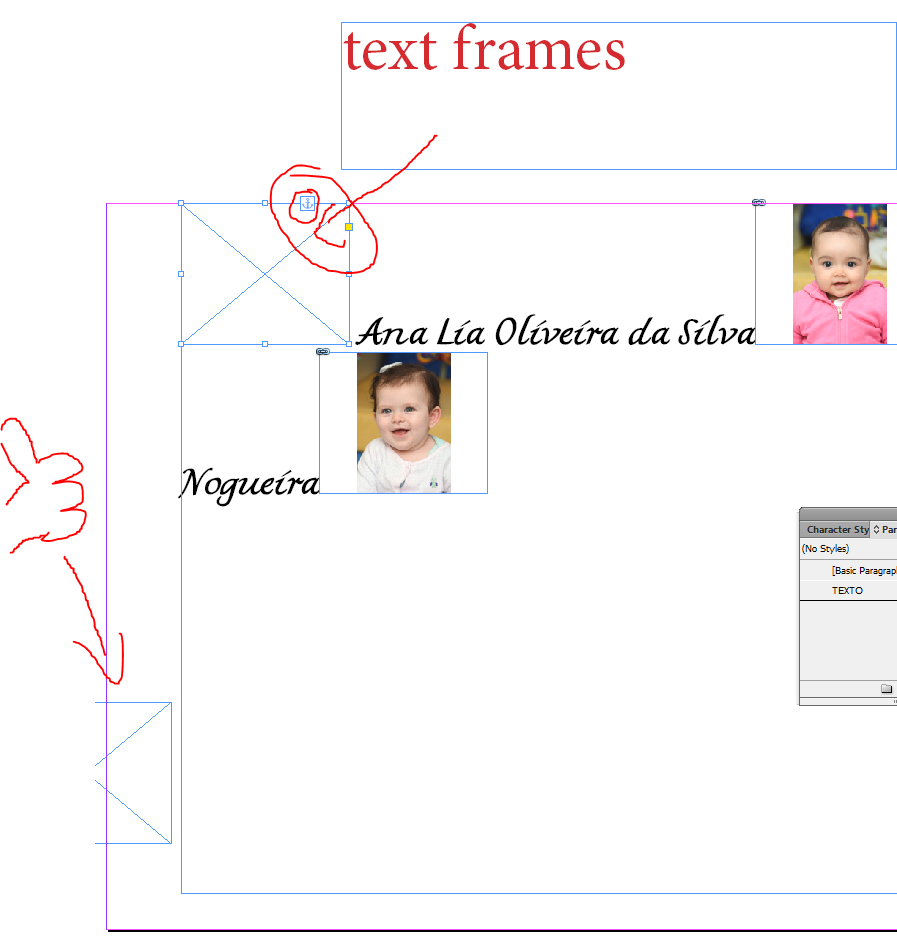
Its possible to delete anchored graphic frames in text frames? Only worked on graphic frames outside .


Get ready! An upgraded Adobe Community experience is coming in January.
Learn more
 AdChoices