


Participant
September 11, 2012
Answered

How to change the color picker/color space view?

  • September 11, 2012
  • 5 replies
  • 71555 views

I wanted to change the color picker/color space view to what it looks like in the other Adobe programs. I have gotten used to using the color picker from the other programs and I have had problems with the look and function of this color view.

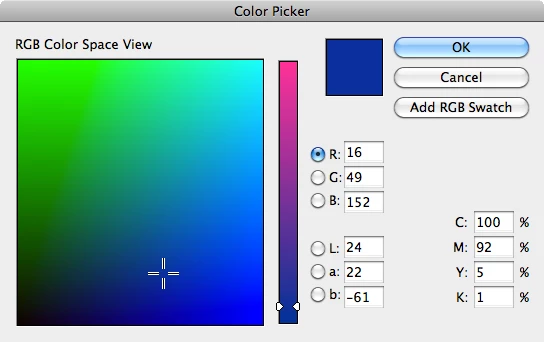
In InDesign the color picker looks like this:
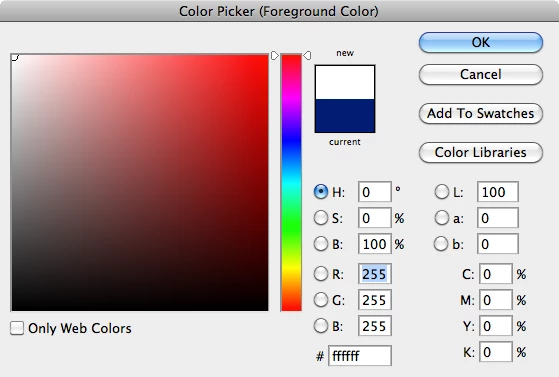
And the Photoshop/Illustrator/etc. looks like this:
I've tried changing the "Convert To Profile..." and the Transparency Blend Space, but neither have done anything to what I want to be done.

Is there some way to change this in InDesign?

Note: I want to change the looks of the gradient-like area if that isn't obvious.
Correct answer Steve Werner

opposed to smoothly zooming in and out when i move the mouse right or left.

I misunderstood you, ID doesn't have an animated zoom.


Rob,

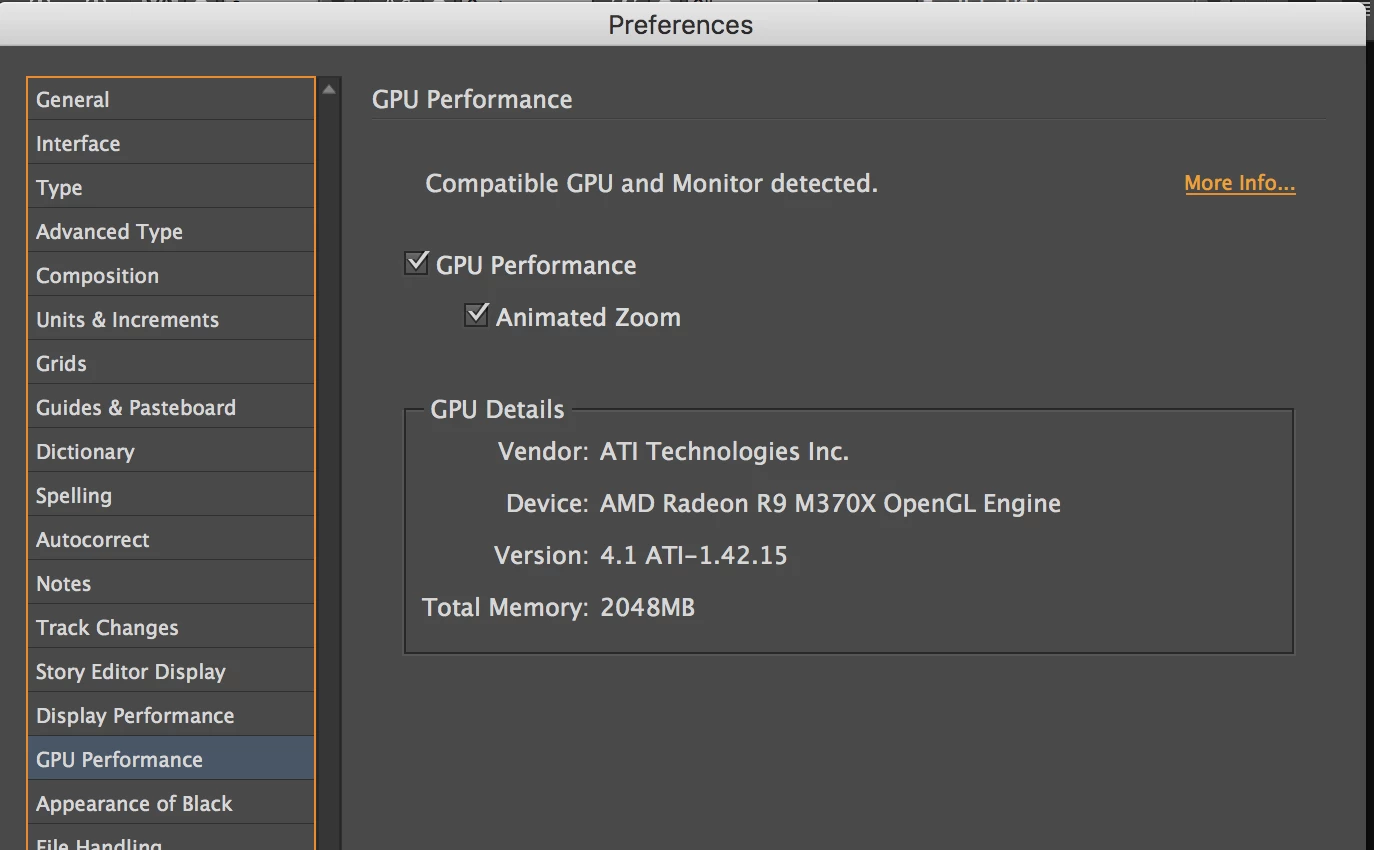
You are wrong. If you're on a Mac with appropriate hardware and you're using the current version of InDesign, you have Animated Zoom. See below:

I wrote about it here:

GPU Support and Animated Zoom Arrives (for the Mac ...

5 replies

sfsfsssdsx
Participant
February 1, 2017

Had the same frustration so I googled "online rgb color picker" and the first result was Color Picker - ColorPicker.com

I haven't checked to see if it's color representation is perfectly accurate, but it is less resource heavy and easier than switching applications.

Helps me, hope it can help somebody else!

Om Nath Jha
Legend
August 24, 2016

Hi,

Here's a link you can use to request it as a feature : Feature Request/Bug Report Form

Regards,

Om

jellyfunk
Known Participant
September 30, 2016

You're wasting your time. This has been a phenomenal nuisance for designers every since Id was released. I just spoke with a csr at Adobe and she said that they will not change it, or at least give the option for the much easier to use color picker that Ai & Ps use, as that's the way the program was designed. Their logic doesn't make sense, but that's just how it is. I'm very surprised that they wouldn't listen to the people who use it and i don't know anyone who prefers this picker. So, i guess i have to just keep using the color picker in Ai and copying the cmyk coordinates into the Id color picker....unless there's a better option?

Another thing is that i can't seem to use the quick zoom feature that Ai & Ps use (command + space). It's like Id was designed by a separate company than its other design apps. 

rob day
Community Expert
Community Expert
September 30, 2016

unless there's a better option?

InTools has a free hex script, that will pick up Photoshop's foreground color. It still works for me in CC2014

Hexadecimal Swatches in InDesign | in-tools.com

http://in-tools.com/downloads/indesign/scripts/CreateHexSwatch.zip

and she said that they will not change it

I think there is a color management/engineering problem that stops them from adding HSB to InDesign. InDesign allows multiple color spaces in a single document, while AI and PS have a single document color mode, so there's no ambiguity about how the chosen color will get converted from the HSB picker interface (there's no document HSB color mode or space in any of the Adobe apps). In Photoshop when you pick a color with any of the interfaces it gets converted into the document's color space, that's not an easy option with InDesign because there are 4 possible color spaces for the swatch or color fill when you pick. See #11 here:

Re: HSB color picker

timmy ppp
Participant
August 24, 2016

Adobe you should give an option to change the color picker!! I hate the one that comes standard in InDesign. I usually have to edit my in colors in illustrator and then copy and past the hex code in InDesign. It is such a pain!!!

Participant
May 26, 2013

I was wanting to do the same change as you, until I saw your two images.

Within the InDesign image you've selected a dark blue colour (R:16, G:49, B:152)  AND you've got the (R)ed channel selected.

Within the Photoshop image you've selected a white colour(R:255, G:255, B:255)  AND you've got the (H)ue channel selected.

In Photoshop I can recreate both of your images by having the same settings for RGB/CMYK and selecting the same channel item as you have in those images.

That's all.

There is no difference between the two colour selection dialogs except where the HSB, RGB, CMYK and LAB are placed.

Peter Spier
Community Expert
Community Expert
September 11, 2012

You can't change the color picker in ID.

Participant
December 2, 2012

Why is Adobe products so inconsistent?  Why would color picker be showing RGB space when working in CMYK color space even at CS6!

rob day
Community Expert
Community Expert
December 2, 2012

when working in CMYK color space even at CS6!

InDesign doesn't have a document color space like Illustrator and Photoshop—a document can have a mix of either CMYK, RGB, or Lab objects, and the 3 color pickers (the Color Picker, Color, and Swatches panels) are limited to those spaces. There's no Grayscale or HSB, and it's the missing HSB's H view that's intuitive for picking color and would be nice to have—but I'm guessing it's not as easy as it seems to engineer when there's no document color space.