


- Home
- InDesign
- Discussions
- How to make the reference lines appear again
- How to make the reference lines appear again

Copy link to clipboard
Copied
When I work with Indesign with objects, references used to appear on the screen to be able to place them correctly. For example, it was indicated with a pink line when an object was fully centered on the page or when two lines touched each other or were at the same height.
I do not know if I touched something but now they do not appear on the screen anymore. How do I make them reappear? I need them to work in detail with positions.
Thank You


 1 Correct answer


You probably have Snap to Document Grid turned on. This grays the Smart Guides:
https://indesignsecrets.com/why-is-some-feature-grayed-out-in-indesign.php

 6
Replies
6
6
Replies
6


Copy link to clipboard
Copied
Show > Grids and Guides > Smart Guides
Copy link to clipboard
Copied
I do not know why the option is turned off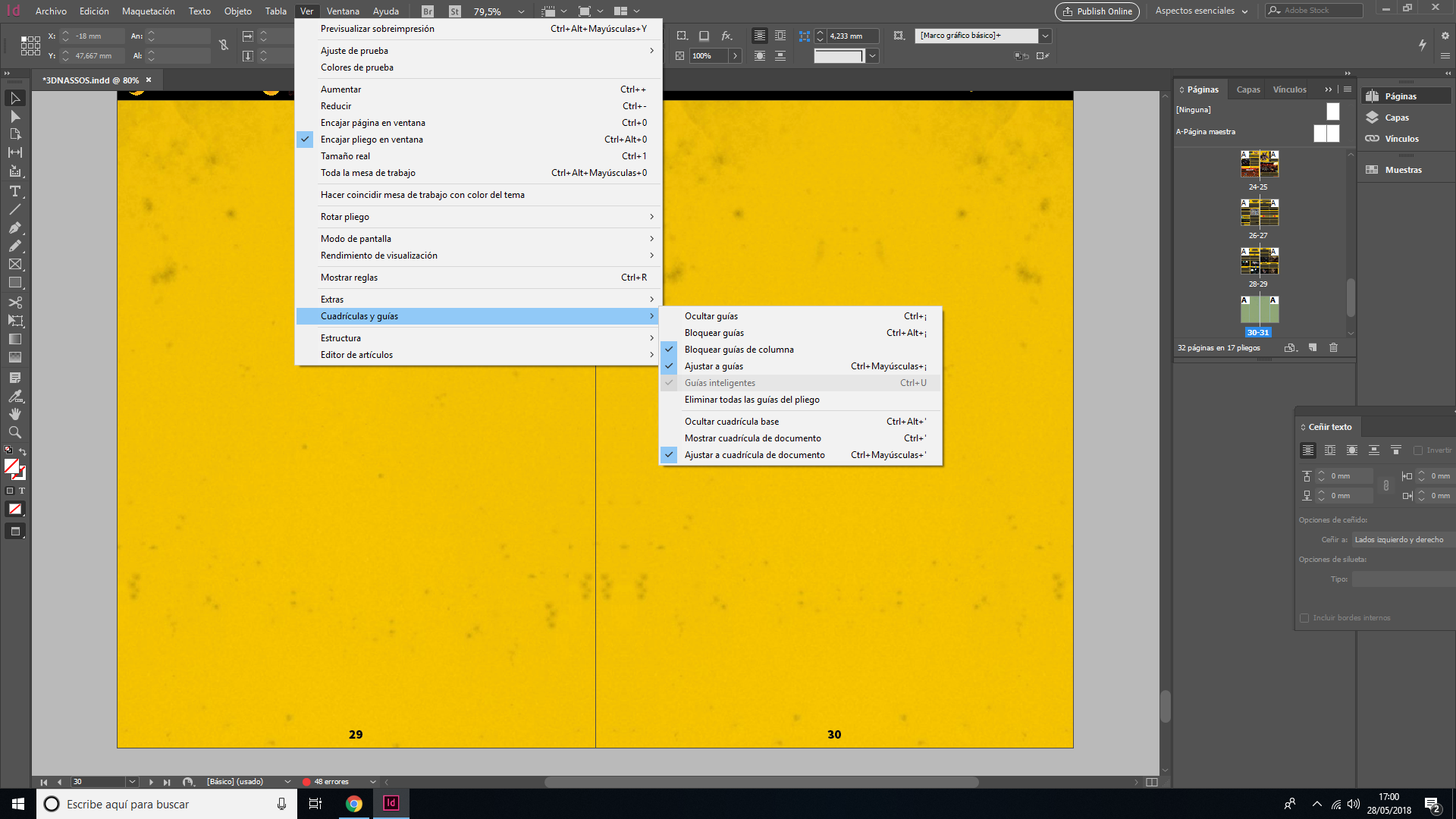
Copy link to clipboard
Copied
You probably have Snap to Document Grid turned on. This grays the Smart Guides:
https://indesignsecrets.com/why-is-some-feature-grayed-out-in-indesign.php
Copy link to clipboard
Copied
Oh, I didn't know that – live and learn Steve!
Copy link to clipboard
Copied
We always learn from each other. One of the many reasons I like to visit here.
Copy link to clipboard
Copied
You Were right. Thank you both for the help!


Get ready! An upgraded Adobe Community experience is coming in January.
Learn more
 AdChoices