


- Home
- InDesign
- Discussions
- I need to get a number a user inputs via scripting...
- I need to get a number a user inputs via scripting...
I need to get a number a user inputs via scripting. Halp!

Copy link to clipboard
Copied
myDisplayDialog();
function myDisplayDialog() {
var myLabelWidth = 70;
var myDialog = app.dialogs.add({name:"Set Section Markers"});
with(myDialog.dialogColumns.add()){
with(borderPanels.add()){
with(dialogRows.add()){
with(dialogColumns.add()){
staticTexts.add({staticLabel:"First Page:"});
}
with(dialogColumns.add()){
currentPageNumbers = textEditboxes.add({editContents:""});
}
}
}
}
myDialog.show();
}
I have the code above and am trying to get the number a user inputs with my `currentPageNumber` variable, but it's not working. Can I get some help with how this needs to be to work?
Thanks


 7
Replies
7
7
Replies
7


Copy link to clipboard
Copied
not sure because of your spelling or what you are asking but you will need to explain what you are doing. and check your spelling so we understand what you want please.
Copy link to clipboard
Copied
I'm trying to have a dialog box open up that prompts a user to input a number. From that input, I'm trying to store the number as a variable.

Copy link to clipboard
Copied
User input is actually currentPageNumbers.editContents
So you can just create a new variable:
var userInput = currentPageNumbers.editContents;
By the way, are you aware that you are creating a text-edit field?
Meaning that if user inputs "5", you will not get 5 as number (integer), but 5 as text (string)...
alert(userInput+5); will not display 10, but 55. Not so good is it?
So, you should change your text-edit field to a numeric entry one.
By the way #2, this question would fit better in the InDesign Scripting forum. Maybe a mod can move it there...


Copy link to clipboard
Copied
Moved to InDesign Scripting
-Manan
Copy link to clipboard
Copied
Thanks for the info!

Copy link to clipboard
Copied
It appears you are only looking for a way to prompt an unsuspecting user for a number. There is a standard function for that!
currentPageNumbers = prompt ("", "", "Set Section Markers");
will display a basic – yet functional enough – dialog:
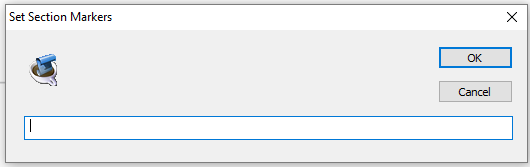
See https://www.indesignjs.de/extendscriptAPI/indesign-latest/#global.html#d1e3846__d1e4527
The result is null (when canceled) or a text string, so don't forget to coerce this into a number if you need to do calculations with it.

Copy link to clipboard
Copied
Jeff,
Try this.........
var currentPageNumbers;
myDisplayDialog();
function myDisplayDialog() {
var myLabelWidth = 70;
var myDialog = app.dialogs.add({name:"Set Section Markers"});
with(myDialog.dialogColumns.add()){
with(borderPanels.add()){
with(dialogRows.add()){
with(dialogColumns.add()){
staticTexts.add({staticLabel:"First Page:"});
}
with(dialogColumns.add()){
currentPageNumbers = integerEditboxes.add();
}
}
}
}
var result = myDialog.show();
if(result == 1){
myInput = currentPageNumbers.editValue; //your variable
}
else if (result == 2){
exit();
}
}
if (myInput == 0){
alert("Error!\nNo Number was entered!");
exit();
}
alert(myInput);


Get ready! An upgraded Adobe Community experience is coming in January.
Learn more
 AdChoices