Exit
  • Global community
    • Language:
      • Deutsch
      • English
      • Español
      • Français
      • Português
  • 日本語コミュニティ
  • 한국 커뮤니티
0

Indesign preference function does not work

Participant ,
Jul 10, 2019 Jul 10, 2019

My computer system is MacOS 10.14.5, and I use Indesign version is 14.0.2. Preference in Indesign software has the function of "Always subset fonts with glyph counts greater than: 2000". I tried it and found that it didn't work. Excuse me, experts, what is the problem? Or is my understanding wrong? How to use this function correctly?

The operation steps are as follows:

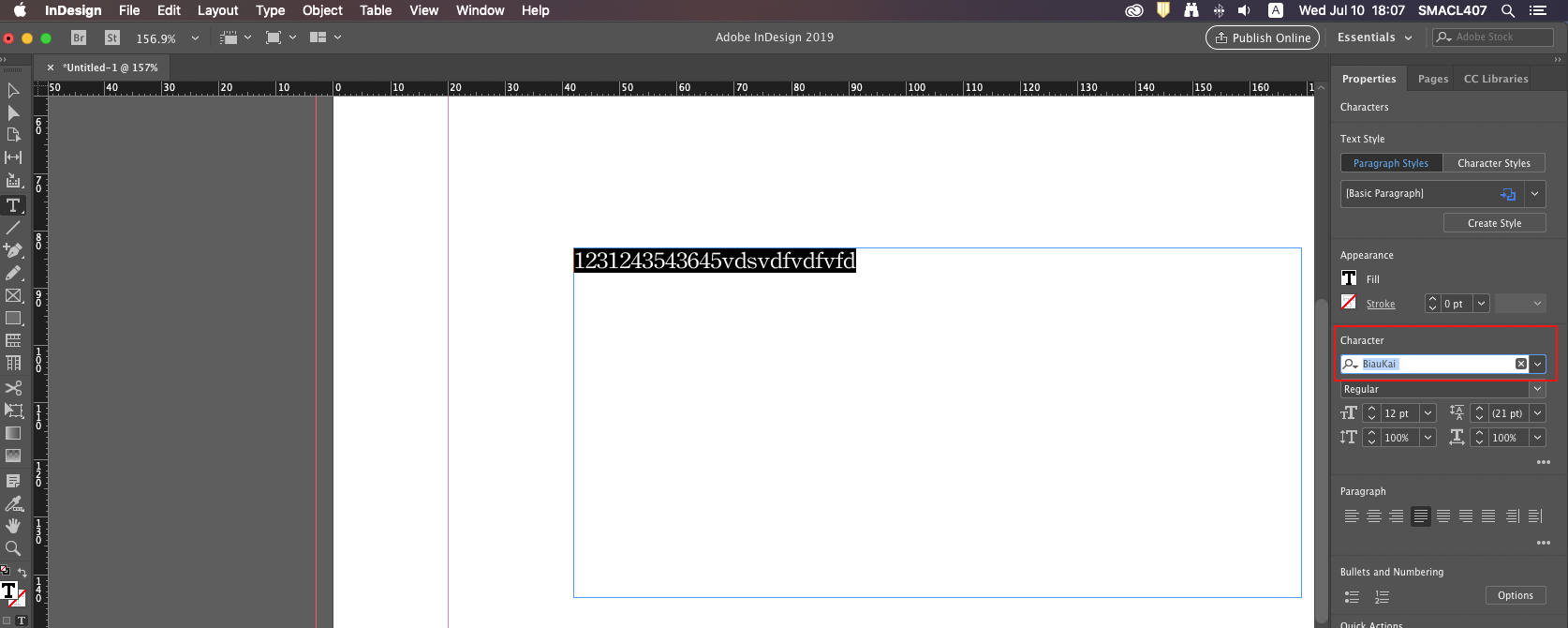
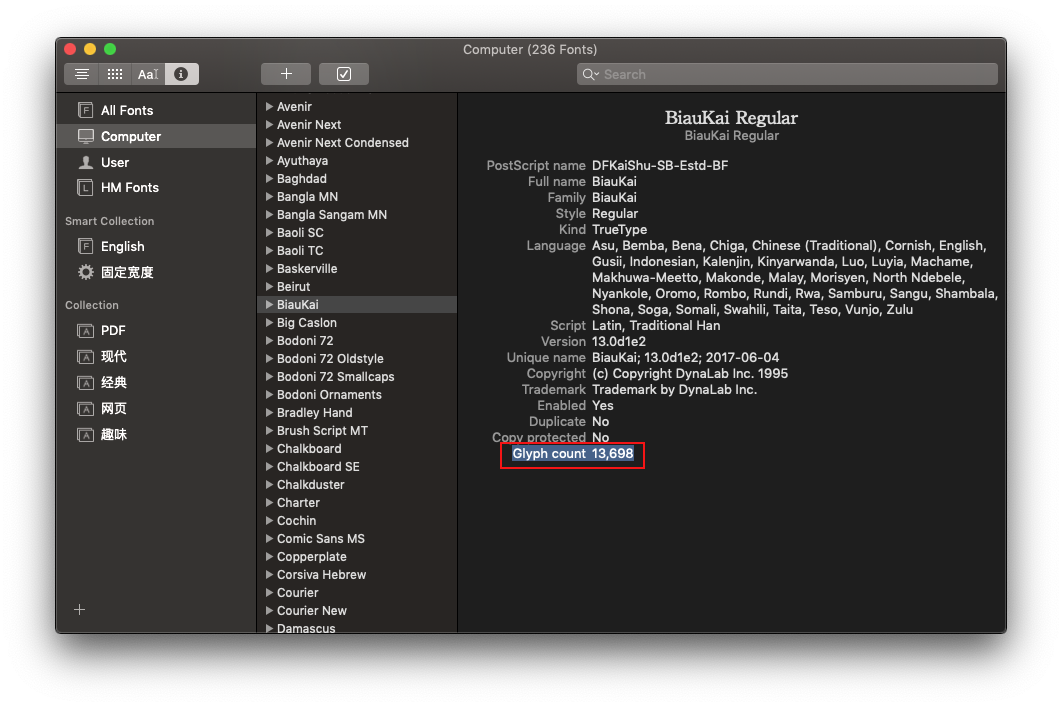
1. Select a font, the number of fonts is 13698, and input a paragraph of text in the Indesign software.

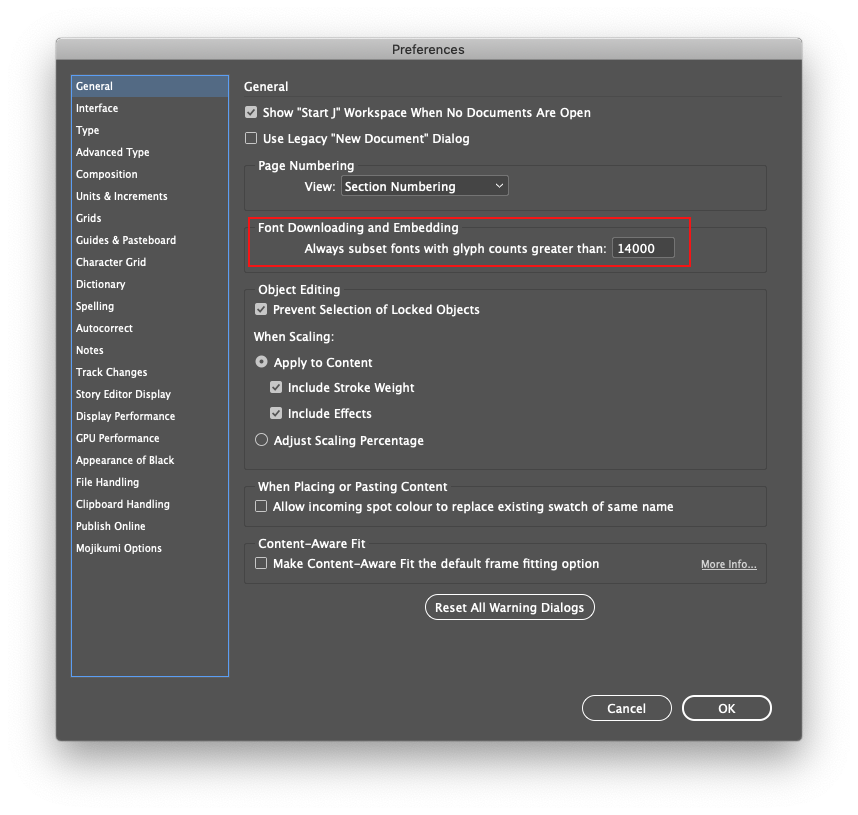
2. Set "Always subset fonts with glyph counts greater than: 14000" on the software Preference.

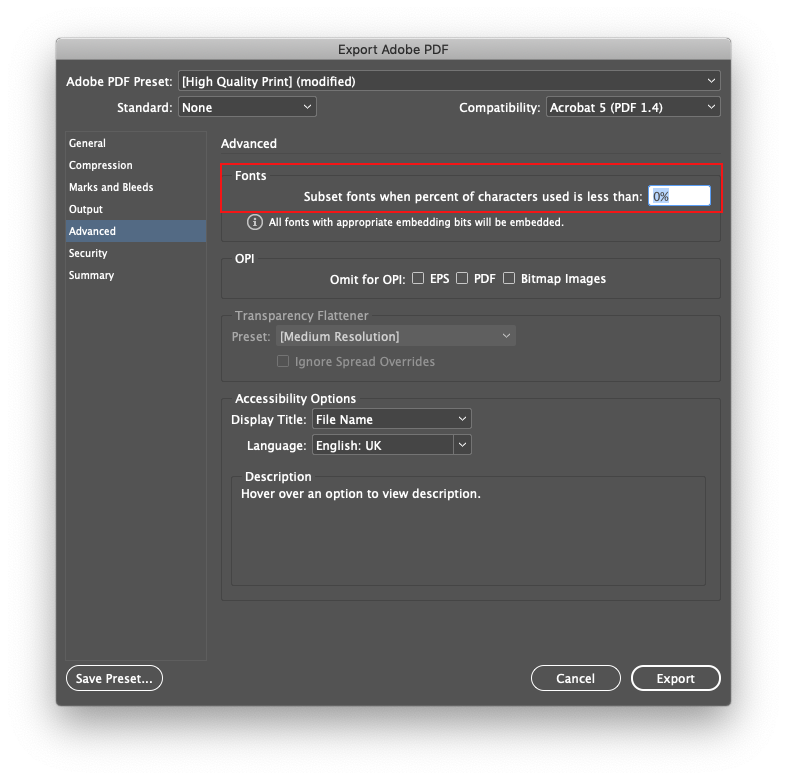
3. Output Adobe PDF (Print) and set Subset fonts when percentage of characters used is less than: 0%.

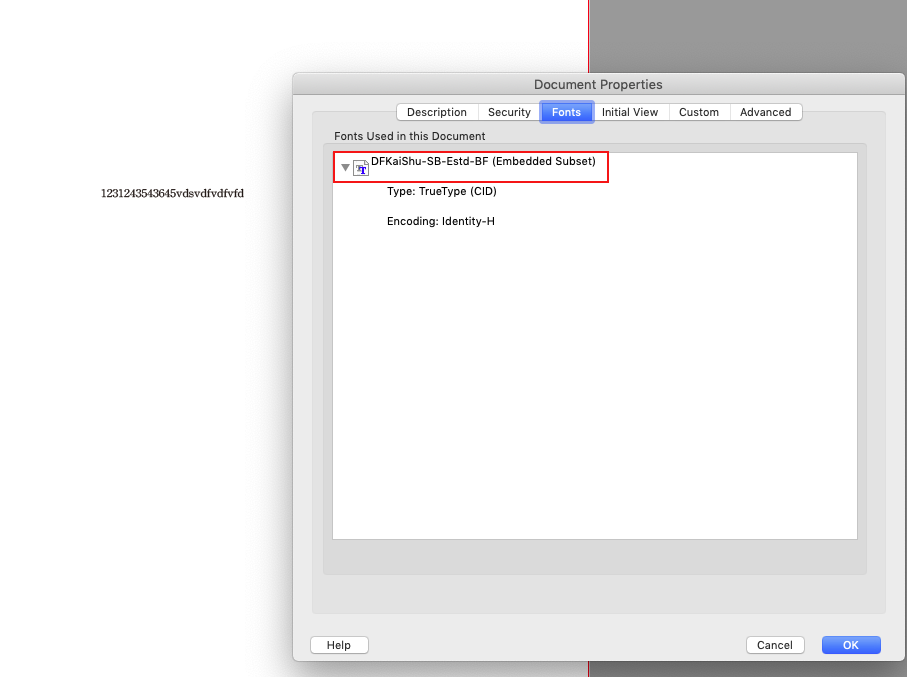
4. Check the output PDF and the font still shows "Embedded Subset". In theory, the output PDF should be embedded, not embedded Subset.1.png2.png3.png4.png5.png
471
Translate
Report
Community guidelines
Be kind and respectful, give credit to the original source of content, and search for duplicates before posting. Learn more
community guidelines
Community Expert ,
Jul 10, 2019 Jul 10, 2019

I can't say for sure, but I know from previous experience that some "non-Western" fonts automatically subset.

I suspect that it's set that way to preclude massive file sizes that would come from embedding entire Kanji-type font(s). I can't speak for Adobe, but maybe they consider this a feature and not a bug. Perhaps Adobe should offer some kind of alert to specify such exceptions, but it doesn't. You can ask them to do that through the link below:

Feature Request/Bug Report Form

I know this doesn't necessarily help, but perhaps it can serve as an explanation, and get you a clearer one in return.

Randy

Translate
Report
Community guidelines
Be kind and respectful, give credit to the original source of content, and search for duplicates before posting. Learn more
community guidelines
Community Expert ,
Jul 10, 2019 Jul 10, 2019
LATEST

My memory is the same as Randy's although a quick Google search doesn't find the documentation. We need the appearance from "on high" of Dov Isaacs, Adobe Principal Scientist, who I'm sure could give us the definitive answer!

Translate
Report
Community guidelines
Be kind and respectful, give credit to the original source of content, and search for duplicates before posting. Learn more
community guidelines