

Shlomit Heymann
Inspiring
May 22, 2019
Answered

InDesign User Guide - Search, Place

  • May 22, 2019
  • 1 reply
  • 2826 views

Dear all,

I know it sounds stupid, but how do I perform search only in the user guide?

I don't want to search in all adobe, just inside the user guide.

InDesign Help | InDesign User Guide

Another thing, do you see in the user guide a topic for placing photos? I was looking through topics and for some reason I can't find it (have I gone blind?)

Thank you

Shlomit
This topic has been closed for replies.
Correct answer Laubender

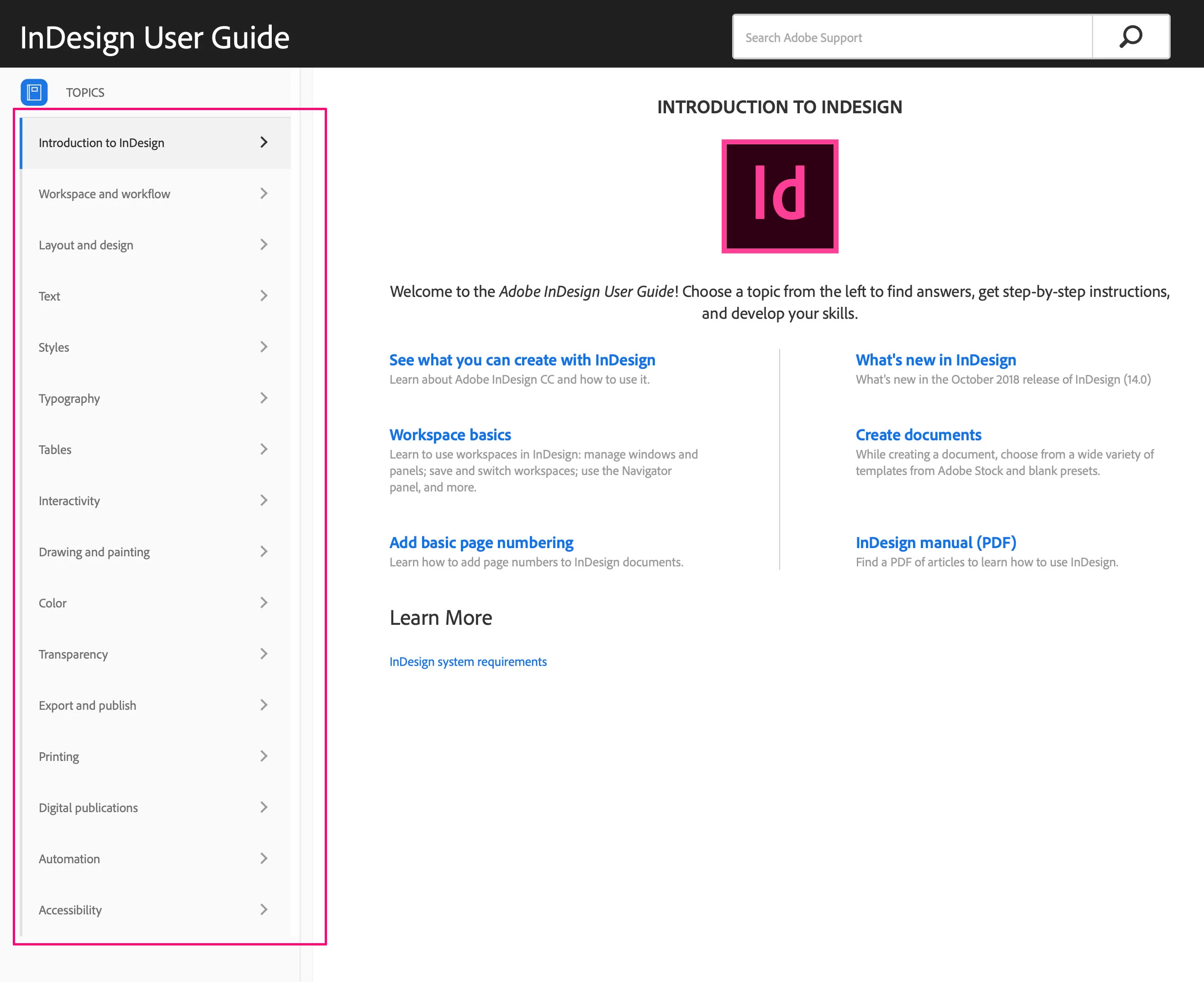
but if you go through the topics in English without search. do you see it? I mean here (within the pink frame):


No. I cannot see it. The whole section about Import is missing.

And that's not the only content that is missing.

Regards,
Uwe

1 reply

Derek Cross
Community Expert
Community Expert
May 22, 2019

Are you having a particular issue with Placing photographs in InDesign?

Shlomit Heymann
Inspiring
May 22, 2019

No. I just want to find what is written in user guide.

Shlomit Heymann
Inspiring
May 23, 2019

And by the way, google translate is really bad in Hebrew especially when it comes to professional Help

Yes I understand that.

I was initially pointing out that Google's search engine is considerably better than the Adobe website's internal search engine. My Google search was easily finding the "missing" HTML helpx page for placing images. In my experience it will find any topic that exists in the online HTML guide.


I tried to perform a search in English but asked to only show pages in Hebrew and I found it here:

כיצד למקם, לייבא ולהוסיף תמונות לתוך InDesign

Still, it should appear in the online Help which was the only thing I wanted to ask

Thank you