Exit
  • Global community
    • Language:
      • Deutsch
      • English
      • Español
      • Français
      • Português
  • 日本語コミュニティ
  • 한국 커뮤니티
0

Is it possible to create a close button (interactive pdf)?

New Here ,
Apr 26, 2017 Apr 26, 2017

Heeeeelp!

I'm making my portfolio as an interactive pdf and so far it's ok but, the only missing thing is a close button. By "close" I mean a button that takes you back from fullscreen pdf to just the standard pdf or to maybe even close Acrobat Reader. Don't know if that's possible, tho. Still, a simple close button would be nice. Anyone? Help, please.

Thanks

3.1K
Translate
Report
Community guidelines
Be kind and respectful, give credit to the original source of content, and search for duplicates before posting. Learn more
community guidelines

correct answers 1 Correct answer

Community Expert , Apr 26, 2017 Apr 26, 2017

You can do it in Acrobat Pro, but not in InDesign.

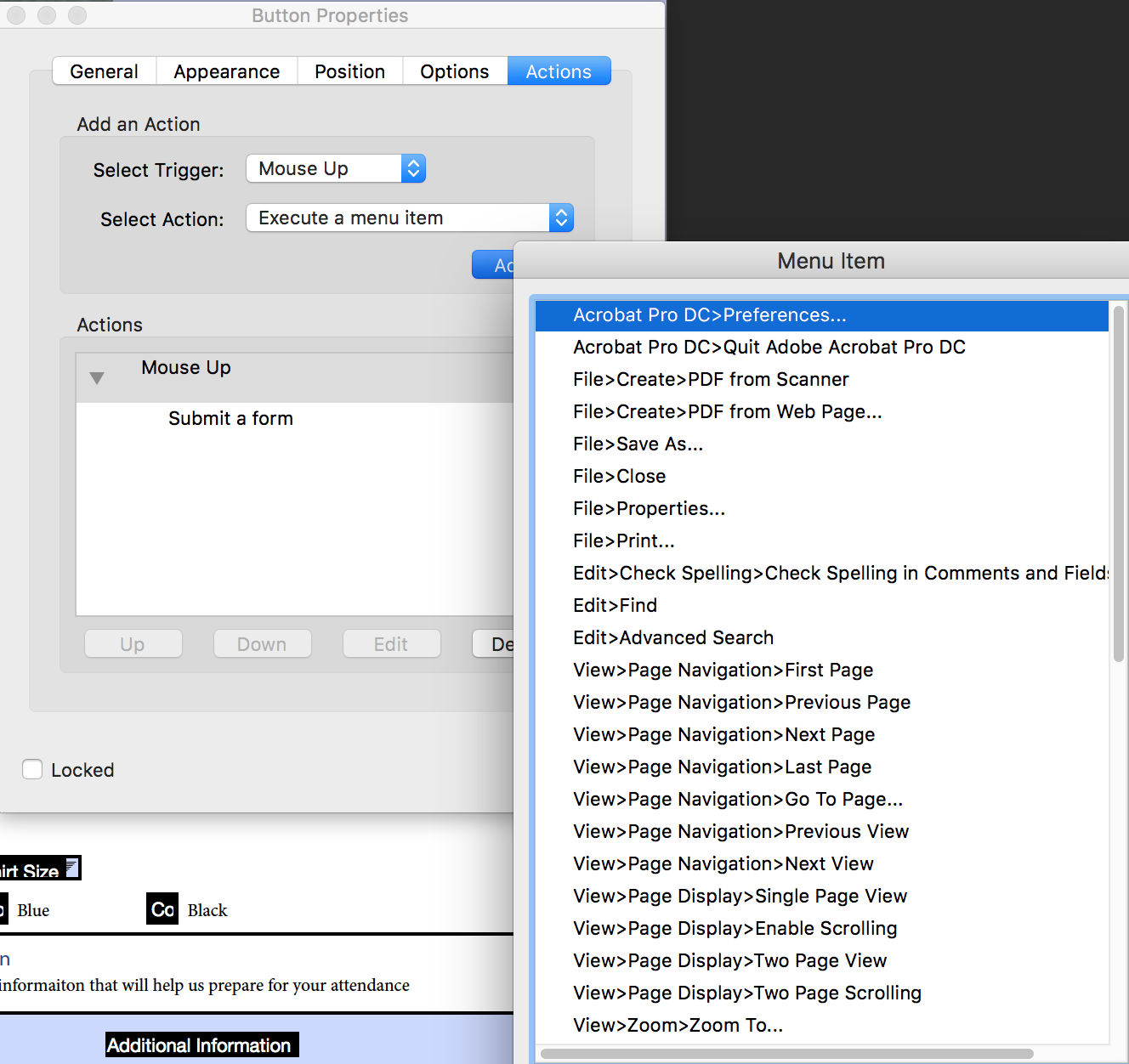
In Acrobat Pro, a button can have an action to perform a number of different menu options from the Reader/Acrobat menus (see below):

Acrobat Pro DC001.png

You should ask about this in the Acrobat Forms forum, or read the Acrobat Help file.

Translate
Community Expert ,
Apr 26, 2017 Apr 26, 2017

Hi Sofai:

These are the button actions available within InDesign (the middle group is SWF-only so they don't apply). So no, you can't set up an exit full screen or close document or quit.
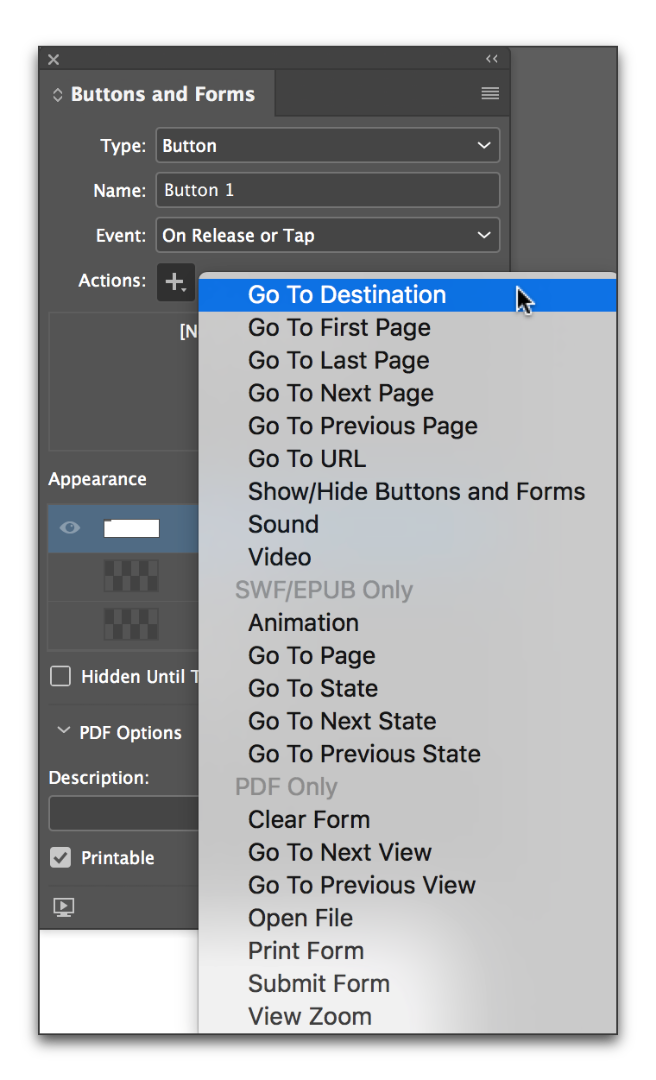
InDesign CCss_020.png

However, Adobe Acrobat Pro has more options. You could set up the button's look in InDesign and then finish up in Acrobat. The available actions are shown in the list  below, but pay special attention to the first one. Execute a Menu Item allows you to add any menu item to the button. (File > Close, File > Exit and View > Full Screen Mode)
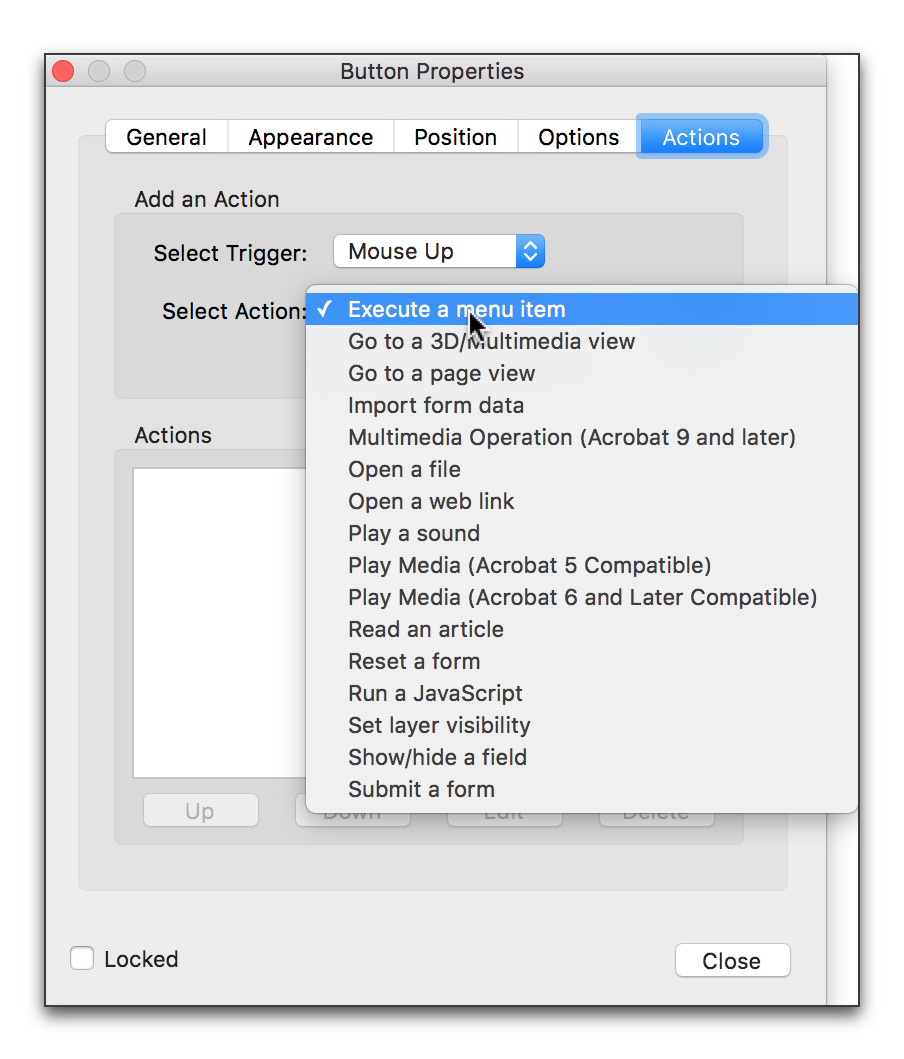

Acrobat Pro DCss_001.png

Translate
Report
Community guidelines
Be kind and respectful, give credit to the original source of content, and search for duplicates before posting. Learn more
community guidelines
Community Expert ,
Apr 26, 2017 Apr 26, 2017

You can do it in Acrobat Pro, but not in InDesign.

In Acrobat Pro, a button can have an action to perform a number of different menu options from the Reader/Acrobat menus (see below):

Acrobat Pro DC001.png

You should ask about this in the Acrobat Forms forum, or read the Acrobat Help file.

Translate
Report
Community guidelines
Be kind and respectful, give credit to the original source of content, and search for duplicates before posting. Learn more
community guidelines
Community Expert ,
Apr 26, 2017 Apr 26, 2017
LATEST

As Steve says, you'd have to do this in Acrobat but please keep in mind that there is no assurance that such actions will work in a browser, any non-Adobe reader, or on mobile devices.

Translate
Report
Community guidelines
Be kind and respectful, give credit to the original source of content, and search for duplicates before posting. Learn more
community guidelines