


.png)
Copy link to clipboard
Copied
Hi
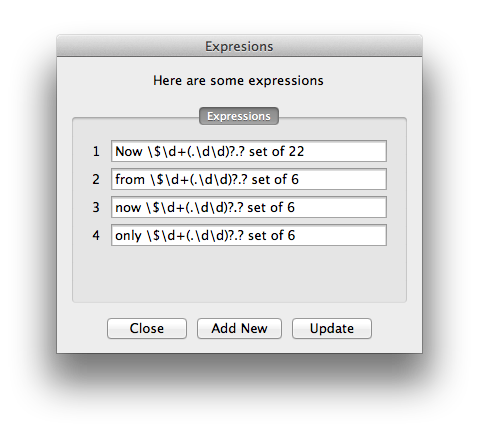
Can anyone help me with a bit of ScriptUI. I am building a dialog box that contains a tabbed panel containing a single tab. I am filling this window with rows of editText boxes. Is it possible to make the tabed panel scrollable? There will be times when the screen is not deep enough, and need to be able to scroll up and down.
Cheers
Roy


 1 Correct answer

Hi Roy,
Ignoring the Tabbed bit, the basic way of making a scrollable panel is like this.
With a bit of thought you should be able to adjust it to your needs.
Regards
Trevor
P.s. Maybe you can change the name of the post to a bit of a more informative one 
...// By Trevor http://forums.adobe.com/thread/1229123?tstart=0
var w = new Window ("dialog","My Scrollable Panel",[100,100,400,400]),
p1= w.add('panel',[0,50,300,250]),
p2= p1.add('panel',[0,0,280,800]),
s = p1.add('scrollbar', [280,0

 20
Replies
20
20
Replies
20

Copy link to clipboard
Copied
Hi Roy,
Ignoring the Tabbed bit, the basic way of making a scrollable panel is like this.
With a bit of thought you should be able to adjust it to your needs.
Regards
Trevor
P.s. Maybe you can change the name of the post to a bit of a more informative one 
// By Trevor http://forums.adobe.com/thread/1229123?tstart=0
var w = new Window ("dialog","My Scrollable Panel",[100,100,400,400]),
p1= w.add('panel',[0,50,300,250]),
p2= p1.add('panel',[0,0,280,800]),
s = p1.add('scrollbar', [280,0,300,170]);
for (var n = 0; n < 20; n++) p2.add('edittext',[0,n*30,280,20+n*30], "Hi Roy #"+n );
s.onChanging = function () {p2.location.y = s.value*(p1.bounds[3]-p1.bounds[1])/100 - s.value*(p2.bounds[3]-p2.bounds[1])/100};
w.show();


Copy link to clipboard
Copied
Nice one, Trevor. I have messed around with rewriting labels and the contents of edittext items. The advantage of that is that it involves little arithmetic, but your solution looks very nice.
Peter
Copy link to clipboard
Copied
Hi Peter
Glad that I got your attention
For aesthetics this is really quite nice.
Not to be scared of the arithmetic, it's the computer who has to make the calculations.
I have been working a lot on an advanced SUI and look forward to showing it of to you soon.
I have both your SUI and your Grep guides open on my computer practically from one restart to the next.
Regards
Trevor
P.s. Now that I have written this, some bright spark can figure our how to make a horizontally scrolling panel 
// By Trevor http://forums.adobe.com/thread/1229123?tstart=0
var w = new Window ("dialog","My Scrollable Panel",[100,100,430,400]),
padding = 5,
innerPanelHeight = 800,
outerPanelHeight = 200;
if ($.os.match(/Windows/i))
{
var scrollbar = w.add('scrollbar', [275, 50 + padding , 296, 50+ outerPanelHeight -padding]),
outerPanel = w.add('panel',[10, 50, 300, 50 + outerPanelHeight]);
}
else // Mac
{
var outerPanel = w.add('panel',[10, 50, 300 , 50 + outerPanelHeight]),
scrollbar = w.add('scrollbar', [275, 50 + padding , 296, 50 + outerPanelHeight -padding]);
}
var innerPanel = outerPanel.add('panel',[0, 0, 350, innerPanelHeight]);
scrollbar.jumpdelta = 100 * outerPanelHeight / innerPanelHeight; // Make size of bar whatdoyoucallit (drag thing) propotional to the size of the windows
scrollbar.visible = (scrollbar.jumpdelta < 100) ? 1 : 0;
for (var n = 0; n < 20; n++) innerPanel.add('edittext',[50,15+n*30,200,35+n*30], "Hi Peter #"+n );
innerPanel.location.x -= padding;
innerPanel.location.y -= padding;
scrollbar.onChanging = function () {innerPanel.location.y = scrollbar.value*(outerPanel.bounds[3]-outerPanel.bounds[1])/100 - scrollbar.value*(innerPanel.bounds[3]-innerPanel.bounds[1])/100 - padding *(1-scrollbar.value/100) };
w.show();
Copy link to clipboard
Copied
> look forward to showing it off to you soon
All ear and eyes!

Copy link to clipboard
Copied
Hi Trevor,
Peter's guides are opened on many desktops, I am sure
You inspired me for practice. Do you mean "horizontal scrollbar" alike this:
// based on Trevor's code and Peter's guide
var w = new Window ("dialog","Trevor's Scrollable Panel",[100,100,430,400]),
padding = 5,
innerPanelWidth = 800,
outerPanelWidth = 300,
outerPanelHeight = 280,
outerPanel = w.add('panel',[10, 50, outerPanelWidth, outerPanelHeight]),
scrollbar = outerPanel.add('scrollbar', [0, 0, 285, 20]),
innerPanel = outerPanel.add('panel',[0, 0, innerPanelWidth, outerPanelHeight]);
scrollbar.visible = true; //(scrollbar.jumpdelta < 100) ? 1 : 0;
for (var n = 1; n < 7; n++) {
innerPanel.add('edittext',[50,10+n*30,255,35+n*30], "Hi Trevor #"+ n );
innerPanel.add('edittext',[305,10+n*30,505,35+n*30], "Hi Trevor #"+ Number(n + 6) );
innerPanel.add('edittext',[555,10+n*30,755,35+n*30], "Hi Trevor #"+ Number(n +12) );
}
scrollbar.onChanging = function () {
innerPanel.location.x =
scrollbar.value*(outerPanel.bounds[2]-outerPanel.bounds[0])/100 -
scrollbar.value*(innerPanel.bounds[2]-innerPanel.bounds[0])/100 -
padding *(1-scrollbar.value/100) };
w.show();
Copy link to clipboard
Copied
Hi all,
I made an easy to use scrollable panel function.
There is one significant change from the methodology used above. That is the use of maximumSize, without using this the size of the inner panel is limited to the size of the screen.
Enjoy,
Trevor
// By Trevor http://forums.adobe.com/thread/1229123?tstart=0
function addScrollablePanel (toTheParent,
locationX,
locationY,
outerPanelWidth,
outerPanelHeight,
innerPanelWidth /* leave blank if not scrolling horizontally*/,
innerPanelHeight /* leave blank if not scrolling vertically*/,
barThickness /* optional */)
{
var padding = 2, innerPanel, outerPanel, scrollbarH, scrollbarV;
innerPanelWidth || innerPanelWidth = outerPanelWidth; // if the optinal variables are not defined then define them
innerPanelHeight || innerPanelHeight = outerPanelHeight;
barThickness || barThickness = 15;
innerPanelWidth += padding;
innerPanelHeight += padding;
scrollbarH = (innerPanelWidth != outerPanelWidth + padding);
scrollbarV = (innerPanelHeight != outerPanelHeight + padding);
if ($.os.match(/Windows/i))
{
scrollbarV && scrollbarV = toTheParent.add('scrollbar', [locationX + outerPanelWidth - barThickness - padding, locationY + padding , locationX + outerPanelWidth - padding, locationY + outerPanelHeight - padding - (scrollbarH && barThickness)]);
scrollbarH && scrollbarH = toTheParent.add('scrollbar', [locationX + padding, locationY + outerPanelHeight - padding -barThickness, locationX + outerPanelWidth - padding - (scrollbarV && barThickness), locationY + outerPanelHeight - padding]);
scrollbarH && scrollbarV && toTheParent.add('statictext', [locationX + outerPanelWidth - barThickness - padding , locationY + outerPanelHeight - barThickness - padding, locationX + outerPanelWidth - padding, locationY + outerPanelHeight - padding]); // fill the gap between the scrollbarbuttons
outerPanel = toTheParent.add('panel',[locationX, locationY, locationX + outerPanelWidth, locationY + outerPanelHeight]);
}
else // Mac
{
outerPanel = toTheParent.add('panel',[locationX, locationY, locationX + outerPanelWidth, locationY + outerPanelHeight]);
scrollbarV && scrollbarV = toTheParent.add('scrollbar', [locationX + outerPanelWidth - barThickness - padding, locationY + padding , locationX + outerPanelWidth - padding, locationY + outerPanelHeight - padding - (scrollbarH && barThickness)]);
scrollbarH && scrollbarH = toTheParent.add('scrollbar', [locationX + padding, locationY + outerPanelHeight - padding , locationX + outerPanelWidth - padding - (scrollbarV && barThickness), locationY + outerPanelHeight - padding - barThickness]);
scrollbarH && scrollbarV && toTheParent.add('statictext', [locationX + outerPanelWidth - barThickness - padding , locationY + outerPanelHeight - barThickness - padding, locationX + outerPanelWidth - padding, locationY + outerPanelHeight - padding]);
}
innerPanel = outerPanel.add('panel'); // set the bounds after setting the maximumSize
innerPanel.maximumSize = [innerPanelWidth * 2, innerPanelHeight * 2]; // This needs to be set to at lest the required size otherwise the panel size is limmited to the screen size
innerPanel.bounds = [0, 0, innerPanelWidth, innerPanelHeight]; // now we can set the size 🙂
scrollbarV && scrollbarV.jumpdelta = 100 * outerPanelHeight / innerPanelHeight; // Make size of bar whatdoyoucallit (drag thing) propotional to the size of the windows
scrollbarH && scrollbarH.jumpdelta = 100 * outerPanelWidth / innerPanelWidth; // Make size of bar whatdoyoucallit (drag thing) propotional to the size of the windows
scrollbarV && scrollbarV.onChanging = function () {innerPanel.location.y = scrollbarV.value*(outerPanelHeight)/100 - scrollbarV.value*(innerPanelHeight)/100 - padding *(1-scrollbarV.value/100) };
scrollbarH && scrollbarH.onChanging = function () {innerPanel.location.x = scrollbarH.value*(outerPanelWidth)/100 - scrollbarH.value*(innerPanelWidth)/100 - padding *(1-scrollbarH.value/100) };
innerPanel.location.x -= padding;
innerPanel.location.y -= padding;
return innerPanel;
}
function hiJareck (toTheParent, accross, down, n, nn)
{
accross || accross = 1;
down || down = 1;
/* if (!accross >1) accross = 1;
if (!down >1) down = 1;*/
for (n = 0; n < down; n++) for (nn = 0; nn < accross; nn++) toTheParent.add('edittext',[20+nn * 140,15+n*30, 130 + nn * 140 ,35+n*30], "Hi Jareck #"+ (n+1) + " #" + (nn+1) );
}
/* ****************** USAGE ********************* */
var w = new Window ("dialog","My Horizontally Scrollable Panel",[100, 100, 900 , 600]);
horizontalScrollablePanel = addScrollablePanel (w, 20, 20, 250, 70, 3700, false, 20);
horizontalScrollablePanel2 = addScrollablePanel (w, 20, 100, 250, 70, 1000, false, 20);
verticalScrollablePanel = addScrollablePanel (w, 300, 20, 200, 150, false, 1000, 20);
verticalScrollablePanel2 = addScrollablePanel (w, 510, 20, 200, 150, false, 1000, 40);
vertAndHorzScrollablePanel = addScrollablePanel (w, 250, 190, 310, 210, 3520, 820);
hiJareck(horizontalScrollablePanel, 26, 1);
hiJareck(horizontalScrollablePanel2, 7, 1);
hiJareck(verticalScrollablePanel, 1, 30);
hiJareck(verticalScrollablePanel2, 1, 30);
hiJareck(vertAndHorzScrollablePanel, 25, 25);
w.show();

Copy link to clipboard
Copied
Hi,
Searching for how to make horizontal scroll, unfortunately, these scripts don't work on CC 2017. I'm sure they were in CS6!
I can't find more recent about it. Is horizontal scroll in ScriptUI possible in CC 2017?
Regards,
Jim
Copy link to clipboard
Copied
Trevor and Jarek -- Apologies, this thread somehow slipped off my radar back in 2013 and I never acknowledged you scrollbars.
Jim -- It's true that you can't see the horizontal scrollbars in Trevor's and Jarek's scripts in CC. I've no idea why, but it's probably related to the problems that Marc reported with the layoutManager. However, horizontal bars do still work but you have to set them up differently. Maybe there's a simple way to fix Trevor's and Jarek's scripts, but here is my take on it, which is rather different. I prefer to use ScriptUI's layout manager as much as possible because that makes windows more easily adaptable:
var w = new Window ('dialog');
w.orientation = 'stack';
w.alignChildren = ['left', 'top'];
w.column = w.add ('group {orientation: "column"}');
w.dummy = w.column.add ('panel', [0,0,300,200]);
w.hbar = w.column.add ('scrollbar', [0,0,300,20]);
w.row = w.add ('group {orientation: "row"}');
w.panel = w.row.add ('panel', [0,0,300,200]);
w.vbar = w.row.add ('scrollbar', [0,0,20,200]);
w.show();
For example, to change the orientation for a left-handed person, simply change the order of lines 11 and 12.
Peter

Copy link to clipboard
Copied
Hi
Have you noticed that at some point, ScriptUI will stop displaying new items ? Unless I am wrong once you reach the monitor limits, no more items are rendered. Well at least it's all I have ever noticed.
I tried for a while to write a scrollable list à la flex including an itemRenderer and reusable items which I would relocate/hide/show but the effort was too huge for the time I had to achieve this.
FWIW
Loic
Copy link to clipboard
Copied
@Loic
I never noticed that. Doesn't mean much but I'm answering the question.
@All
The methods I wrote above have various problems.
As well known SUI has a very large array of implementations depending on the OS, the application and the application version. Just compare the same SUI code in Illustrator, InDesign, ESTK, Photoshop, AE of CC2017. Their functionality can dramatically differ even more than their appearance.
Regarding complex use of scroll bars I have swapped the contents of edit boxes.
Peter writes about that in his guide, if one want's to have different widgets or different sized edit boxes then one would have to play around with stacking, visibility or size properties.
Smoothness would be lacking and scrolling long static texts would not be too much fun.
Probably the wisest move is to keep things as simple as possible even if it looks pretty bad.
Trevor
Copy link to clipboard
Copied
Probably the wisest move is to keep things as simple as possible even if it looks pretty bad.
I can't agree more
Copy link to clipboard
Copied
I wanted to navigate in a table like this below.
Thank a lot for your help, it works fine, I need to perform the code now.
var list = ["01","02","03","04","05","06","08","09","10","11","12","13","14","15","16","18","19","20"];
var wGlob = new Window ('dialog {alignChildren: "left"}');
var entry = wGlob.add ('edittext {active: true}', [0,0,300,20]);
w = wGlob.add ('group {orientation: "stack", alignChildren: ["left", "top"]}');
//hbar
w.hbarGroup = w.add ('group {orientation: "column"}');
w.dummy = w.hbarGroup.add ('panel', [0,0,300,200]);
w.hbar = w.hbarGroup.add ('scrollbar', [0,0,300,20]);
//vbar
w.vbarGroup = w.add ('group {orientation: "row"}');
w.panel = w.vbarGroup.add ('panel', [0,0,300,200]);
w.vbar = w.vbarGroup.add ('scrollbar', [0,0,20,200]);
//table
w.tableGroup = w.add('group {orientation: "row",alignChildren: ["left", "top"]}');
w.tableGroup.maximumSize.height = 198;
w.tableGroup.maximumSize.width = 298;
w.table=w.tableGroup.add('group {orientation: "row",alignChildren: ["left", "top"]}');
w.table.spacing=0;
//table, add lists
for (i=1; i<15; i++){
w.list=w.table.add ('listbox', undefined, list);
}
// Move the whole scroll table in tableGroup
w.vbar.onChanging = function () {
w.table.location.y = -1 * this.value;
}
w.hbar.onChanging = function () {
w.table.location.x = -1 * this.value;
}
wGlob.show();
Copy link to clipboard
Copied
Hi Guys,
I could finally get it to work meaning having a rich list while getting rid of the limitation that will make ScriptUI stop drawing items at some point:

var main = function() {
UI().show();
}
var data = [];
var i = 0, n = 200;
while ( i<n ) {
data.push({text:i+1});
i++;
}
var UI = function() {
var w = new Window('dialog' ),
list;
w.preferredSize = [200,250];
w.alignChildren = ["fill","fill"]
list = new List();
w.onShow = function() {
list.add(w, 200);
list.fill ( listItemRenderer, data );
w.layout.layout(true)
}
return w;
}
var listItemRenderer = function (parent, data ) {
var g = parent.add('group'),
t = g.add('edittext', undefined, data.text ),
b = g.add('button',undefined,"?" );
g.alignment = ["fill","top"];
t.preferredSize.width = 100;
b.maximumSize.width = 25;
t.alignment = ["fill","top"];
b.onClick = function() {
alert( t.text );
};
g.update = function( data ) {
t.text = data.text;
}
return g;
}
var List = function() {
var max = 12, pnl, lstGp, sb, ls = this, sbValue = 0, itemHeight, index = 0, mul = 1,
index = 0;
this.listItems = [];
this.data;
this.add = function(parent, maxSize) {
pnl = parent.add('panel');
pnl.alignment = ["fill","fill"];
pnl.orientation = 'row';
pnl.maximumSize.height = maxSize;
lstGp =pnl.add ('group');
lstGp.orientation = 'column';
sb = pnl.add ('scrollbar');
lstGp.spacing = 0;
lstGp.margins = 0;
lstGp.alignment = ["fill","fill"];
sb.alignment = ["fill","fill"];
sb.maximumSize.width = 25;
sb.onChange = function() {
itemHeight = ls.listItems[0].size.height;
var sbHeight = sb.size.height, i = 0;
sb.maxvalue=itemHeight*ls.data.length - sb.size.height ;
var n = ls.listItems.length, movedBefore = [], movedAfter = [], notMoved = [];
var delta = sbValue - sb.value;
sbValue = sb.value;
var itemsCount = index+Math.floor(sb.size.height/(itemHeight+lstGp.spacing))+1 ;
while ( i<n ) {
if (delta<0 && ls.listItems [ i ].location[1] + delta + itemHeight +2*lstGp.spacing < 0 ) {
ls.listItems [ i ].location[1] = ls.listItems [ i ].location[1] + delta+ max*itemHeight;
ls.listItems [ i ].index = ls.listItems [ i ].index || i;
ls.listItems [ i ].index+=max;
ls.listItems [ i ].update( {text:ls.listItems [ i ].index+1} );
}
else if (delta>0 && ls.listItems [ i ].location[1]+delta>ls.listItems [ i ].parent.location[1]+ls.listItems [ i ].parent.size.height ) {
ls.listItems [ i ].location[1] = ls.listItems [ i ].location[1] + delta-max*itemHeight;
ls.listItems [ i ].index && ls.listItems [ i ].index-=max;
ls.listItems [ i ].update( {text:ls.listItems [ i ].index+1} );
}
else {
ls.listItems [ i ].location[1]+=delta;
}
i++;
}
}
};
this.fill = function ( itemRenderer, data ) {
var i = 0, n =0;
this.data = data;
if ( !itemRenderer
|| !(itemRenderer instanceof Function)
|| !data
|| !(data instanceof Array)
|| !data.length ) {
List.isReady = false;
}
n = data.length;
while ( i<n ) {
i< max && ls.listItems = itemRenderer (lstGp, data );
i++;
}
List.isReady = true;
};
}
main();
HTH
Loic
www.ozalto.com
Copy link to clipboard
Copied
Loic, it's not working for me tried with Mac using 2017
See what others say
Copy link to clipboard
Copied
Why am I not surprised ? ScriptUI sighs…
Copy link to clipboard
Copied
Loic,
Works ok over here on Windows 10 in CS6 and CC2017. But the scrollbar's behaviour is a bit funny. If you grab the slider and pull it down in one go, the list box is blanked. But when (after restarting the script) you move the slider bit by bit, it all goes well. Maybe the display problem is caused by the large number of jumps the scrollbar needs to make. When you set the scrollbar's stepdata and jumpdata to e.g. 50 it works better.
Peter
Copy link to clipboard
Copied
Thanks to both of you for testing. I admit I don't have any expectation here unless maybe some pride if this went well.
I also noticed the blinking blanking effect.

Copy link to clipboard
Copied
That code from jjrger was helpfull.
Has anybody got a long scroling text working? The "scrolling" of multiline statictext seem to be broken in SUI in CC. Or is it?
So i tried jjirgers code and _almost_ got a long multiline statictext working within a group with a vertical scrollbar. The problem is, with a very long string, at some point the text just disappears, it's like cut-off. Also at which point would i best give the the size.height of the calculated staticText to the scrollbar.maxvalue? Upon creation the size of the statictext is still undefined, so i can't give it to the scrollbar to define its scrollrange. Is it proper to put it in vbar.onActivate()... ?
Note, that i need a solution inside a palette preferably.
Like so:
#targetengine "scroller"
#target indesign
var wGlob = new Window ('palette {alignChildren: "left"}');
w = wGlob.add ('group {orientation: "stack", alignChildren: ["left", "top"]}');
//vbar
w.vbarGroup = w.add ('group {orientation: "row"}');
w.panel = w.vbarGroup.add ('panel', [0,0,300,200]);
w.vbar = w.vbarGroup.add ('scrollbar', [0,0,20,200]);
//table
w.tableGroup = w.add('group {orientation: "row",alignChildren: ["left", "top"]}');
w.tableGroup.maximumSize.height = 198;
w.tableGroup.maximumSize.width = 298;
w.table=w.tableGroup.add('group {orientation: "row",alignChildren: ["left", "top"]}');
w.table.spacing=0;
//table, add lists
w.readMe=w.table.add('statictext', undefined, __readMe, {multiline: true});
w.readMe.preferredSize.width = 278;
// Move the whole scroll table in tableGroup
w.vbar.onChanging = function () {
w.table.location.y = -1 * this.value;
}
w.vbar.onActivate = function () {
w.vbar.maxvalue = w.readMe.size.height;
}
wGlob.show();
var __readMe =
'''
Pis cuscimi nusam, undiaspid quas et odiciis aut quas sit alitiae volore pratectatur autem il id ut ea eos evelita atur? Qui rehent ut doluptamus, que necatisquiae aut ant ut vel illuptas in num ut eribus de nonem quae. Nequae nis atio. Ad quame omnis solore cum que nam iusam volupti nctur, sunt raecae. Itatibus si diae aliquideles qui ut verae rerionet idicimet idelecto et quid maxim quatis coribus dolesedic to te venimporro quam iniet esti rerrore rescien dipicia voluptat acimole ssimi, voluptat porumqui que pori beatem faceaturiae officab iunt ad quia con et in rest volum harumenimil ium repe nones id ullecea quam fugias eicabo. Ferum voloris dundit, excea illaborecera volo con por sequam facerios voluptas dolessumqui dion core, sin ne perumquia explabor suntotat que pre porum il eum qui re peritatque voloribus exped eaque aut quidus autem sit, sectatiati il iliat ide dolorporepra quostem perepudam fugia vitio blat.
Des re in prae et exerchil illit aut quati con comnim eos rae repereiur, quaspero vendi ut liquodi offici quatibus nobis im inciistibus.
Ed molupta sum et es doluptis eos doluptatiae nulpari as si acea expelent quis a dellis eum ne od que sum faccum ad ma cullut occabo. Itasincianim faceat dem. Nam laceria saescil liquis duciis volluptatur, sed ut exceperumque plitatecae vellorendus, sitianduntem quibuscid untiis es et eumquatusam re eatem lam fuga. Axime nem fugit, officat aquaectet eum ere volut aspelibusdam vent volorpo rporibu sapersp eroviti sus moluptatet et laccum acimpores doluptur archilliquo dolute et lam, etur a commodi genimporem ipiciis sim in porro consed quos ea accus.
Elluptas que volest, qis cuscimi nusam, undiaspid quas et odiciis aut quas sit alitiae volore pratectatur autem il id ut ea eos evelita atur? Qui rehent ut doluptamus, que necatisquiae aut ant ut vel illuptas in num ut eribus de nonem quae. Nequae nis atio. Ad quame omnis solore cum que nam iusam volupti nctur, sunt raecae. Itatibus si diae aliquideles qui ut verae rerionet idicimet idelecto et quid maxim quatis coribus dolesedic to te venimporro quam iniet esti rerrore rescien dipicia voluptat acimole ssimi, voluptat porumqui que pori beatem faceaturiae officab iunt ad quia con et in rest volum harumenimil ium repe nones id ullecea quam fugias eicabo. Ferum voloris dundit, excea illaborecera volo con por sequam facerios voluptas dolessumqui dion core, sin ne perumquia explabor suntotat que pre porum il eum qui re peritatque voloribus exped eaque aut quidus autem sit, sectatiati il iliat ide dolorporepra quostem perepudam fugia vitio blat.
Des re in prae et exerxerchil illit aut quati con comnim eos rae repereiur, quaspero vendi ut liquodi offici quatibus nobis im inciistibus.
Ed molupta sum et es doluptis eos doluptatiae nulpari as si acea expelent quis a dellis eum ne od que sum faccum ad ma cullut occabo. Itasincianim faceat dem. Nam laceria saescil liquis duciis volluptatur, sed ut exceperumque plitatecae vellorendus, sitianduntem quibuscid untiis es et eumquatusam re eatem lam fuga. Axime nem fugit, officat aquaectet eum ere volut aspelibusdam vent volorpo rporibu sapersp eroviti sus moluptatet et laccum acimpores doluptur archilliquo dolute et lam, etur a commodi genimporem ipiciis sim in porro consed quos ea accus.
Elluptas que volest, qis cuscimi nusam, undiaspid quas et odiciis aut quas sit alitiae volore pratectatur autem il id ut ea eos evelita atur? Qui rehent ut doluptamus, que necatisquiae aut ant ut vel illuptas in num ut eribus de nonem quae. Nequae nis atio. Ad quame omnis solore cum que nam iusam volupti nctur, sunt raecae. Itatibus si diae aliquideles qui ut verae rerionet idicimet idelecto et quid maxim quatis coribus dolesedic to te venimporro quam iniet esti rerrore rescien dipicia voluptat acimole ssimi, voluptat porumqui que pori beatem faceaturiae officab iunt ad quia con et in rest volum harumenimil ium repe nones id ullecea quam fugias eicabo. Ferum voloris dundit, excea illaborecera volo con por sequam facerios voluptas dolessumqui dion core, sin ne perumquia explabor suntotat que pre porum il eum qui re peritatque voloribus exped eaque aut quidus autem sit, sectatiati il iliat ide dolorporepra quostem perepudam fugia vitio blat.
Des re in prae et exerxerchil illit aut quati con comnim eos rae repereiur, quaspero vendi ut liquodi offici quatibus nobis im inciistibus.
Ed molupta sum et es doluptis eos doluptatiae nulpari as si acea expelent quis a dellis eum ne od que sum faccum ad ma cullut occabo. Itasincianim faceat dem. Nam laceria saescil liquis duciis volluptatur, sed ut exceperumque plitatecae vellorendus, sitianduntem quibuscid untiis es et eumquatusam re eatem lam fuga. Axime nem fugit, officat aquaectet eum ere volut aspelibusdam vent volorpo rporibu sapersp eroviti sus moluptatet et laccum acimpores doluptur archilliquo dolute et lam, etur a commodi genimporem ipiciis sim in porro consed quos ea accus.
Elluptas que volest, qis cuscimi nusam, undiaspid quas et odiciis aut quas sit alitiae volore pratectatur autem il id ut ea eos evelita atur? Qui rehent ut doluptamus, que necatisquiae aut ant ut vel illuptas in num ut eribus de nonem quae. Nequae nis atio. Ad quame omnis solore cum que nam iusam volupti nctur, sunt raecae. Itatibus si diae aliquideles qui ut verae rerionet idicimet idelecto et quid maxim quatis coribus dolesedic to te venimporro quam iniet esti rerrore rescien dipicia voluptat acimole ssimi, voluptat porumqui que pori beatem faceaturiae officab iunt ad quia con et in rest volum harumenimil ium repe nones id ullecea quam fugias eicabo. Ferum voloris dundit, excea illaborecera volo con por sequam facerios voluptas dolessumqui dion core, sin ne perumquia explabor suntotat que pre porum il eum qui re peritatque voloribus exped eaque aut quidus autem sit, sectatiati il iliat ide dolorporepra quostem perepudam fugia vitio blat.
Des re in prae et exerchil illit aut quati con comnim eos rae repereiur, quaspero vendi ut liquodi offici quatibus nobis im inciistibus.
Ed molupta sum et es doluptis eos doluptatiae nulpari as si acea expelent quis a dellis eum ne od que sum faccum ad ma cullut occabo. Itasincianim faceat dem. Nam laceria saescil liquis duciis volluptatur, sed ut exceperumque plitatecae vellorendus, sitianduntem quibuscid untiis es et eumquatusam re eatem lam fuga. Axime nem fugit, officat aquaectet eum ere volut aspelibusdam vent volorpo rporibu sapersp eroviti sus moluptatet et laccum acimpores doluptur archilliquo dolute et lam, etur a commodi genimporem ipiciis sim in porro consed quos ea accus.
Elluptas que volest, quasper umquat ut endantu sciusanist, sed moluptasped eium in ea plati dignatur alignis molupicit voluptatiis aute pratet volorit officimus.
Inverum quatem. Itatem et id quam res eaquid et fuga. Ibercia nias es solum quae volo cone voles re dis mos nullabor acienditi dolupiduntet am seque eum re prerovid eos eum reribus ipis ant, quisciet, sed et fugia voluptaspit, idunt ut ut opti beate eum rerferum ent voles non et rerchil laborum doluptatis pro que pa dolest reperum aribus sin pa pe ipit eaquam quidiant.
Ic tem reprepedis iumqui reiumqui bereperferum quam rem nis quae acesseq uibus, ut accustenisi quia doluptur senis a natiunda volo est od quiam aut excestrum con etur? Di dicabor eniscipsam is voluptat od quisqui dentis nos nostruptatum et doluptatem aut eicimusandam exerspid esse omnisi odia cus aut di dolorenem nim.
''';
Stephan
Copy link to clipboard
Copied
I tried to combine the above statictext/scrollbar approach with Marc Autrets workaround for miscalculated statictexts-height from here:
Re: ScriptUI Multiline StaticText Frame Too Large
It works but but only until a height of screen-height is reached/it seems the statictext size.height is limited to screen height.
Is there any other workaround?
See:
#targetengine "scroller"
#target indesign
var wGlob = new Window ('palette {alignChildren: "left"}');
w = wGlob.add ('group {orientation: "stack", alignChildren: ["left", "top"]}');
//vbar
w.vbarGroup = w.add ('group {orientation: "row"}');
w.panel = w.vbarGroup.add ('panel', [0,0,300,600]);
w.vbar = w.vbarGroup.add ('scrollbar', [0,0,20,600]);
//textOuter
w.textOuter = w.add('group {orientation: "row",alignChildren: ["left", "top"]}');
w.textOuter.maximumSize.width = 298;
w.textOuter.maximumSize.height = 598;
w.readMe=w.textOuter.add('statictext', undefined, 'X', {multiline: true});
var X_WIDTH = w.readMe.preferredSize[0]; // Here I grab the X width
var PREFERRED_WIDTH = 278; // Your preferred width, in px
with( w.readMe ) {
preferredSize = [-1,-1];
characters = ~~(PREFERRED_WIDTH/X_WIDTH); //math.floor(...)
preferredSize[1] = -1;
}
w.readMe.text = __readMe;
w.vbar.onChanging = function () {
w.readMe.location.y = -1 * this.value;
}
w.vbar.onActivate = function () {
w.vbar.maxvalue = w.readMe.size.height - w.textOuter.size.height + 30; // to see end
}
wGlob.show();
var __readMe = '''
Pis cuscimi nusam, undiaspid quas et odiciis aut quas sit alitiae volore pratectatur autem il id ut ea eos evelita atur? Qui rehent ut doluptamus, que necatisquiae aut ant ut vel illuptas in num ut eribus de nonem quae. Nequae nis atio. Ad quame omnis solore cum que nam iusam volupti nctur, sunt raecae. Itatibus si diae aliquideles qui ut verae rerionet idicimet idelecto et quid maxim quatis coribus dolesedic to te venimporro quam iniet esti rerrore rescien dipicia voluptat acimole ssimi, voluptat porumqui que pori beatem faceaturiae officab iunt ad quia con et in rest volum harumenimil ium repe nones id ullecea quam fugias eicabo. Ferum voloris dundit, excea illaborecera volo con por sequam facerios voluptas dolessumqui dion core, sin ne perumquia explabor suntotat que pre porum il eum qui re peritatque voloribus exped eaque aut quidus autem sit, sectatiati il iliat ide dolorporepra quostem perepudam fugia vitio blat.
Des re in p
rae et exerchil illit aut quati con comnim eos rae repereiur, quaspero vendi ut liquodi offici quatibus nobis im inciistibus.
Ed molupta sum et es doluptis eos doluptatiae nulpari as si acea expelent quis a dellis eum ne od que sum faccum ad ma cullut occabo. Itasincianim faceat dem. Nam laceria saescil liquis duciis volluptatur, sed ut exceperumque plitatecae vellorendus, sitianduntem quibuscid untiis es et eumquatusam re eatem lam fuga. Axime nem fugit, officat aquaectet eum ere volut aspelibusdam vent volorpo rporibu sapersp eroviti sus moluptatet et laccum acimpores doluptur archilliquo dolute et lam, etur a commodi genimporem ipiciis sim in porro consed quos ea accus.
Elluptas que vol
rae et exerchil illit aut quati con comnim eos rae repereiur, quaspero vendi ut liquodi offici quatibus nobis im inciistibus.
Ed molupta sum et es doluptis eos doluptatiae nulpari as si acea expelent quis a dellis eum ne od que sum faccum ad ma cullut occabo. Itasincianim faceat dem. Nam laceria saescil liquis duciis volluptatur, sed ut exceperumque plitatecae vellorendus, sitianduntem quibuscid untiis es et eumquatusam re eatem lam fuga. Axime nem fugit, officat aquaectet eum ere volut aspelibusdam vent volorpo rporibu sapersp eroviti sus moluptatet et laccum acimpores doluptur archilliquo dolute et lam, etur a commodi genimporem ipiciis sim in porro consed quos ea accus.
Elluptas que voll
rae et exerchil illit aut quati con comnim eos rae repereiur, quaspero vendi ut liquodi offici quatibus nobis im inciistibus.
Ed molupta sum et es doluptis eos doluptatiae nulpari as si acea expelent quis a dellis eum ne od que sum faccum ad ma cullut occabo. Itasincianim faceat dem. Nam laceria saescil liquis duciis volluptatur, sed ut exceperumque plitatecae vellorendus, sitianduntem quibuscid untiis es et eumquatusam re eatem lam fuga. Axime nem fugit, officat aquaectet eum ere volut aspelibusdam vent volorpo rporibu sapersp eroviti sus moluptatet et laccum acimpores doluptur archilliquo dolute et lam, etur a commodi genimporem ipiciis sim in porro consed quos ea accus.
Elluptas que vol''';
Copy link to clipboard
Copied
Never mind, i settled with an edittext. that simply works. No hassle with a custom scrollbar and a workaround.
add ("edittext", undefined, __readMe, {multiline: true, readonly: true});
kinds regards,
Stephan


Get ready! An upgraded Adobe Community experience is coming in January.
Learn more
 AdChoices