Copy link to clipboard
Copied
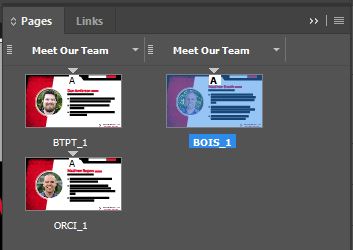
When I attempt to move the first page to the end of the document, for some reason InDesign creates a second column in the pages panel and I don't know why (see image string below). Does anyone know what might be causing this? For some reason it only seems to happen when I try to move the first page. If I move page 2 to the end of the document everything works correctly. Any help would be appreciated!
I having trouble recreating it, but I can tell you how to fix it.
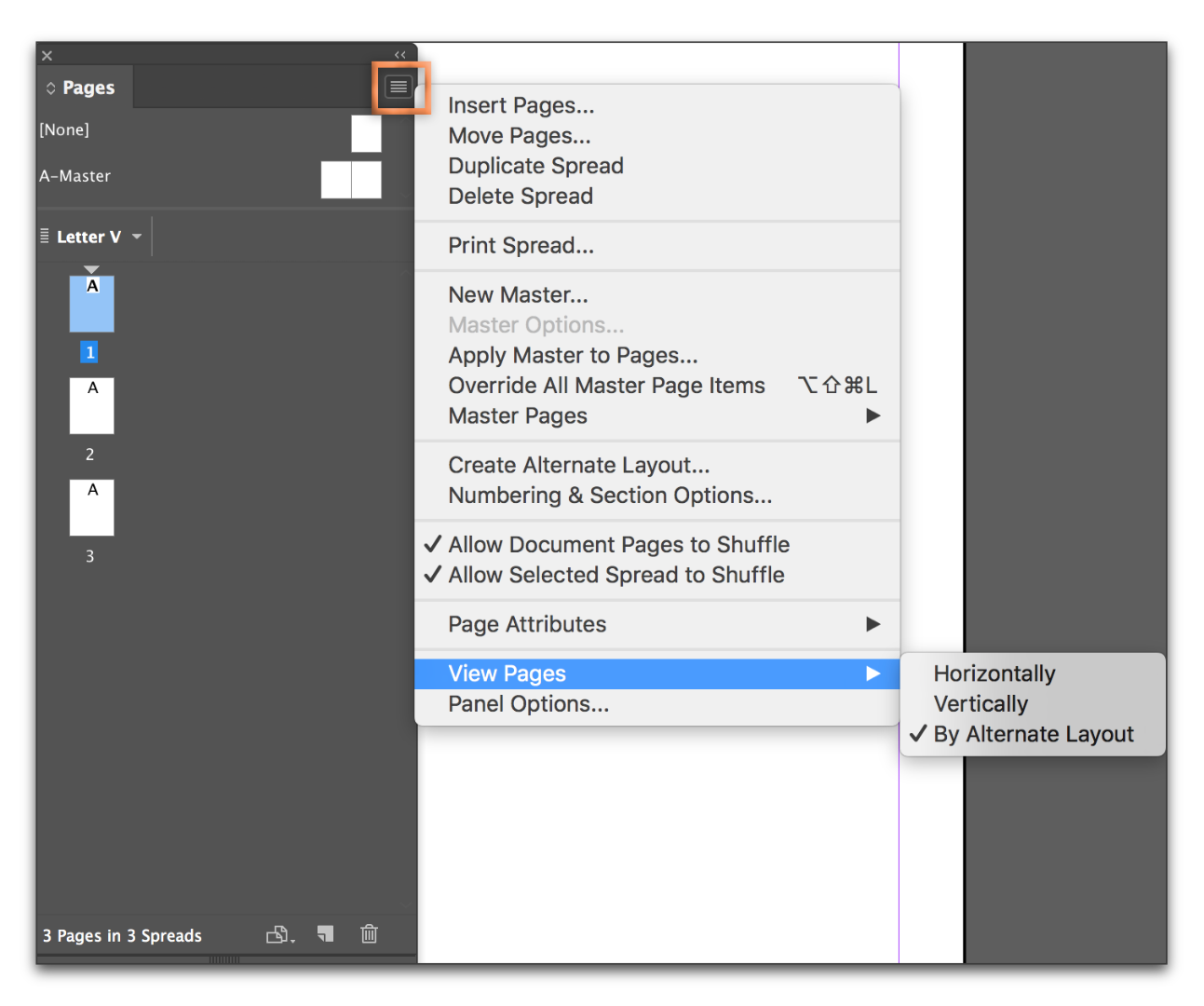
You have the View Pages set to display By Alternate Layout. You can set it to Horizontally (or Vertically) and it won't happen.

If you want the By Alternate Layout view on for whatever reason, right click the page in the right column and choose Numbering and Section Options. Uncheck Start New Section on the top row and the page will go back the bottom.

Copy link to clipboard
Copied
I having trouble recreating it, but I can tell you how to fix it.
You have the View Pages set to display By Alternate Layout. You can set it to Horizontally (or Vertically) and it won't happen.

If you want the By Alternate Layout view on for whatever reason, right click the page in the right column and choose Numbering and Section Options. Uncheck Start New Section on the top row and the page will go back the bottom.

Copy link to clipboard
Copied
Thank you for the response, Barb! When I was initially messing with it yesterday, I did try viewing vertically. While it DID display correctly in the pages panel, it still split it up internally because the pages-drop down (in the lower left) split up the pages with different headers. I decided to do your second suggestion and simply disable "start section" for the pages.
The only reason I was originally using it was to take advantage of the prefix option to better organize the pages panel. However it's probably not worth it all things considered.
Thanks again for your help!

Copy link to clipboard
Copied
Glad I could help, Josh!
Get ready! An upgraded Adobe Community experience is coming in January.
Learn more