Copy link to clipboard
Copied
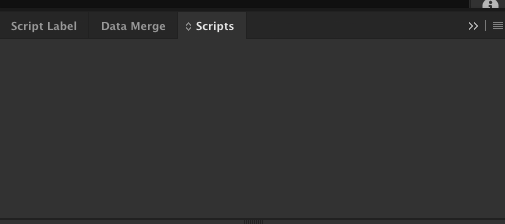
I'm new to InDesign scripting. My script panel does not have the "Application" or "User" folders (or anything else). There also appears to be no option to load scripts either on the panel menu or elsewhere. I've put the script in the Scripts folder of both Library/Preferences/Indesign and /Applications/InDesign, but I don't see it. Any ideas?
Incidentally, if there are Adobe reps reading this: this is a UX problem. I should be able to load scripts by simply choosing an option on a menu--there are too many unnecessary acrobatics involved here.
Thank you.

Copy link to clipboard
Copied
Hi,
Place the scripts in "Script Panel" folder and check.
For Mac,
/Applications/Adobe InDesign CS6/Scripts/Scripts Panel
For PC, search the script panel path inside the application InDesign version and place the scripts and check it in InDesign.
Copy link to clipboard
Copied
Tried that.
Copy link to clipboard
Copied
Seems you can't even see the scripts shipped with InDesign. Try trashing your preferences, have a look at the link below on how to do it
Troubleshooting 101: Replace, or "trash" your InDesign preferences [2009 Outdated & Locked]
If this does not work you could even try removing your cache files, look at the following link
-Manan
Copy link to clipboard
Copied
That worked! Thanks.
Get ready! An upgraded Adobe Community experience is coming in January.
Learn more
