

johnrellis
Legend
January 3, 2025

P: Metadata > Video > Trimmed Duration is blank

  • January 3, 2025
  • 3 replies
  • 695 views

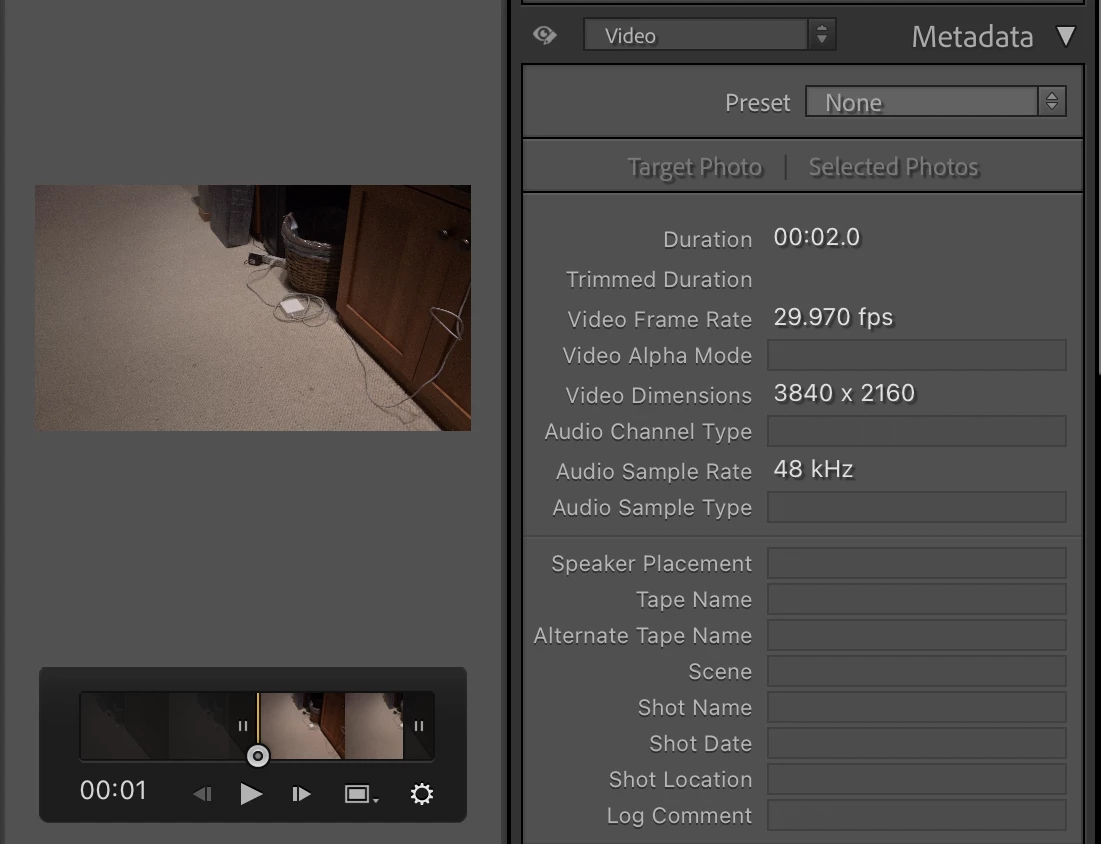
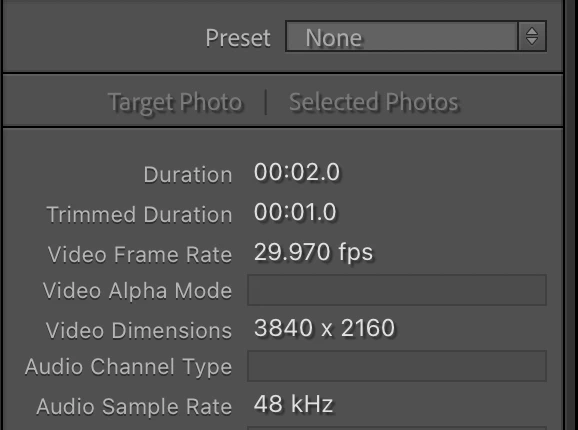
Trimmed Duration in the Video tagset of the Metadata panel is blank until you delete <catalog>Helper.lrdata and restart LR (i.e. another caching bug). To reproduce on LR 14.1.1 / Mac OS 14.6.1:


1. Make a new catalog.


2. Import the attached video.


3. In Loupe, trim the video to one second long.


4. In the Metadata panel's Video tagset, observe that Trimmed Duration is blank:
 

5. Restart LR and observe Trimmed Duration is still blank.


6. Exit LR and in the catalog folder, delete <catalog>Helper.lrdata.


7. Restart LR and observe that Trimmed Duration now correctly shows the duration:
 

3 replies

johnrellis
Legend
April 27, 2025

I confirmed that the bug recipe now behaves correctly.

Rikk Flohr_Photography
Community Manager
April 24, 2025

Greetings all, 


A new update for Adobe Photography Products has been released.  The April updates contain an update for this issue. 

If you do not see the update in your Creative Cloud Application, you can refresh it by hitting [Ctrl/Cmd]+[Alt/Opt]+[ R ].

Note: It may take up to 24 hours for your update to be available in your Creative Cloud app.


Thank you for being so patient.

Rikk Flohr: Adobe Photography Org
Rikk Flohr_Photography
Community Manager
January 3, 2025

I've logged it. Thanks, John!

Rikk Flohr: Adobe Photography Org