



Released
P: Renaming a develop preset in Favorites creates a second Favorites group
Renaming a develop preset from within Favorites incorrectly moves the preset from the User Presets group into a second Favorites group.
To reproduce on LR 14.3.1 / Mac OS 15.5:
1. In the Develop Presets panel, create a new preset named Test.
2. Right-click Test and do Add To Favorites.
3. In the Favorites group, right-click Test, do Rename, and rename it to Test 2.
4. Observe there's now a second group named Favorites containing Test 2, and Test 2 no longer occurs under User Presets (incorrect).
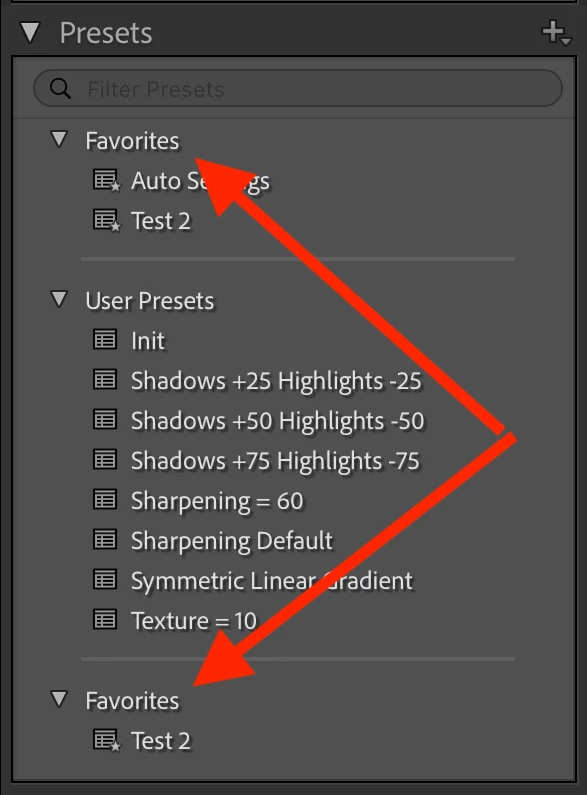
5. Right-click Test 2, do Show In Finder, and edit it's .xmp file. Observe that it records the group as "Favorites" (incorrect):
   <crs:Group>
    <rdf:Alt>
     <rdf:li xml:lang="x-default">Favorites</rdf:li>
    </rdf:Alt>
   </crs:Group>
6. Drag the second instance of Test 2 back into User Presets, and the second bogus Favorites group disappears.
 AdChoices