


- Home
- Lightroom Classic
- Discussions
- Re: Color and Luminance Range Masking missing in L...
- Re: Color and Luminance Range Masking missing in L...

Copy link to clipboard
Copied
I upgraded to Lightroom Classic CC yesterday and I couldn't find the Color and Luminance Range Masking tool as advertised. I'm on Windows 10 Fall Creators Update.


 1 Correct answer


You should see the Range Mask controls at the bottom of the panel for each local adjustment. If you don't, please double check that the image you are editing is set to the current Process Version (PV 4 with this release).

 22
Replies
22
22
Replies
22

Copy link to clipboard
Copied
You should see the Range Mask controls at the bottom of the panel for each local adjustment. If you don't, please double check that the image you are editing is set to the current Process Version (PV 4 with this release).
Copy link to clipboard
Copied
Thanks for the quick response! Does this work on JPEG as well or just RAW/DNG files? I can confirm the image (JPEG) is using the current Process Version (PV 4) but the color and luminance range masking tool is not visible.
Copy link to clipboard
Copied
Yes, Range Mask works on JPG as well as raw files. Is it possible that the Range Mask controls are scrolled out of view (they're at the bottom of each local adjustment pane)?
Copy link to clipboard
Copied
I noticed the identity plate of my copy was Lightroom 6 instead of Lightroom Classic CC (but same version number, 7.0 which is odd) so I uninstalled it and re-installed. Everything's all good now. Thanks!

Copy link to clipboard
Copied
Me neither, I don´t have any option to upgrade my process to V4  I only see the old ones: 2012 (Current), 2010 and 2003.
Copy link to clipboard
Copied
If you're only seeing the older process versions as years, with 2012 labeled as current, it sounds like you might still be in Lr CC 2015 (6.x). Can you confirm that you are using the new Lr Classic CC (7.0) when you are seeing the old process versions?
Copy link to clipboard
Copied
That´s right Joshuabury, after seen your reply I did check again for updates (the day of the release of LR classic I updated to 2015.12), after doing that, the catalog upgrade screen appeared and then now I have LR Classic and now I can see the new V4 process... Thank you very much!

Copy link to clipboard
Copied
This computer does not meet the minimum system requirements for Lightroom CC. Please refer to the system requirements in the Help documentation for a full list of hardware and software requirements for Lightroom CC.
Processor - 3.3 GHz Intel Core i5
Memory - 32 GB 1867 MHz DDR3
Graphics - AMD Radeon R9 M290 2048 MB

Copy link to clipboard
Copied
I have the same issue
After following all the procedure listed in that thread nothing helped.
I uninstall and re-install the product and I couldn't get the mask color range appear.
I double checked that the camera calibration process is set to version 4 and nothing appears.
please advice.

Copy link to clipboard
Copied
So an update after going back and forth with adobe Lightroom Classic CC is not supposed to be for anyone who was previously running Lightroom 6. If you are updating from Lightroom 6 it will simply not work and will actually put you over to a trial software licence.

Copy link to clipboard
Copied
If you are updating from Lightroom 6 it will simply not work and will actually put you over to a trial software licence.
That LR 6 users get LR Classic in trial mode makes sense, since LR 6 was perpetually licensed, and LR Classic is the subscription-based.
But the LR Classic trial should have full functionality -- perhaps the source of many people's problems with range masks is that there's a bug specific to the trial version.
To help others, can you please look around your LR and see where it says "trial"? Start by looking in System > Help Info. It would be good to be able to tell people where to look to identify the trial. It appears that the Creative Cloud desktop app misleads people into "updating" their LR 6 without making it clear that LR Classic requires a paid subscription, and perhaps all these others with range mask problems also have the trial.

Copy link to clipboard
Copied
Just how exactly it does make sense to replace peoples fully functional and payed perpetual licenses with a trial license?
Copy link to clipboard
Copied
Just how exactly it does make sense to replace peoples fully functional and payed perpetual licenses with a trial license?
Adobe screwed up by presenting this alert to LR 6 users:
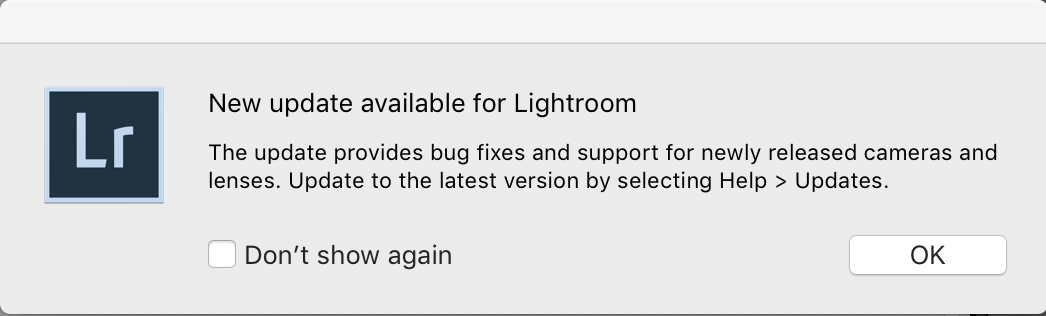
In their terms, an "update" is a minor release (e.g. version 12 of LR 6) that provides bug fixes and new-camera support. An "upgrade" is a major release (e.g. LR 5, LR 6, etc.) that costs money.
Copy link to clipboard
Copied
How do I get my LR6 back?
Copy link to clipboard
Copied
If you upgraded to the LR Classic (7.0) trial and want to roll back to LR 6, see this article: Update to Lightroom Classic CC uninstalls earlier Lightroom versions
Copy link to clipboard
Copied
I believe there is a bug preventing the complete update when I started my application from the old icon located on my desktop, the title of the application window is for "Lightroom Classic CC" however the about Lightroom screen tell it is lightroom CC version 6. But once I (open) the application from the application manager everything goes smooth and I have noticed that the application window title and the about screen shows lifhtroom classic cc version 7. at this point I could see and us the color range mask tool.
My solution is to start lightroom from the application manager instead of the application icon located on the desktop at least one time.

Copy link to clipboard
Copied
What "application manager" do you mean?

Copy link to clipboard
Copied
How does one check which Process Version your image is set to?

Copy link to clipboard
Copied
Camera Calibration section. At the top of that section.
Copy link to clipboard
Copied
I have this same issue.
Identity plate says LR 7.
When I drop down the help menu I see "about Adobe Photoshop LR Classic 7...". When I open that I see Adobe Photoshop LR 6 ver. 7.
I see all the process versions 1-4 but I don't see the new range masking tools even if I select the process v.4.

Copy link to clipboard
Copied
I got same trouble today. I have Classic Version 7.0 on Win10 since it has released. I checked system informations again and nothing seems different but somehow today range masking tool disappeared. Any suggestions?

Copy link to clipboard
Copied
Go the Help->System Info and tell us the version NUMBER of your Lightroom; also tell us what is on the next line next to License.
Confirm that the photo you want to edit is not Process 1 or Process 2 (as described above).


Find more inspiration, events, and resources on the new Adobe Community
Explore Now
 AdChoices