Exit
  • Global community
    • Language:
      • Deutsch
      • English
      • Español
      • Français
      • Português
  • 日本語コミュニティ
  • 한국 커뮤니티
0

DNG Converter not seeing any RAW files

Participant ,
Aug 09, 2019 Aug 09, 2019

Imported a bundle of files today  .RW2

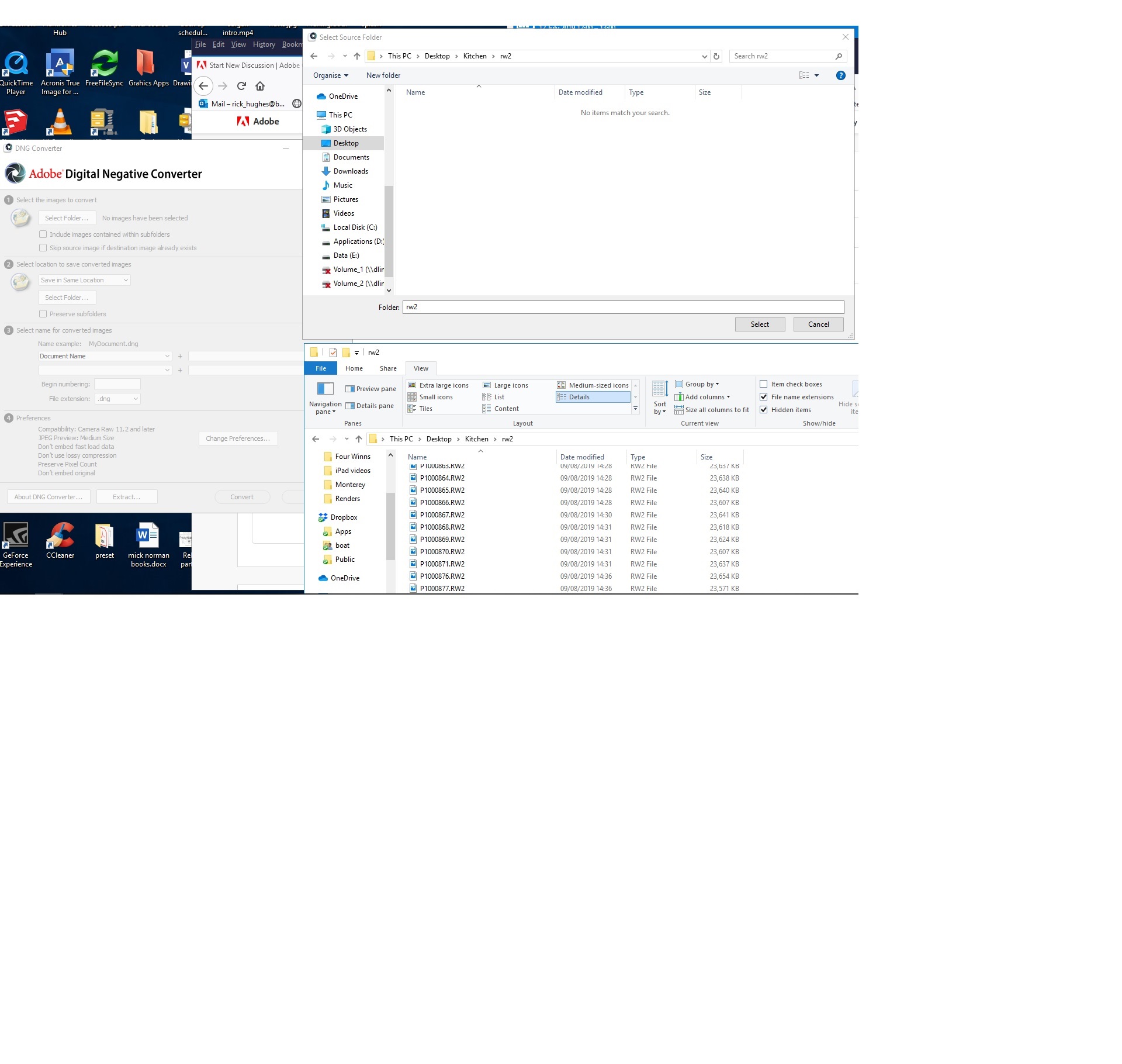
As normal started up DNG conveter.... but when I point it to the folder it does not see any files to import .... just empty folder (even though 30 plus rw2 file there.)

OK ... so I pointed it to previous RW2 files which it has happily converted before - same ting it sees nothing, just empty folders

I then deleted DNG converter, downloaded latest version 11.3.0.197  same thing ?

Rebooted PC ....same thing

Deleted again, this time installed as Administrator - same thing.

I'm stumped .... can anybody tell me how to fix this.

As an example ... pic attached shows DNG converter open .. and I have pressed 'select folder'  you can see that in the top window (import folder view) DNG converter sees no files ... yet in the lower window a standard file explorer view you can see the RW2 files are present.view.jpg
3.1K
Translate
Report
Community guidelines
Be kind and respectful, give credit to the original source of content, and search for duplicates before posting. Learn more
community guidelines

correct answers 1 Correct answer

LEGEND , Aug 09, 2019 Aug 09, 2019

The DNG Converter never shows the RAW files in any dialog box. It is expecting you to select a folder, and then it converts all RAW images in that folder.

Translate
LEGEND ,
Aug 09, 2019 Aug 09, 2019

The DNG Converter never shows the RAW files in any dialog box. It is expecting you to select a folder, and then it converts all RAW images in that folder.

Translate
Report
Community guidelines
Be kind and respectful, give credit to the original source of content, and search for duplicates before posting. Learn more
community guidelines
LEGEND ,
Aug 09, 2019 Aug 09, 2019

And with the DNG converter, you will always select the FOLDER but you don't open the folder. If you do then you will receive the message that there are no files to convert.

Translate
Report
Community guidelines
Be kind and respectful, give credit to the original source of content, and search for duplicates before posting. Learn more
community guidelines
Participant ,
Aug 09, 2019 Aug 09, 2019
LATEST

Thanks guys ... understand my error now.

Translate
Report
Community guidelines
Be kind and respectful, give credit to the original source of content, and search for duplicates before posting. Learn more
community guidelines


