Exit
  • Global community
    • Language:
      • Deutsch
      • English
      • Español
      • Français
      • Português
  • 日本語コミュニティ
  • 한국 커뮤니티
0

Error with using Presets

New Here ,
Dec 20, 2021 Dec 20, 2021

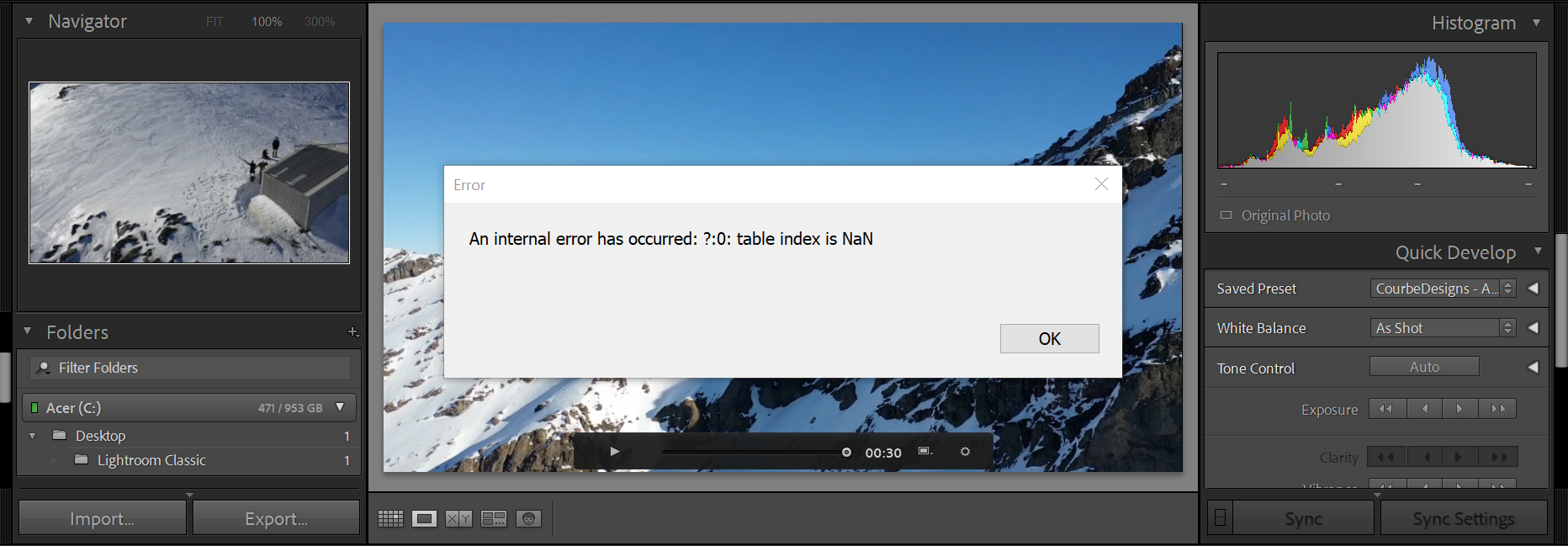
I managed to import my presets but when I got to use one of them it comes up with the below error box. Is there a way to fix this so I can use this preset? All my other presets work fine and they are the same type of file.

TOPICS
Windows
168
Translate
Report
Community guidelines
Be kind and respectful, give credit to the original source of content, and search for duplicates before posting. Learn more
community guidelines
Community Expert ,
Dec 20, 2021 Dec 20, 2021

Can you please tell us which OS you are using, and which Lightroom version? THen also please tell us HOW you imported your presets...


Translate
Report
Community guidelines
Be kind and respectful, give credit to the original source of content, and search for duplicates before posting. Learn more
community guidelines
LEGEND ,
Dec 20, 2021 Dec 20, 2021
LATEST

In Develop's Preset panel, right-click the offending preset and do Show In Finder / Explorer.  Open the selected .xmp file in Textedit or Notepad, select all the text, and copy/paste it in your reply here. We can see if that same preset causes the same error in other LR installations and, if so, narrow down the cause of the problem.

Translate
Report
Community guidelines
Be kind and respectful, give credit to the original source of content, and search for duplicates before posting. Learn more
community guidelines