


Inspiring
February 21, 2025

P: Lens Correction Profile looks different from Develop tab to exported image

  • February 21, 2025
  • 4 replies
  • 433 views

App Version: Lightroom Classic 14.2

OS: macOS Sequoia 15.3.1


I would really appreciate some help with this. I'm not sure if it's even a bug or if I'm just doing something wrong. I just noticed this issue on some recent images from a recent trip when trying to export. When exporting from a RAW file with the correct lens profile assigned, the exported file doesn't appear corrrected as I am seeing it in the Develop tab. Everything looks great in the Develop tab when I view the image as ‘Fit’ in the window. The moment I zoom in on the image in the Develop tab, the distortion is incorrect; the same way it appears in the exported file. Here are a few images for reference. The first image is what I want/expect; all the lines are nice and straight.
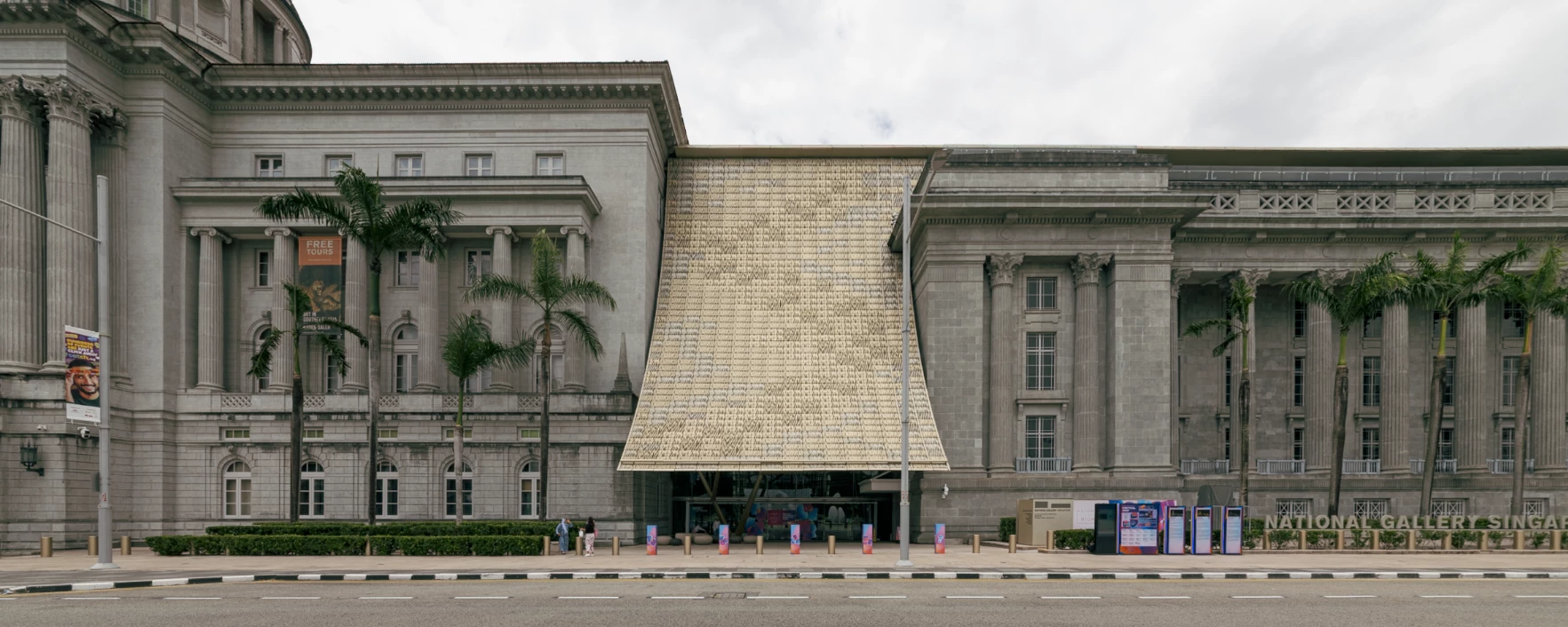


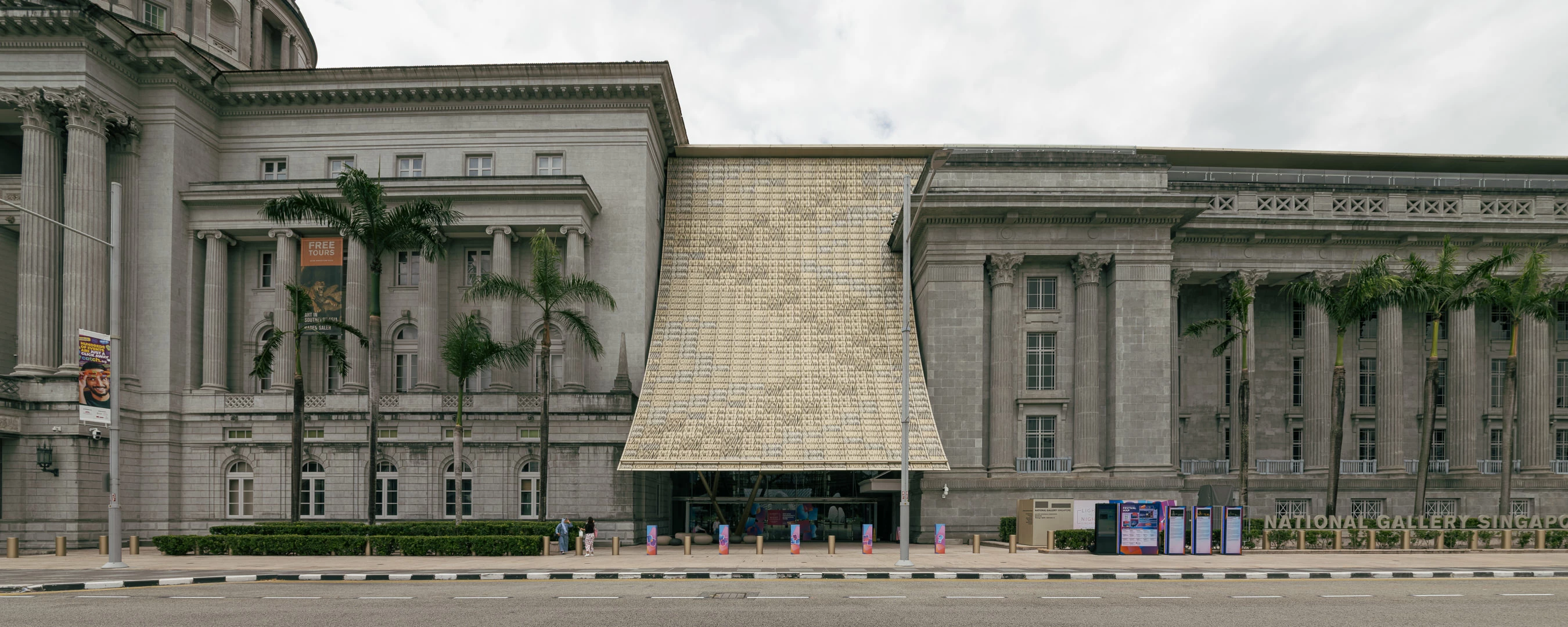
Additionally, it all looks fine when previewing it in the develop tab but if I switch to the Library tab, the distortion appears like the image below. This is what I get when I export:


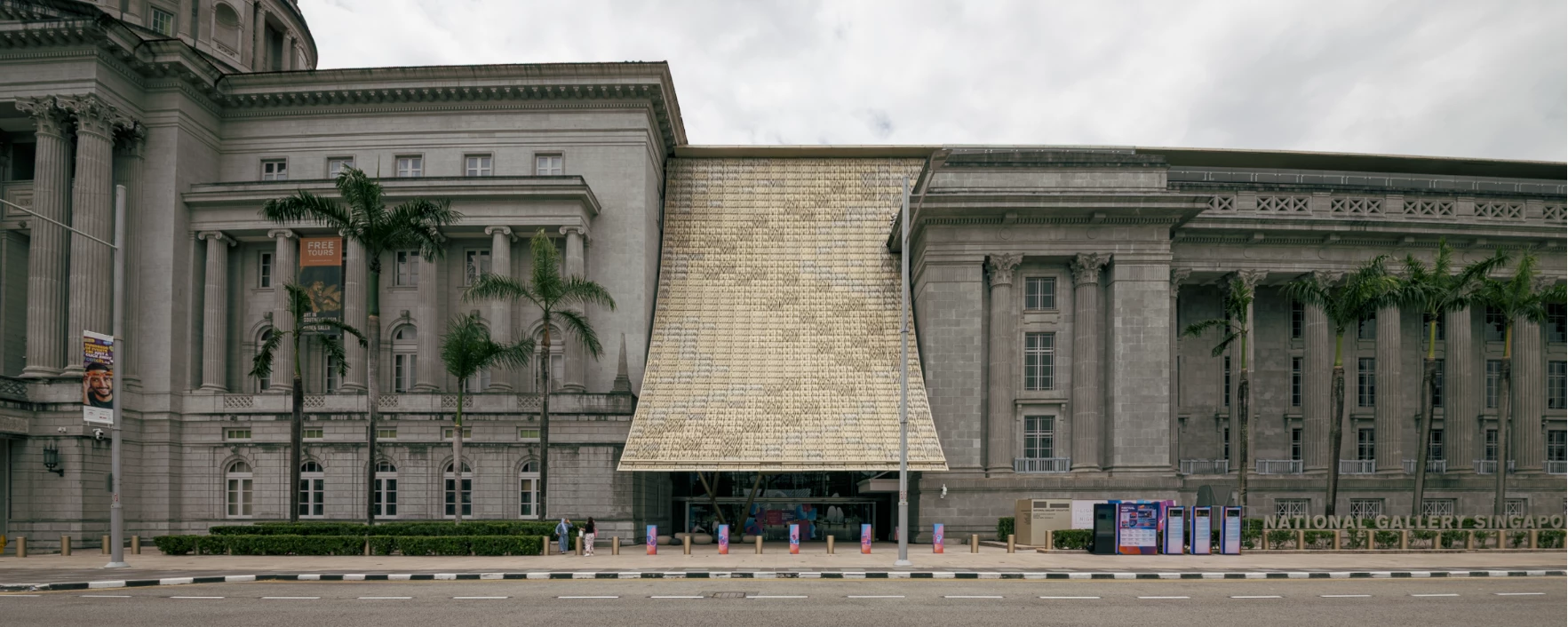
And here's the image with no profile applied for reference.  


The image was shot using a Sigma 12-24mm F4.5-5.6 II DG HSM (Nikon) adapted to a Fuji GFX 100s via a Fringer adapter. I tried exporting images that were shot with this lens on a Nikon D800 and it seemed to export correctly. Maybe the adapter/camera is messing with things?

4 replies

Inspiring
September 24, 2025

Hi Rikk, Has anything been addressed regarding this in recent releases? I still notice it happening on all of my files. Basically any Nikon/Nikkor lens profiles applied to photos taken with my Fuji body show things correctly in the 'Fit' view but look different upon zooming in and export differently as well. 

Inspiring
April 8, 2025

Thanks Rikk, I've also realzied that this is happening with my other Nikon lenses on this Fuji with adapter combination. Lenses like the Nikon 19mm PC-E, Nikon 24mm PC-E, and Nikon 45mm PC-E. I have a feeling this used to work properly and broke at some point throughout the updates to Lightroom.

Rikk Flohr_Photography
Community Manager
Community Manager
February 24, 2025

I'm kicking this back to bugs as we've opened a ticket for the Dev to investigate. 

Rikk Flohr: Adobe Photography Org
Rikk Flohr_Photography
Community Manager
Community Manager
February 21, 2025

The Camera Raw team is asking if you can provide images taken with the Fuji, Fringer Adapter and this lens for them to review?

If they are too large to attach here, please post them to a sharing service (Dropbox or similar) and share a link.

Thanks!

Rikk Flohr: Adobe Photography Org
Inspiring
February 21, 2025

Hi Rikk,


Thanks for getting back to me. I've uploaded the image here. Both in RAW and as a DNG in case they want to see the settings used.


https://www.dropbox.com/scl/fo/p6ppg3qiaq8qlg1wo48it/ACrZtwTuu-sxzF3s2n8Eoks?rlkey=nc6yh5ja9oun3kbnf5uimff21&dl=0

Rikk Flohr_Photography
Community Manager
Community Manager
February 21, 2025

Got it! Thanks!

Rikk Flohr: Adobe Photography Org