


Known Participant
Nov 6, 2021 12:06 AM UTC
Open for Voting

P:(Masking) Locate images in my catalog needing to recompute masks

Issue

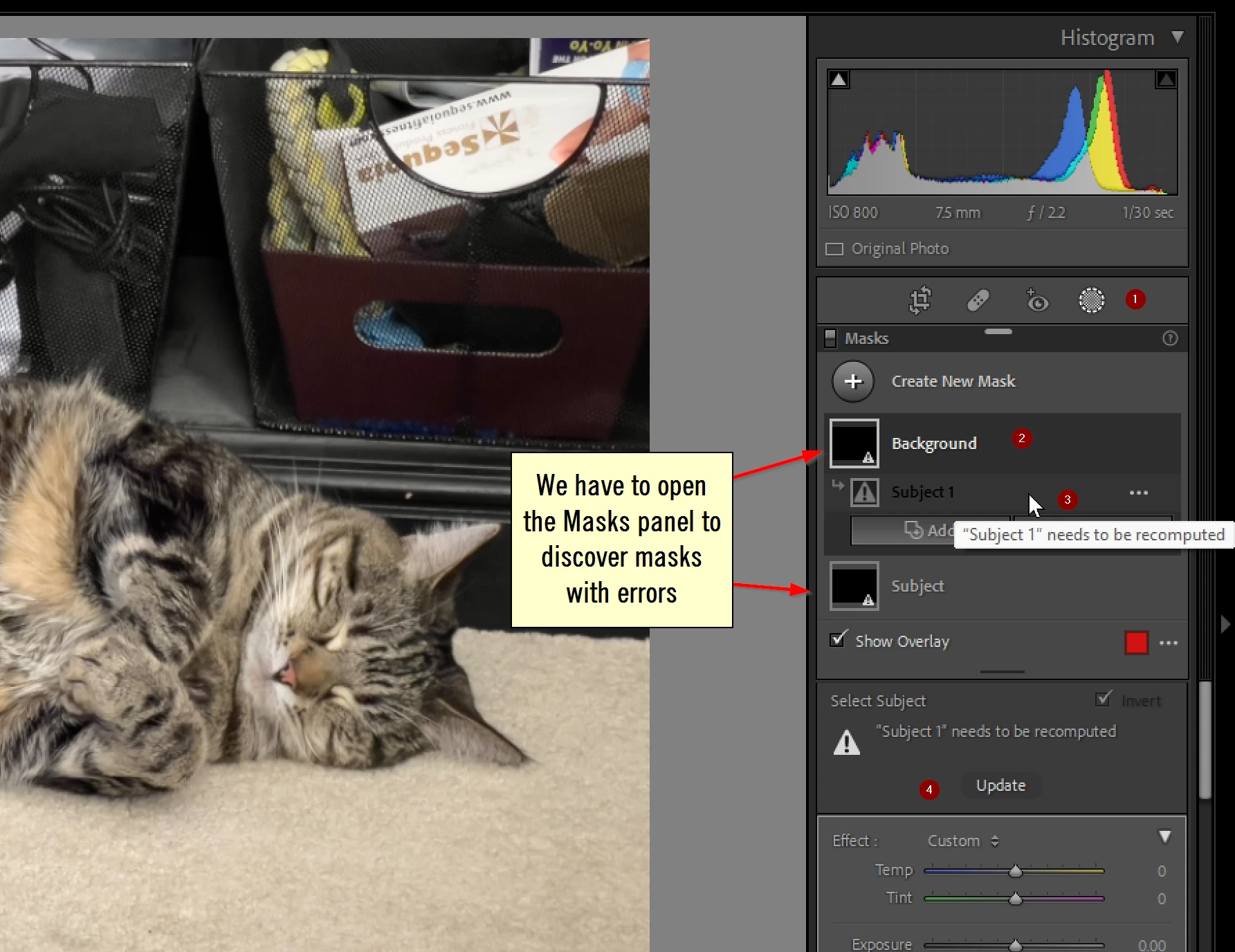
We need a rapid way to find images that have AI mask errors. These errors happen when copying/pasting or synchronizing an AI mask across multiple images.  The error is hidden and must be discovered by opening each image, opening masks, and looking through the list of applied masks, and selecting an AI mask to see the error. There is no current way I can find to locate images with errors.
 

Proposed solution

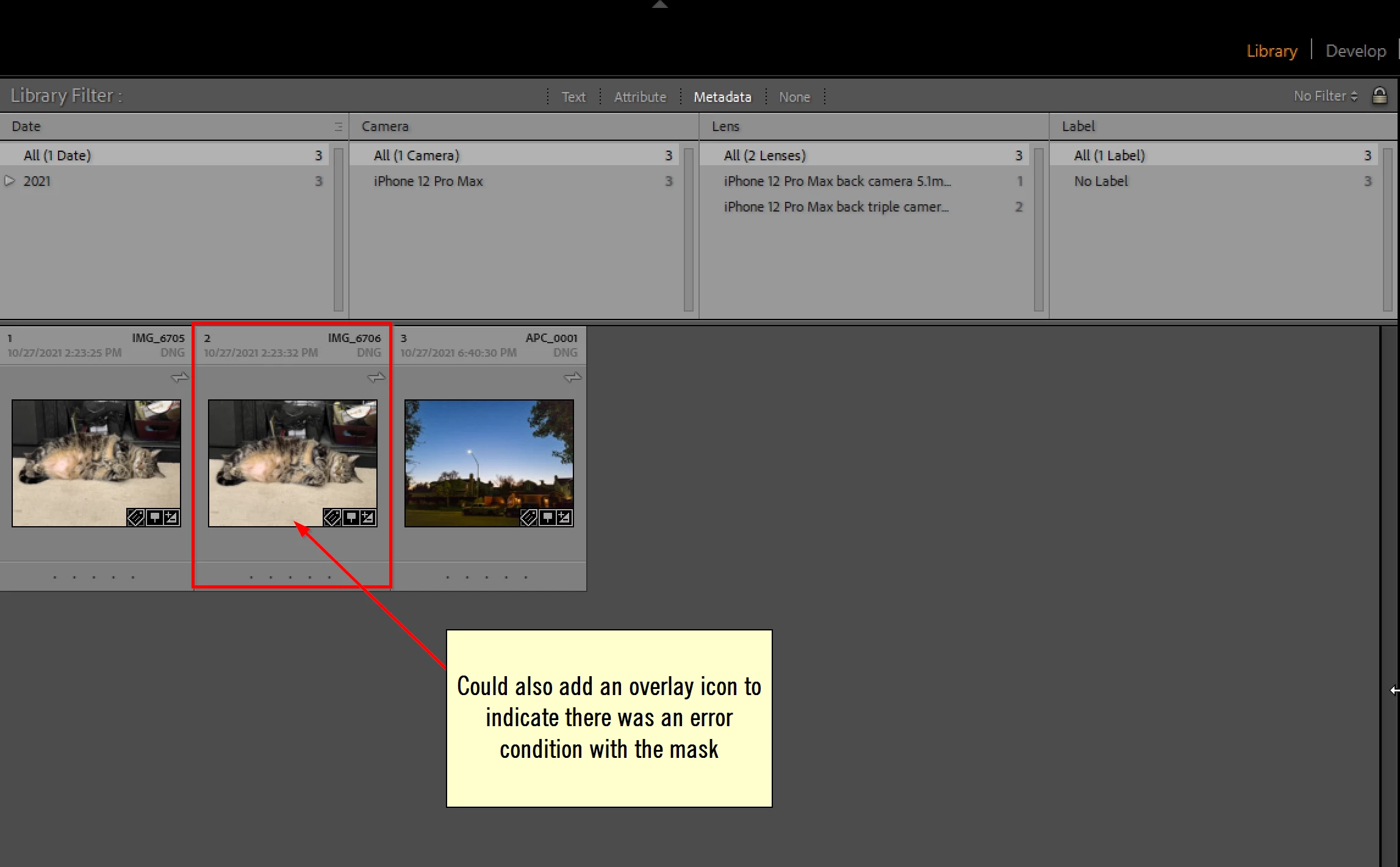
  1. Add a "Masks with error" filter to the filters in the Library module.
  2. Add an overlay icon or text panel indicator to photos with mask error conditions.


9 replies

Participating Frequently
Feb 23, 2022 4:54 PM UTC

Great idea!

Translate
johnrellis
Legend
Nov 27, 2021 6:55 PM UTC

I released Any Filter 1.45 with full support for masking, and you can search for masks needing updating more easily using the built-in filter Sky/Subject mask needs updating:


Translate
johnrellis
Legend
Nov 24, 2021 7:42 PM UTC

While waiting for Adobe to implement this idea, you can use the Any Filter plugin to find photos with Select Subject/Sky masks needing updating:

https://community.adobe.com/t5/lightroom-classic-discussions/finding-photos-with-select-subject-sky-masks-that-need-updating/m-p/12503157

Translate
johnrellis
Legend
Nov 6, 2021 12:06 AM UTC

I've already had a number of requests for Any Filter to search for photos with Select Sky / Subject masks that need updating. I'll be releasing a new version soon to let you search all the attributes of the new masks, but meanwhile, here's how to create a filter that will find all photos that need updating:


1. In Any Filter > Search, click New, and in the Edit window:


2. Change "Name" to "Mask needs updating".


3. Select the Library > Code criterion.


4. Clear the "fields" box.


5. In the "code" box, copy/paste these lines:

(function ()
    for _, group in ipairs (photo:getDevelopSettings ().MaskGroupBasedCorrections or {}) do
        for _, mask in ipairs (group.CorrectionMasks) do
            if mask.What == "Mask/Image" and not mask.MaskDigest then return true end
            end
        end
    return false
    end)()

5. Click OK. 


Now you can apply the "Mask needs updating"

Translate
Bob Somrak
Legend
Nov 6, 2021 12:52 AM UTC

Thanks @johnrellis 

Works GREAT and very much needed.

Translate
M4 Pro Mac Mini. 48GB
Known Participant
Nov 24, 2021 5:49 PM UTC

I forgot to add it, but a right click on the image should also have "Recompute masks" option.


Translate
Known Participant
Nov 24, 2021 5:43 PM UTC

This idea came from user Nessak posted on one of my other ideas. Thank you! Great idea.

Translate