
johnr26363143
Participating Frequently
March 15, 2024

P: Text list jumping.

  • March 15, 2024
  • 17 replies
  • 1655 views

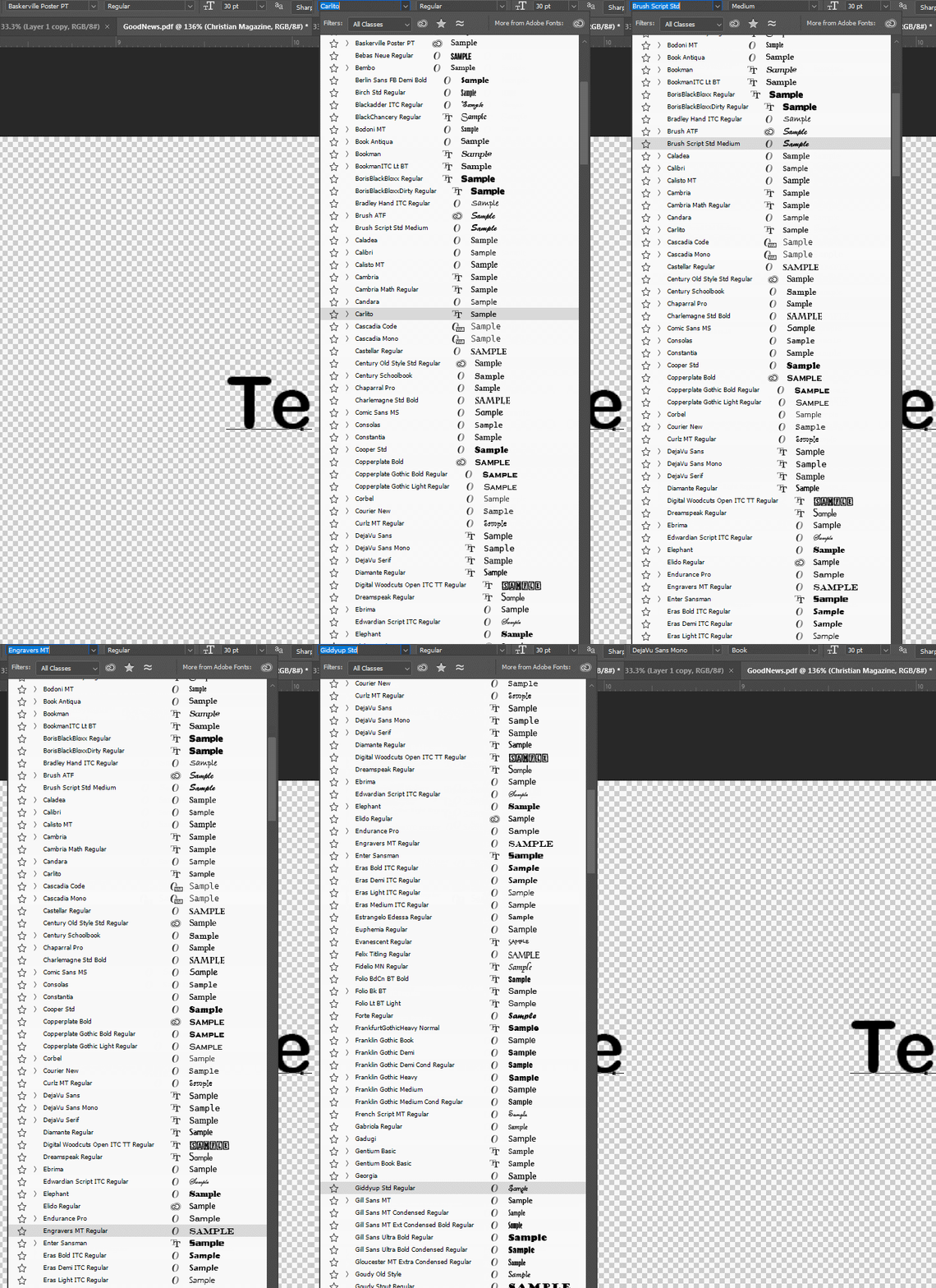
I had two problems with the text list in PS. If I scrolled through the drop down list it would always revert to the begining of the list. Exp: scroll down to fonts starting with E, then boom, back to the top. Didnt mater if I used the mouse or arrows. I found a fix for that by turning off in Edit>Prefences>text>Number of recent fonts to display>Zero. 

I like having recent fonts displayed, so thats no good.

Second issue, its not grave but it is supremely annoying, the text drop down seems to constantly resize itself. Help?
This topic has been closed for replies.

17 replies

CShubert
Community Manager
Community Manager
November 7, 2024

This issue was fixed. If you are still seeing this issue, please start a new thread so the team can investigate.  Also, make sure you are on the latest Ps beta to see the updates/issue fixes.


Thanks,

Cory - Photoshop Product Manager

Pete.Green
Community Manager
Community Manager
July 30, 2024

Hi @johnr26363143 ,


We've been having trouble reproducing this on similar hardware and wonder about your dual display setup. 

Does this jumping of the text list happen on both monitors? or one or the other?


Regards,

Pete

CShubert
Community Manager
Community Manager
June 13, 2024

Hi all, the team is looking into this issue.


Thanks,

Cory - Photoshop Product Manager

CShubert
Community Manager
Community Manager
June 12, 2024

Hey all, do you still see this issue with the laest Ps beta build: Adobe Photoshop Version: 25.10.0 20240610.m.2661 4c22869 arm64


Thanks,

Cory - Photoshop Product Manager

W4lking Dead
Participating Frequently
May 27, 2024

To be honest its ever worse because now whenever im trying to pick a font its jumping to the top of the list. 😕😕 

W4lking Dead
Participating Frequently
May 27, 2024

Is there any chance to fix that? Its the same in Photoshop Beta and 2024 version. I have all up to date but its still like this 😕😕 

W4lking Dead
Participating Frequently
May 19, 2024

I do have the same issue. Working with text is just unbearable 😞 

Participant
April 12, 2024

I'm also experiencing this issue and it's impossible to preview fonts now. It's absolutely maddening! 

Pete.Green
Community Manager
Community Manager
March 28, 2024

@johnr26363143, Thanks for the report! We're looking into this one, but haven't been able to reproduce just yet. Any additional information you can provide is helpful for sure. A couple things:

  • Does this also happen if you bring up the font browser from the Contextual Task Bar? (This will use the legacy font browser UI)
  • We've made some updates, so please try again in the beta build that comes out next week and let us know if you still run into it.


Regards,

PG

Pete.Green
Community Manager
Community Manager
March 28, 2024

Good suggestions @Trevor.Dennis@johnr26363143 , I'd also recommend resetting the font cache and restoring Photoshop preferences back to default to see if this fixes it for you. 


Reset font cache: https://helpx.adobe.com/nz/photoshop/kb/troubleshoot-fonts-photoshop.html#photoshopfontcache


Let us know how it goes.