Inspiring
April 27, 2024
Question

Add Effects to Image

  • April 27, 2024
  • 3 replies
  • 574 views

I have just downloaded newest PS Beta

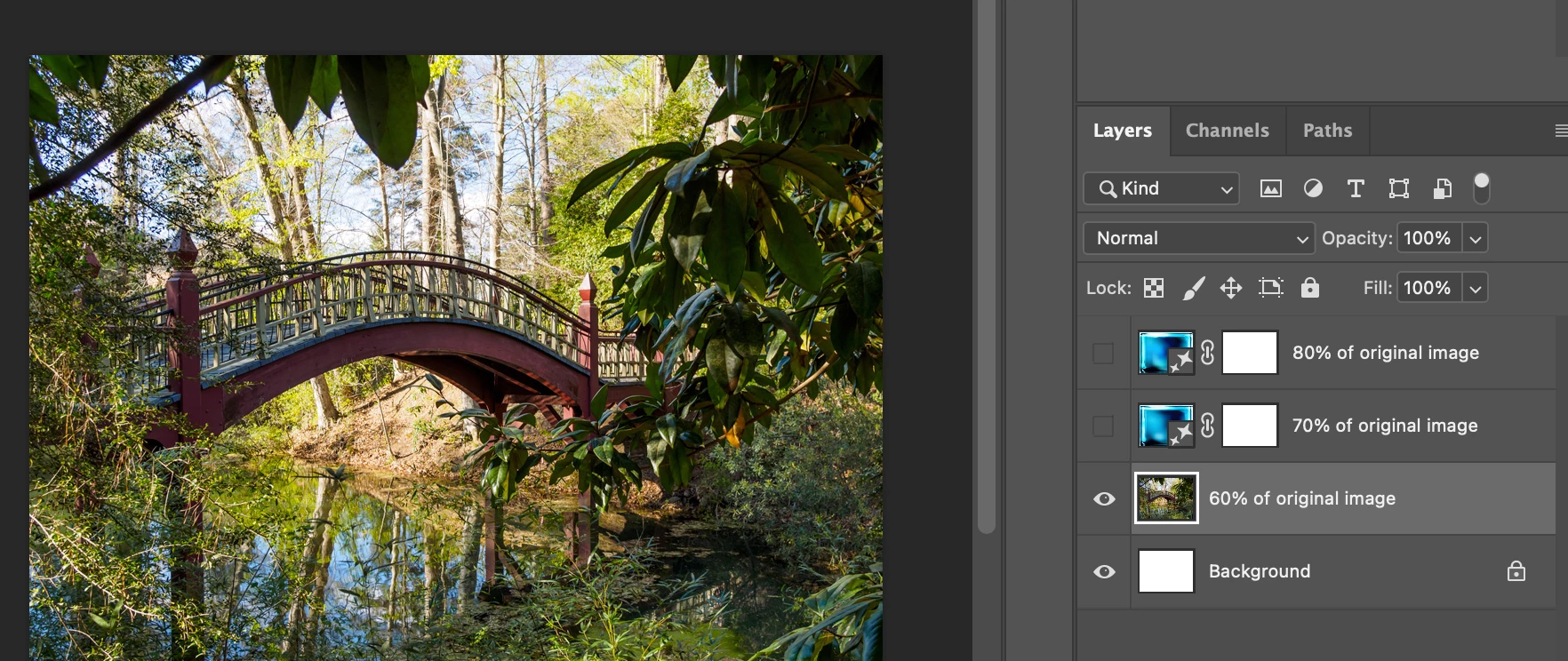
When I try to apply oil paint effect on existing image I get a mess

I have done the quick mask 50% gray step

Enter oil paint 


The result is attached 

Any ideas

 

This topic has been closed for replies.

3 replies

Jeff Arola
Community Expert
Community Expert
May 5, 2024

I believe the issue, is as far as i can gather, is the results from the Photoshop Beta 25.9 when doing something similar to this are very different than Photoshop 25.7 or the previous Photoshop Beta.

https://www.matiash.com/blog/photoshop-generative-fill-turn-photos-into-paintings


When entering Watercolor Painting in the Generative Fill


Photoshop 2024 (ps ver 25.7)


Photoshop 2024 (ps version 25.9 Beta)


When entering oil painting in the Generative Fill


Photoshop 2024 (ps ver 25.7)


Photoshop 2024 (ps version 25.10 Beta)


thekohlervillager
Known Participant
May 14, 2024

Yes. Beta gives us the blue square every time. 

thekohlervillager
Known Participant
May 4, 2024

I have the same problem. Hope they aren't removing that feature! 😢

Trevor.Dennis
Community Expert
Community Expert
May 5, 2024

The Oil Paint filter is working for me in Windows 11.  I didn't watch the video, but I wonder if your issue is in the steps described in the video rather than the Oil Paint filter.  The Preview below is viewed at 100% with some fairly high settings.

Jeff Arola
Community Expert
Community Expert
May 3, 2024
SteveLancAuthor
Inspiring
May 3, 2024

The process is working in PS but not BETA.

Looking for help with Beta.

--
Steve Lancashire


[phone removed]