
Exit
  • Global community
    • Language:
      • Deutsch
      • English
      • Español
      • Français
      • Português
  • 日本語コミュニティ
  • 한국 커뮤니티
2

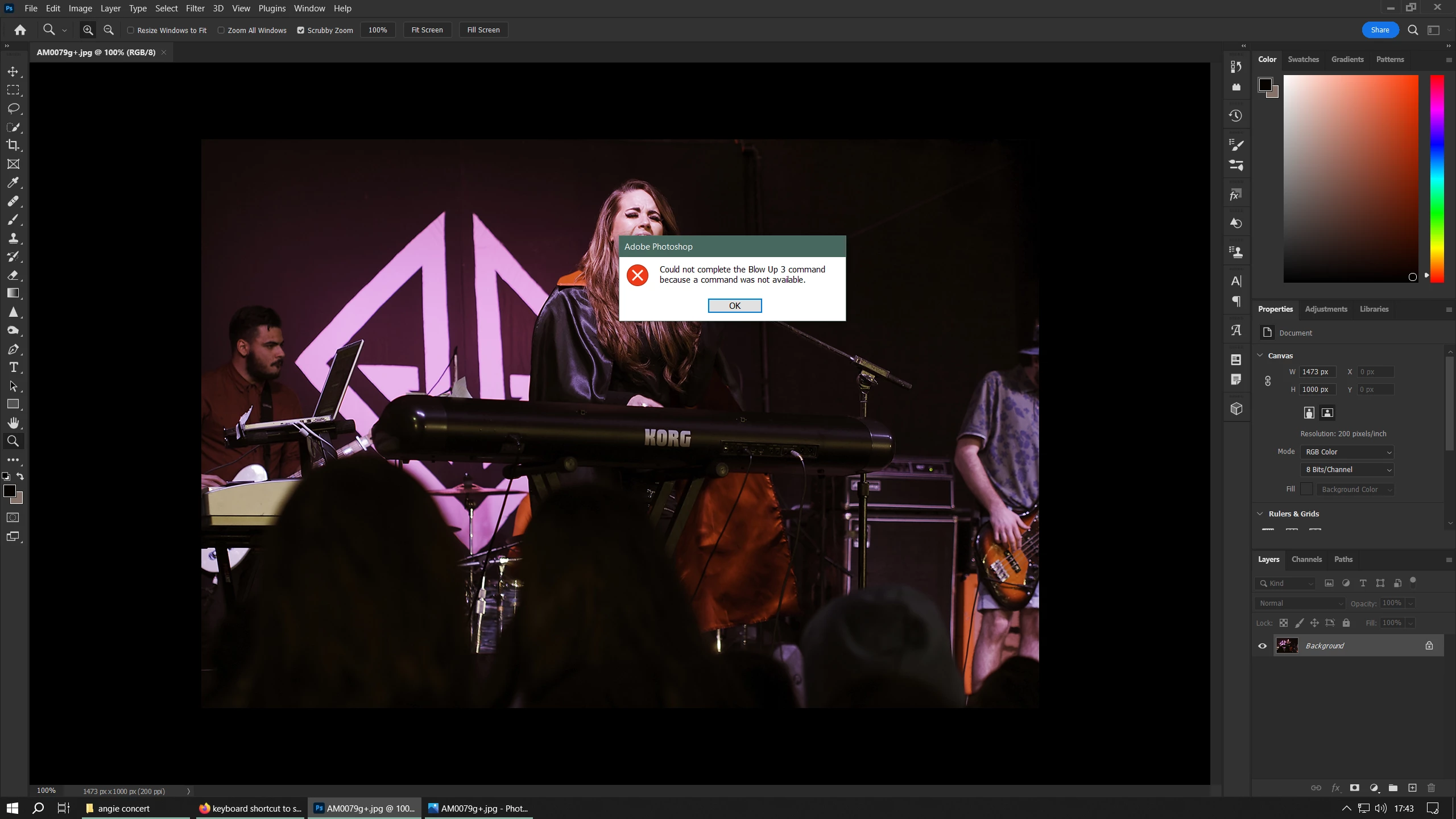
Alien Skin Blow Up filter no longer works
Explorer ,
Jul 28, 2023 Jul 28, 2023

image.pngUpdated to PS v24.7 and found that my Alien Skin Blow Up 3 (version 3.1.4.386) filter is no longer available. It gives the following error:

"could not complete the blow up command because a command was not available"

I tried reinstalling the filter without success.

Using Windows 10 Pro.

TOPICS
Desktop-Windows
2.1K
Translate
Report
Community guidelines
Be kind and respectful, give credit to the original source of content, and search for duplicates before posting. Learn more
community guidelines
New Here ,
Jul 29, 2023 Jul 29, 2023

Currently having the same issue! Using Mac instead of Windows though, happened after my Photoshop updated.

Translate
Report
Community guidelines
Be kind and respectful, give credit to the original source of content, and search for duplicates before posting. Learn more
community guidelines
Adobe Employee ,
Jul 31, 2023 Jul 31, 2023

Hi, it is possible that the third party company may not support beta apps and you would need to contact them to see if there is an issue they can offer advice to solve.


Does your software work in Ps release version?


Translate
Report
Community guidelines
Be kind and respectful, give credit to the original source of content, and search for duplicates before posting. Learn more
community guidelines
Explorer ,
Jul 31, 2023 Jul 31, 2023

I'm using the latest PS release version (24.7), not a beta version. The filter has worked perfectly for years until the last PS update. It's not a beta version of the app. This is a filter I use a lot.

Translate
Report
Community guidelines
Be kind and respectful, give credit to the original source of content, and search for duplicates before posting. Learn more
community guidelines
Explorer ,
Jul 31, 2023 Jul 31, 2023

Just rolled back to PS version 24.6.0 and the filter works perfectly again, so it isn't the filter that's the issue.

Translate
Report
Community guidelines
Be kind and respectful, give credit to the original source of content, and search for duplicates before posting. Learn more
community guidelines
New Here ,
Aug 17, 2023 Aug 17, 2023

If you use Lightroom, there is a work around, although I want my Blow up 3 to work again in Photoshop v24.7  In Lightroom, rightclick on the image > Edit in > Blow up 3 and with luck a window should open into the plug-in with your image loaded. Your message was from a couple weeks ago so I'm interested to know if you solved the Photoshop issue?

Translate
Report
Community guidelines
Be kind and respectful, give credit to the original source of content, and search for duplicates before posting. Learn more
community guidelines
Explorer ,
Aug 17, 2023 Aug 17, 2023

I rolled back to v24.6 and it works. I guess we'll have to wait and see if it's fixed in the next update.

Translate
Report
Community guidelines
Be kind and respectful, give credit to the original source of content, and search for duplicates before posting. Learn more
community guidelines
New Here ,
Aug 25, 2023 Aug 25, 2023

The roll back worked for me as well, thank you for suggesting it. I hope they get the issue figured out soon, I use Blow Up 3 on most of my projects. Adobe's neural filter is cool and all but I have to have exact control over output dimensions and ppi. 

Translate
Report
Community guidelines
Be kind and respectful, give credit to the original source of content, and search for duplicates before posting. Learn more
community guidelines
Community Expert ,
Aug 25, 2023 Aug 25, 2023

@mcbarker69 @KcBonnellArt the responsibility lies with AlienSkin to update their plugin to work with Photoshop, not the other way around. I would contact them about the issue so they can release an update compatible with 24.7.

Translate
Report
Community guidelines
Be kind and respectful, give credit to the original source of content, and search for duplicates before posting. Learn more
community guidelines
Explorer ,
Sep 13, 2023 Sep 13, 2023
LATEST

Not if it's due to a new bug introduced by an update in the base program (Photoshop). The issue is moot now; the bug has been fixed in v25.0.0.

Translate
Report
Community guidelines
Be kind and respectful, give credit to the original source of content, and search for duplicates before posting. Learn more
community guidelines
New Here ,
Jul 31, 2023 Jul 31, 2023

For me, it doesn't work in the regular Photoshop or the beta version.

Translate
Report
Community guidelines
Be kind and respectful, give credit to the original source of content, and search for duplicates before posting. Learn more
community guidelines