

Trevor.Dennis
Community Expert
Community Expert
February 19, 2025
Question

Beta Interface Background Colour Changing to Light Grey

  • February 19, 2025
  • 1 reply
  • 158 views

I have been finding that my Interface background colour has been repeatedly changing to light grey with the beta version.  I can't say for sure how long this has been happening, but not more than a week or two, so it might just be with 26.5 m.2973


Is there a shortcut that I might be triggering by accident?  Or have other people been seeing this?
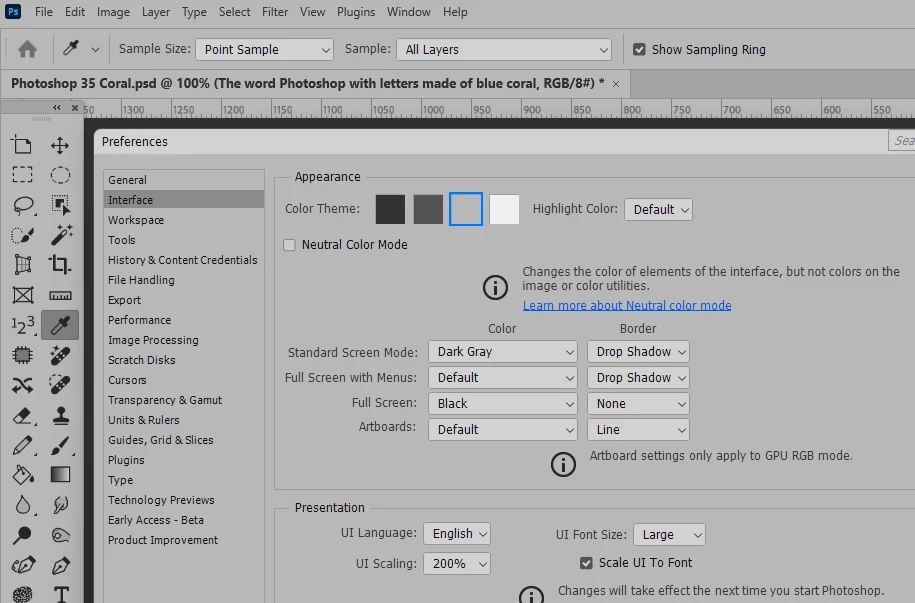
 

1 reply

jane-e
Community Expert
Community Expert
March 25, 2025


quote

Is there a shortcut that I might be triggering by accident?

By @Trevor.Dennis


Hi Trevor, any chance you are using these shortcuts accidentally?

  • Darker: Ctrl (Cmd) + Shift + F1 for a darker tone
  • Lighter: Ctrl (Cmd) + Shift + F2 for a lighter tone


Jane


Trevor.Dennis
Community Expert
Community Expert
March 27, 2025

Thanks Jane.  I'd love to be able say no, and my gut tells me I am not doing that as after testing, I find it takes a 'particular set of skills finger movement that would be hard to do accidentally.  You know I am messing with shortcuts at the moment, and I'll email where I am at with that ver soon, so I might have broken something.  Your shortcuts still work as they should both in Essentials, and my default three screen workspace, which has all the custom Function key shortcuts. 


It has now happened in the release version as well, but I have only witnessed the change once which was right after switching windows.  It seems likely that it is something that I have done, so I'll stick with it and see what gives.