
Participant
November 13, 2023
Question

Design Canvas Enlargement Leads to wrong Pixel Interface Glitch in Bottom Left Corner [Art Board]

  • November 13, 2023
  • 2 replies
  • 156 views

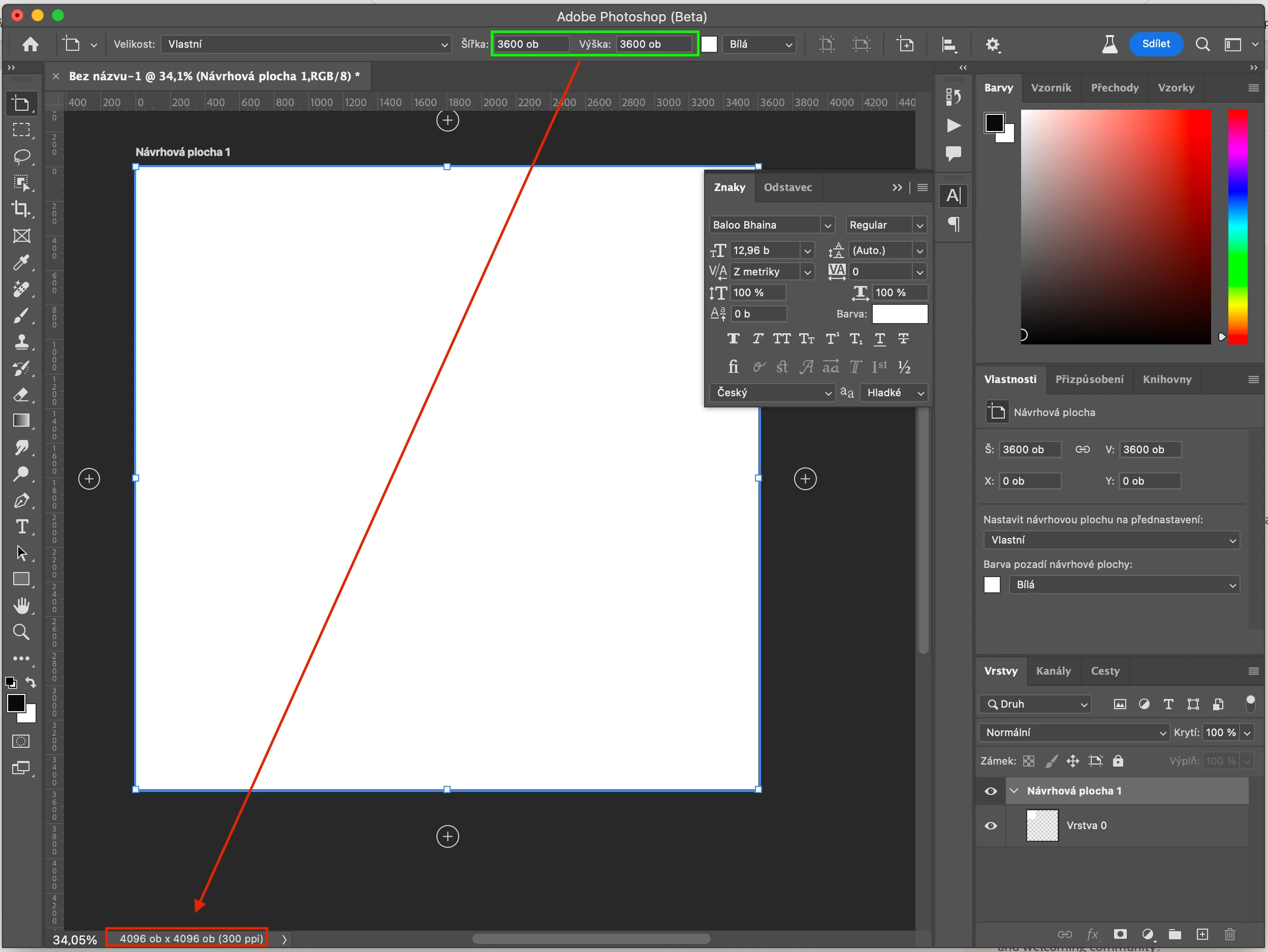
When enlarging the design canvas, for example, from 1024x1024 px to 3600x3600 px, an interface glitch occurs in the bottom left corner, displaying a 4096x4096 px interface instead of the expected 3600x3600 px.
Why is it happening like this? How can i repair it? It happens in both the latest Photoshop 2024 and the newest Photoshop beta, both on Windows 10 and Mac OS Sonoma 14.0.
 

This topic has been closed for replies.

2 replies

Trevor.Dennis
Community Expert
Community Expert
November 14, 2023

I suspect it is because your document is an Art Board.  I don't use Art Boards myself, but I know they do not represent the same thing as a normal document size.  I'll add Art Board to your subject and see if we can attract someone with more Art Board experience.

kglad
Community Expert
Community Expert
November 13, 2023

in the future, to find the best place to post your message, use the list here, https://community.adobe.com/

p.s. i don't think the adobe website, and forums in particular, are easy to navigate, so don't spend a lot of time searching that forum list. do your best and we'll move the post (like this one has already been moved) if it helps you get responses.


<"moved from using the community bugs ">