
Participant
July 6, 2023
Question

does anyone have problems with the AI remove tool in photoshop
  • July 6, 2023
  • 2 replies
  • 283 views


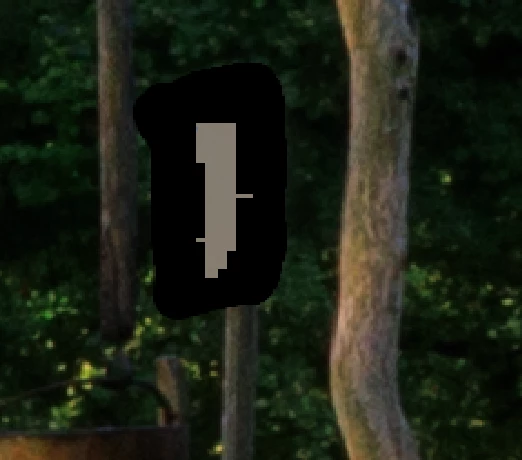
every time you try to remove the object with AI remove tool from the picture, the same thing always happens. It leaves a stain as in the picture


[Moved to the Photoshop Beta forum]

This topic has been closed for replies.

2 replies

Goran5C99Author
Participant
July 14, 2023

yes

AxelMatt
Community Expert
Community Expert
July 6, 2023

That seems to be a GPU problem. Do you have installed the latest driver for your graphic card?

If you have installed a NVidia card please use the Studio driver version instead of the Game Ready version.


My System: Intel i7-8700K - 64GB RAM - NVidia Geforce RTX 3060 - Windows 11 Pro 25H2 -- LR-Classic 15 - Photoshop 27 - Nik Collection 8 - PureRAW 6 - Topaz Photo AI
Goran5C99Author
Participant
July 6, 2023
macOS 13.4.1
Processor 2,6 GHz 6-Core Intel Core i7
Graphics Intel UHD Graphics 630 1536 MB

updates are made regularly. In the beginning, everything worked normally,
and then it started causing problems. I think everything started after a
macOS update, but I can't say for sure that it was after that. It happens
that he takes a few steps and then starts causing problems again
CShubert
Community Manager
Community Manager
July 6, 2023