
Draw Arrow in Photoshop Beta
Hello, I'm trying to draw an arrow (a straight line with an arrowhead ending) in Photoshop Beta.
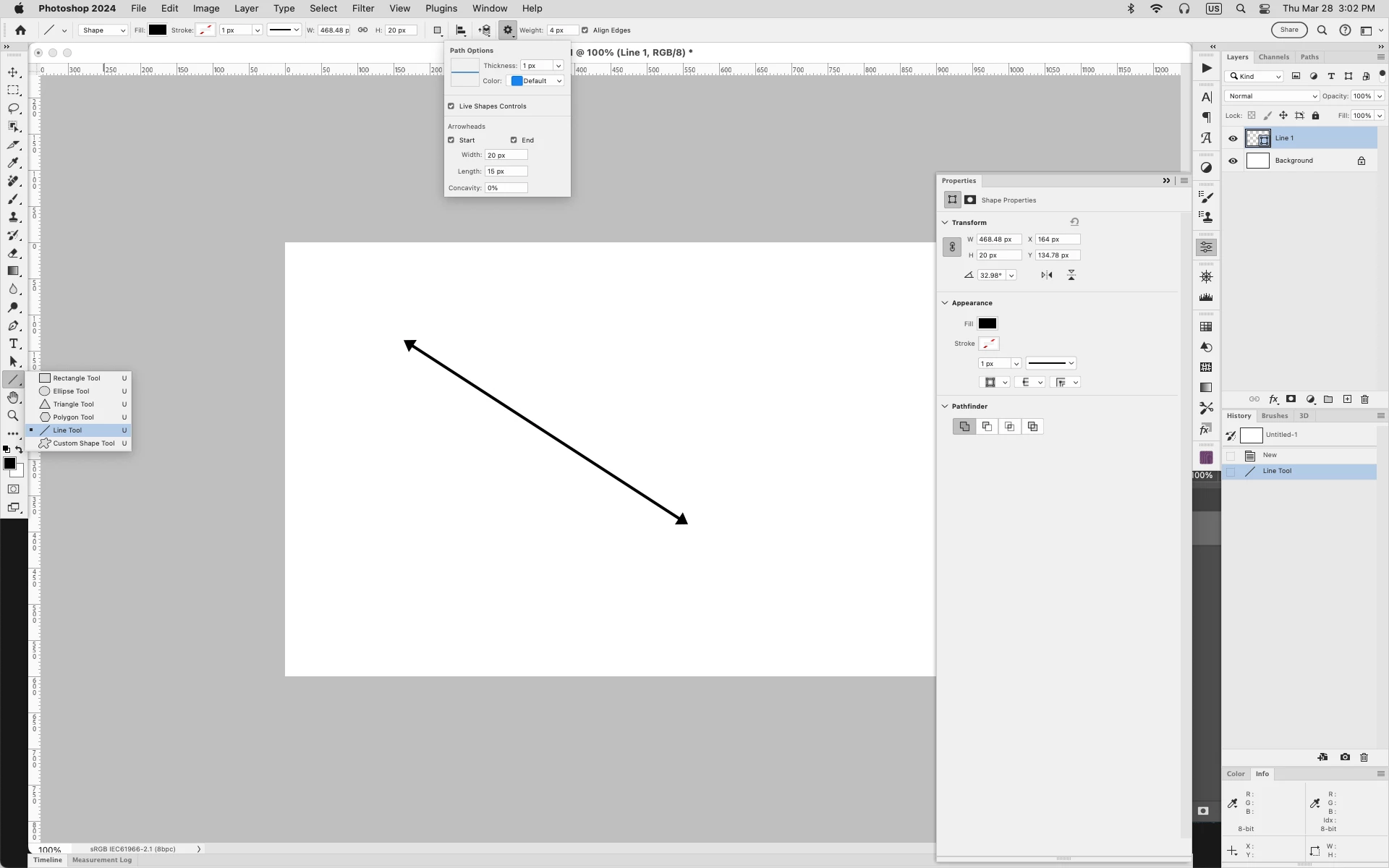
I'm on the "Work with the line tool" Help page [https://helpx.adobe.com/photoshop/using/line-tool.html#draw-arrows], and in the "Draw an arrow" section of instructions, it says: "After creating a line and setting the stroke color and width, click the gear icon (⚙️) on the Line tool options bar. To add an arrow at the beginning of your line, Check Start; to add an arrow at the end of your line, check End. To add arrows to both ends, check both Start and End."
But, the latest version of Photoshop Beta (up to date as of 03.26.2024), it doesn't have the Live Shape Controls section of Path Options. It only has Thickness and Color, but nothing lower than that:

It's very annoying & inconvenient, making it much harder than necessary to draw an arrow in Photoshop Beta. 😒
Does anyone know how to get the rest of the line path options to show up in PS Beta? Or if there's another quick & easy workaround?
Thank you!
 AdChoices