
Participant
May 25, 2024
Question

Error Using Remove Tool / Error al utilizar Herramienta Quitar
  • May 25, 2024
  • 11 replies
  • 5419 views

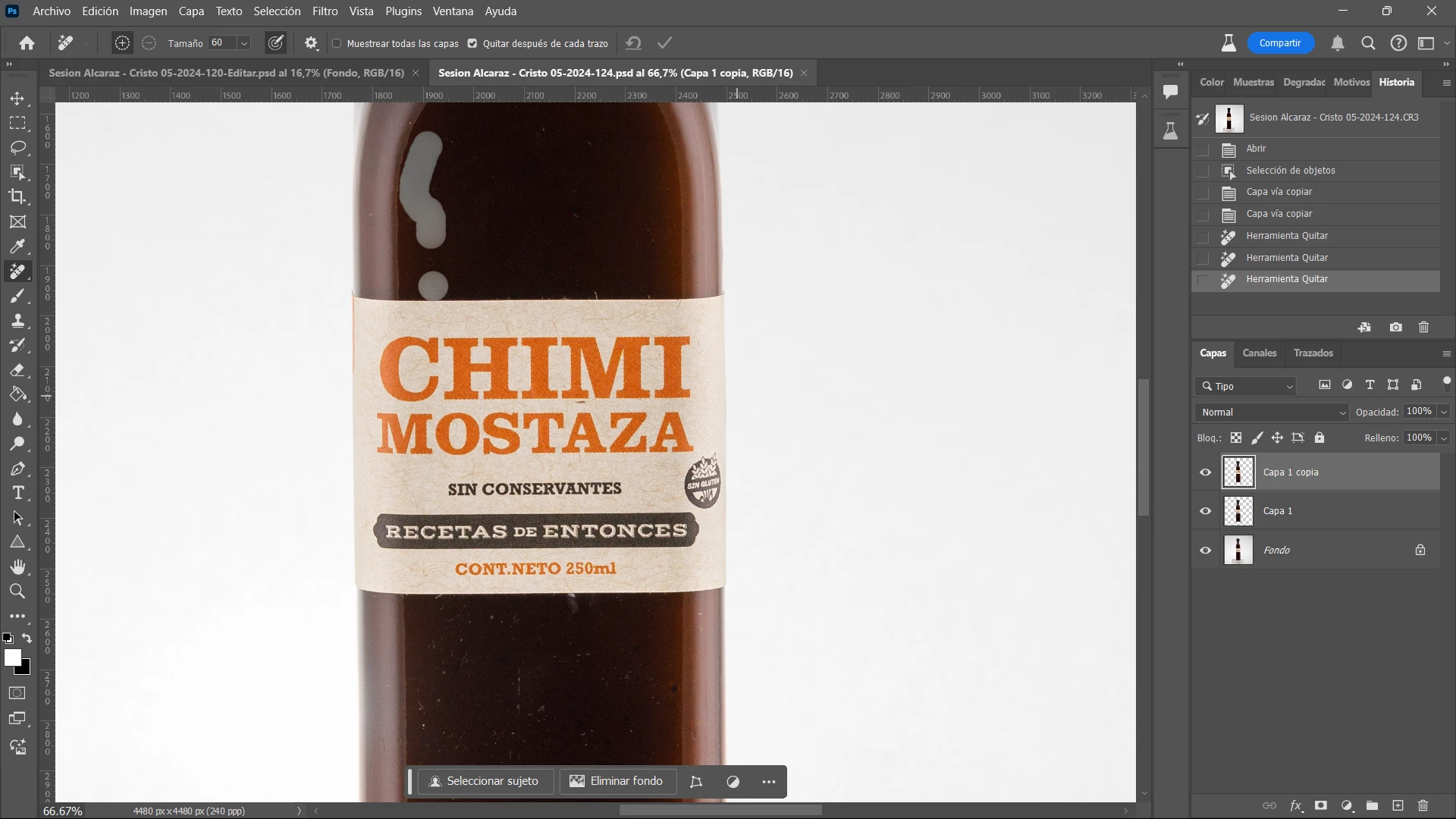
Sucede en varias oportunidades que al utilizar la Herramienta Quitar me pinta la sección a eliminar como se ve en la captura. 

También sucede a veces otro error al querer seleccionar el Sujeto solo y me aparece un patrón de selección extraño y debo cerrar programa y volverlo a abrir. 

11 replies

Participant
May 25, 2024

The remove tool does no longer work most of the time.

Results in strange colored patch as per sample picture attached.


Sample all layers on or off no effect

Remove after each stroke on or off no effect

Size no effect


When switching to ACR (same picture) it does work.


On Win 11 - i7 12 - RTX3060

CShubert
Community Manager
Community Manager
May 28, 2024

@none37631370za4g 


It may help if we could see your Photoshop System Info. Launch Photoshop, and select Help >System Info...and copy/paste the text in a reply.  


Thanks,

Cory - Photoshop Product Manager

Participant
July 2, 2024

Hello Cory, a few days ago I write a message regarding this problem in place of a friend of mine because he is not use with computer, messages and of course for reporting problems.
Here is the system info you asked for 
Can you have a look please 
it concern the message sent by me (thierryd91509807) 

Thank you in advance

Best regards

Thierry

He has got a new computer  with exactly the same configuration as his best friend and this guy doesn't have this problem