



Question
Find & Remove Distractions in Photoshop (Beta)
Hello Beta Testers,
We're thrilled to inform you about a brand-new feature in Photoshop Beta. We're calling it Distraction Removal, it's part of the Remove Tool, and we can't wait for you to try it out.
Distraction Removal, in the July 2024 release of Photoshop Beta, is designed to detect and select the unexpected background (or foreground) people in your image and ready them for removal.
We're thrilled to inform you about a brand-new feature in Photoshop Beta. We're calling it Distraction Removal, it's part of the Remove Tool, and we can't wait for you to try it out.
Distraction Removal, in the July 2024 release of Photoshop Beta, is designed to detect and select the unexpected background (or foreground) people in your image and ready them for removal.
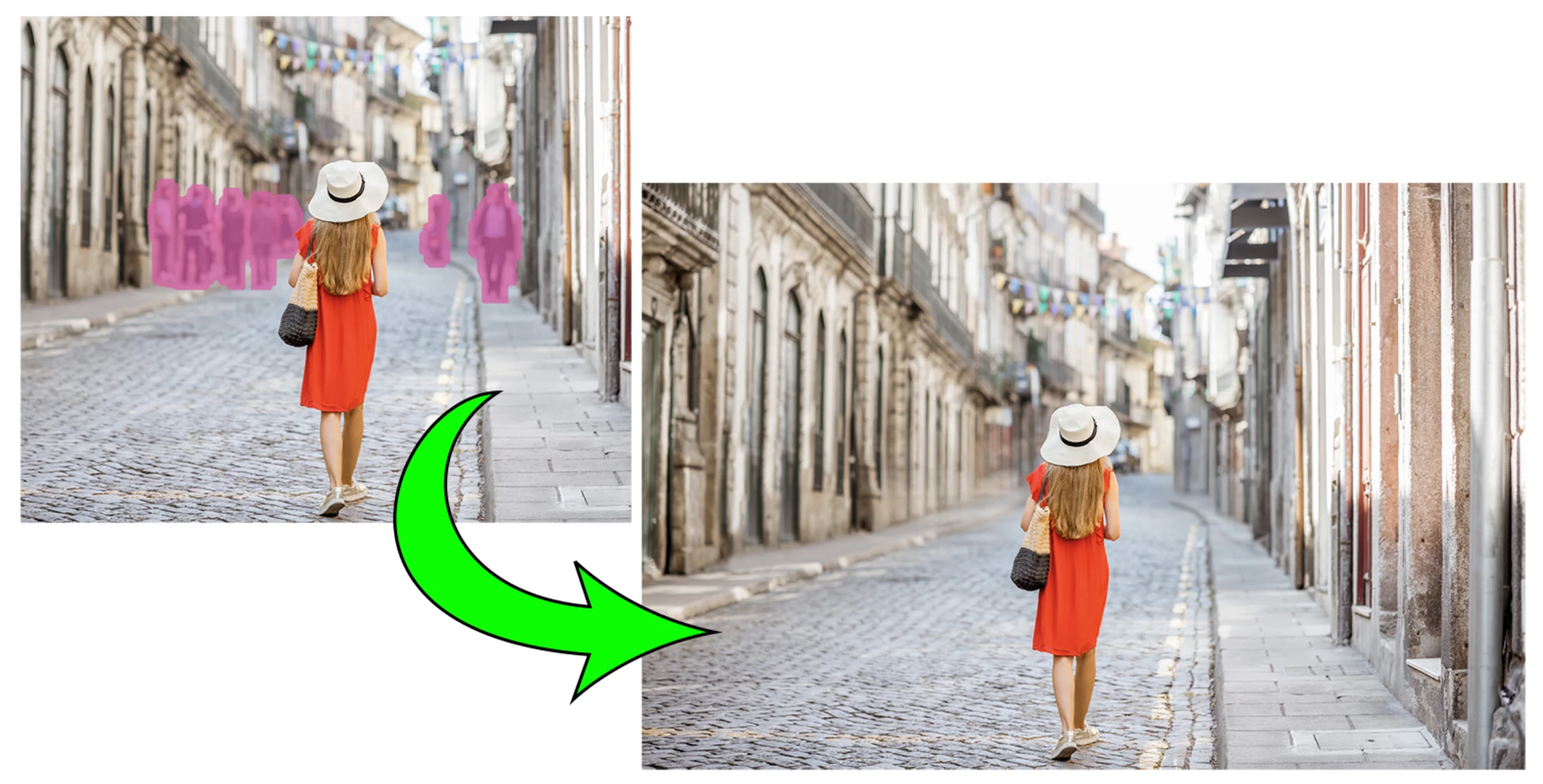
To start using Distraction Removal:
- Update Photoshop (Beta). Make sure you have the latest version installed.
- Choose the Remove Tool: It lives in the Tool Bar in the same well as Spot Healing brush
- Click on the "Find people in background" button in the Options Bar. Detected distractions targeted for removal will be highlighted.
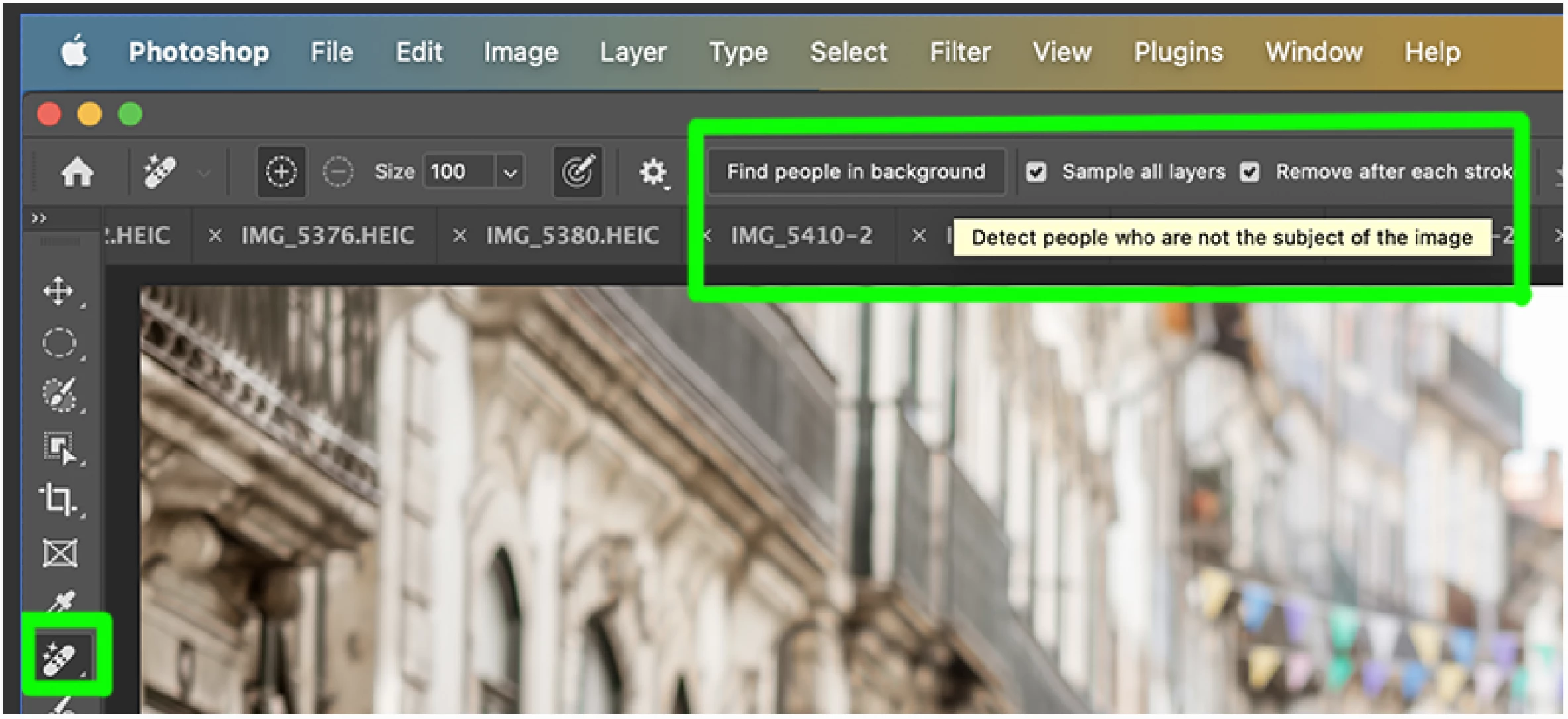
- Add to or subtract from the area if desired, by brushing over the canvas after selecting the + or - buttons from the Options bar.
- Press Enter/Return on your keyboard or click the Apply checkmark in the options bar.
- Share Your Feedback: Let us know what you think!
- Reply to this forum thread or
- Give it a thumbs up or thumbs down in the Beta Feedback panel.
Tip: Use the Remove Tool non-destructively; create and target a new blank layer and turn on "Sample all Layers" from the Options Bar.
Known Issue: Mac Intel performance is significantly impacted for the detection phase.
Your participation in our beta testing program is immensely appreciated. We rely on your keen observations and honest feedback to make Photoshop the best it can be. Thank you for your continued support!
Sincerely,
Meredith Stotzner
Sr. Product Manager
Photoshop Team
 AdChoices