

Question
Generate Similar in Photoshop (beta)
Now available in the April 2024 release of Photoshop (beta) on desktop 25.9 is Generate Similar.
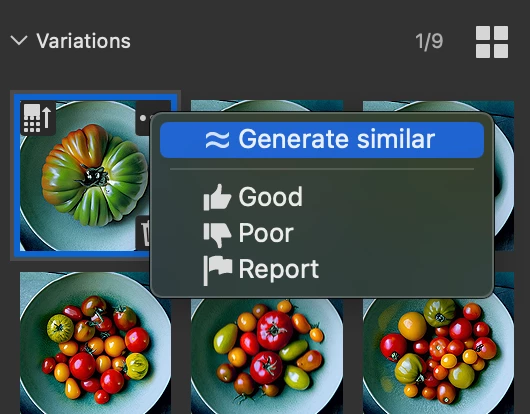
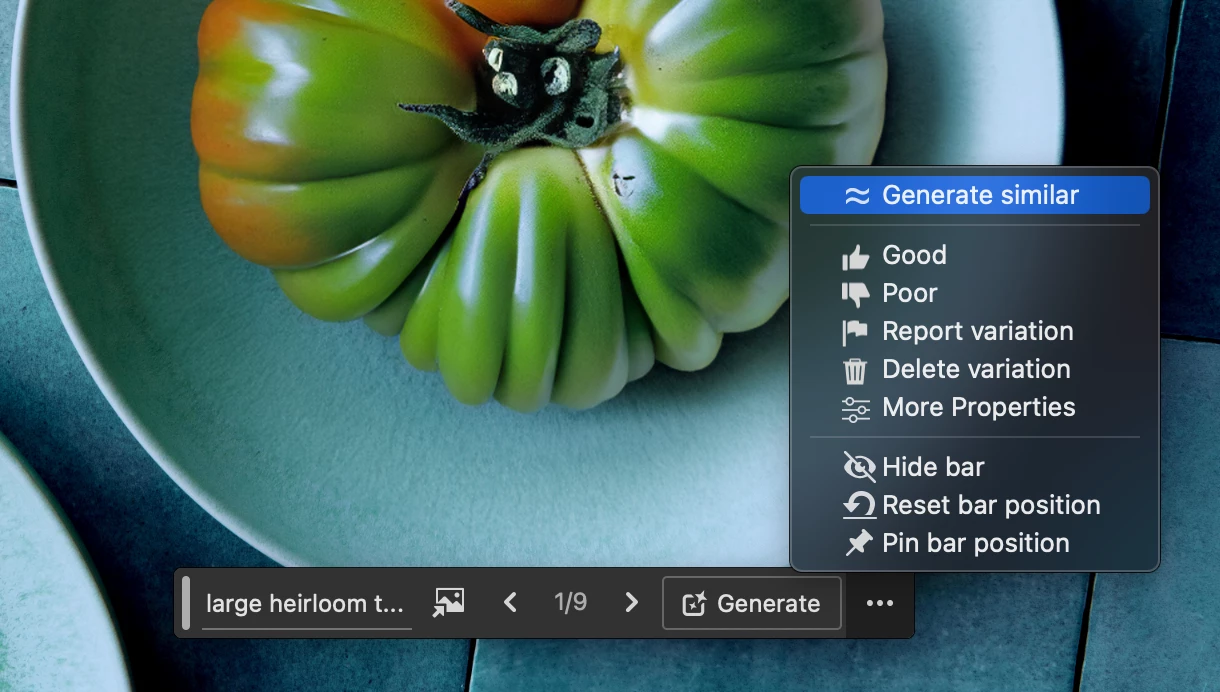
Generate Similar allows you to use a generated variation as a reference image and produce more results with similar content. This enhances the accuracy and relevancy of your generated outputs and empowers you to generate many similar variations until you land on one you like.
Follow these steps to use Generate Similar:
- After using Generative Fill, Generative Expand, Generate Background or Text to Image (labeled "Generate Image"), select your preferred variation
- Then select the "Generate Similar" option in the menu in the contextual task bar or in the variations within the property panel
- Three new variations will generate, and you can repeate and iterate similar variations until you find your desired outcome
 .
. 
Thank you for taking the time to evaluate this feature and provide any feedback as we improve it!
 AdChoices