
Participating Frequently
June 10, 2023
Question

Generative AI expanded canvas - incorrect brightness for fill

  • June 10, 2023
  • 5 replies
  • 1973 views

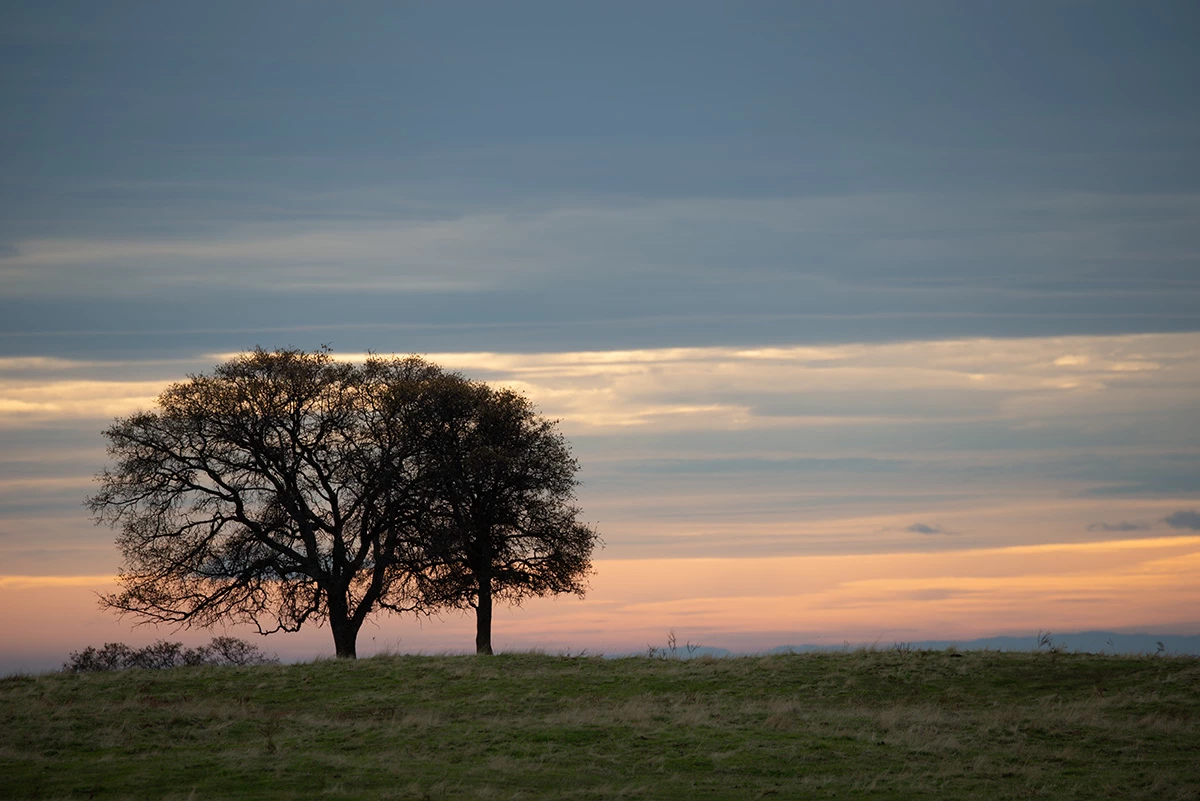
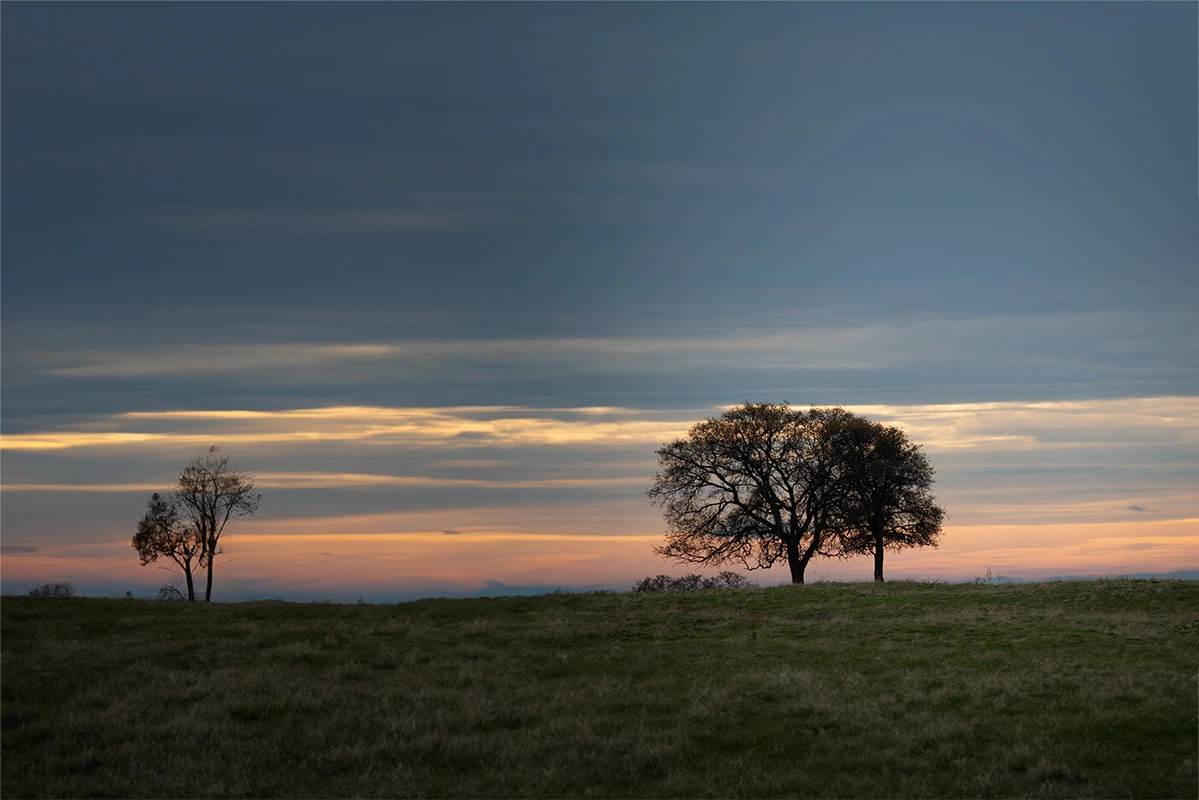
I've used the new generative fill a few times with good results, and have been impressed with how it correctly  sets lighting characteristics. Today I ran into a situtaion where it didn't work well. In this image I expanded the canvas and used generative fill to expand the image. The new fill is significantly darker than the original. I tried brushing and dodging in the new fill area to lighten it, but those operations were disallowed on that layer.

This is my first time using it since a couple updates over the past several days.
This topic has been closed for replies.

5 replies

D Fosse
Community Expert
Community Expert
June 12, 2023

There is distinctive vignetting on the left edge. The fill is just continuing that vignetting. The color profile is what it is, that doesn't come into it.

Known Participant
June 12, 2023

It likely for this reason. "generative fill" works on the cloud

it must do a color profile conversion, ("document profiles" are things like sRGB AdobeRGB etc, simply put they are descriptions of the colour characteristics of an image, and mean that the pixel values "mean" different things in different profiles. Areas can be converted or "assigned" to different profile )

It's likely converting your new "generative fill" section to a different profile for the 8 bit "inpainting" technology to be applied. And then it is converting back to the source profile of your document. When it comes back there is a mismatch.

A skilled color correction expert, like me, could easily match the numbers of the adjascent areas for you 

Participant
June 11, 2023

I love the picture it looks great!!!


Trevor.Dennis
Community Expert
Community Expert
June 11, 2023

I can definitely see what you mean, and all the more so after copying the lower screen shot into Photoshop.  It would help top know exactly what your selection covered.  I tried deleting everything left of the tree (see layer thumbnail) and selected the empty space plus about ten pixels of the image, and it worked more or less OK for me.  You can see a darker column in the centre of the canvas.   I'd say that the Ai worked out the lighting as the foreground would be unlit if this was real.


bheiser1Author
Participating Frequently
June 10, 2023

p.s. I tried a bunch of variations and all of them had this issue.