New Participant
May 25, 2023
Answered

Generative fill not working

  • May 25, 2023
  • 3 replies
  • 103597 views

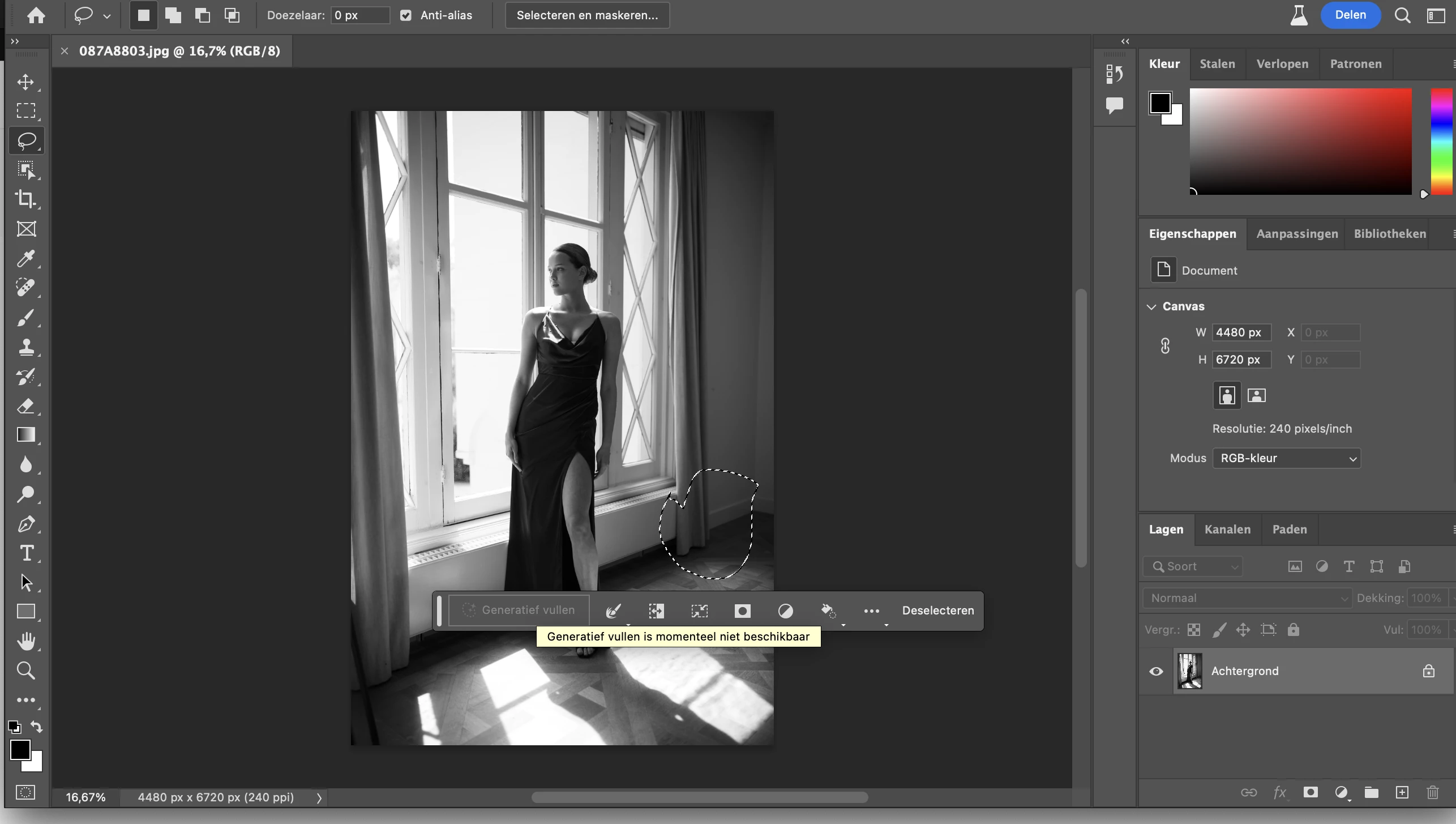
Does anybody know why its not avalible to me?
Correct answer Elaine315642378ai1

Generative fill control is there, and I can select an area, enter a prompt, and hit "Generate".  I see a quick progress bar. But then nothing happens. ???

3 replies

Participating Frequently
September 12, 2023

The reason generative fill is not available for you may be because the layer is locked (from what I see in the provided screenshot). Unlock it (double-click it) and maybe it will work. Generative fill also does not work on layers that are clip masked to others.

New Participant
August 17, 2023

Check your internet connection... I was unable to click it when my wifi went out

Kevin Stohlmeyer
Community Expert
May 25, 2023

Hi @defaultandfjoslrztg 

Why is the Generative Fill button not available?
If you find that Generative Fill is greyed out for you, it is possible that you may not have a valid Date of Birth associated with your Adobe ID account. To update your Date of Birth, you can do any of the following:
• Log into Behance with your Adobe ID and enter your Date of Birth.
• Log into your Adobe account and enter your Date of Birth. To learn more, see Error: "Not eligible to use Creative Cloud services".
Once your Date of Birth is up to date, relaunch the Photoshop (beta) app to enable Generative Fill.
https://helpx.adobe.com/photoshop/using/generative-fill.html

Elaine315642378ai1Correct answer
New Participant
August 13, 2023

Generative fill control is there, and I can select an area, enter a prompt, and hit "Generate".  I see a quick progress bar. But then nothing happens. ???

New Participant
August 17, 2023

Having the exact same issue.... any fix yet?
