Participant
June 8, 2023
Answered

I can't download photoshop Beta

  • June 8, 2023
  • 3 replies
  • 5671 views

Hi, I can't download photoshop beta.
The beta apps option is not visible on the left in my creative cloud.

How to get it?

Is it possible Adobe removed the ability to download it?


Big thanks everyone 

This topic has been closed for replies.
Correct answer CShubert

@Anthony James Kulton The CC Desktop app UI has changed since 2023 - The beta apps are listed under Apps and then found in the list to the right:
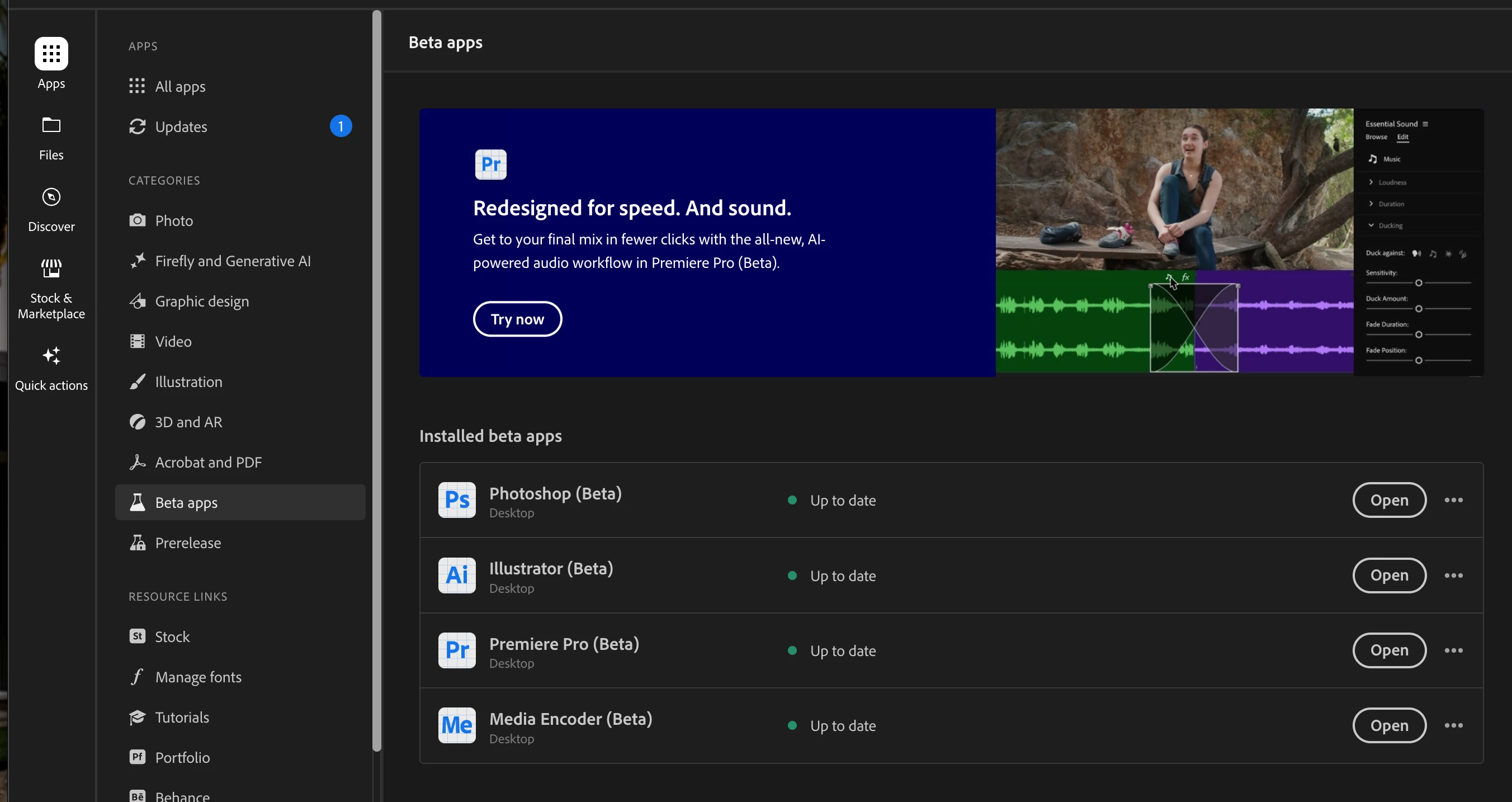
 

If you do not see them listed at all - are you an education or enterprise/teams managed account or an individual subscriber?


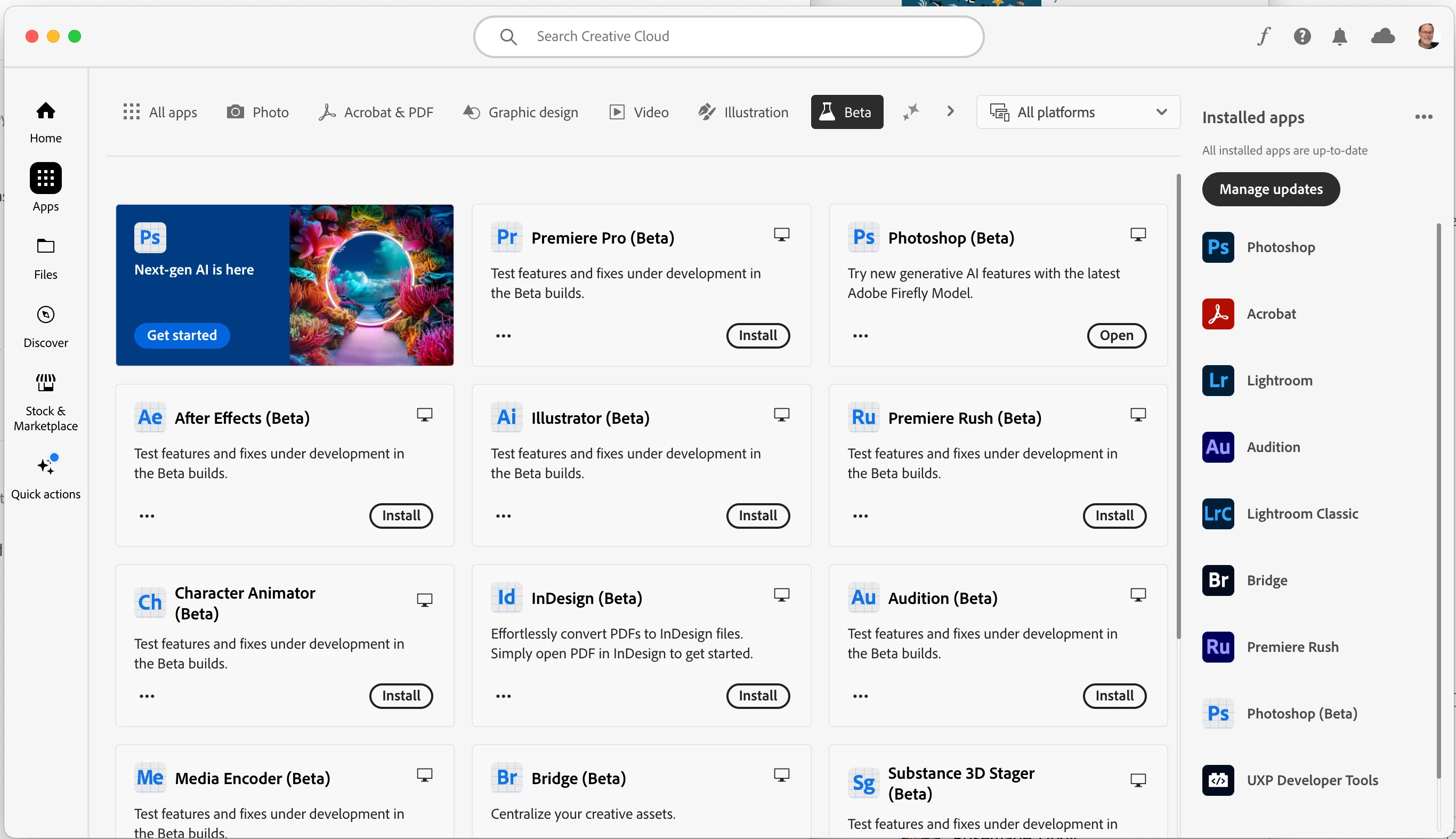
@Anthony James Kulton it may look like this on your system as well... look for Beta across the top.


Thanks,

Cory - Photoshop Product Manager

3 replies

September 27, 2024

I can't download it either. The following is the error log:

Exit Code: 176
-------------------------------------- Summary --------------------------------------
 - 2 fatal error(s), 0 error(s), 9 warnings(s) 

FATAL: Can't install to a network location
FATAL: Error occurred in install product workflow with error code 176 error message 
WARN: GetIEProxyInfo - Failed to get proxy for the url, error:12180
---------------------------------------------------------------------------------


Kevin Stohlmeyer
Community Expert
Community Expert
September 27, 2024

@1220814 Error 176 indicates you are trying to install on a network drive not a local HD.

Kevin Stohlmeyer
Community Expert
Community Expert
September 27, 2024

@1220814 if you are trying to install locally, an older trick is to delete the "Caps" folder located here:

Windows: C>Program files or Program files(x86)>Common files>Adobe>Caps


Kevin Stohlmeyer
Community Expert
Community Expert
June 8, 2023

Hi @Kevin30378207fd6v have your admin allow beta app access and turn of the 30-day delay for new updates.

https://helpx.adobe.com/enterprise/using/customize-creative-cloud-app.html


Participant
June 8, 2023

Hi Kevin,


I will approach my company's IT team with your advice,

Thank you both for your advice 🙂

CShubert
Community Manager
Community Manager
June 8, 2023

@Kevin30378207fd6v what type of Ps account do you have? If you are on an enterprise or edu account, your IT admins can block the download and you would need to contact them to ask to allow Ps beta to be downloaded.


Participant
June 8, 2023

Hi Cory,


I have a enterprise account, I will ask the IT team.

But is that why I don't even see the Beta option in apps ?


Thank you,


Kevin

Kevin Stohlmeyer
Community Expert
Community Expert
June 8, 2023

Hi @Kevin30378207fd6v its a configuration managed per company via the Admin console. They have to turn that option on to allow users to download betas. Some companies restrict that by choice.