
Participant
July 7, 2023
Answered

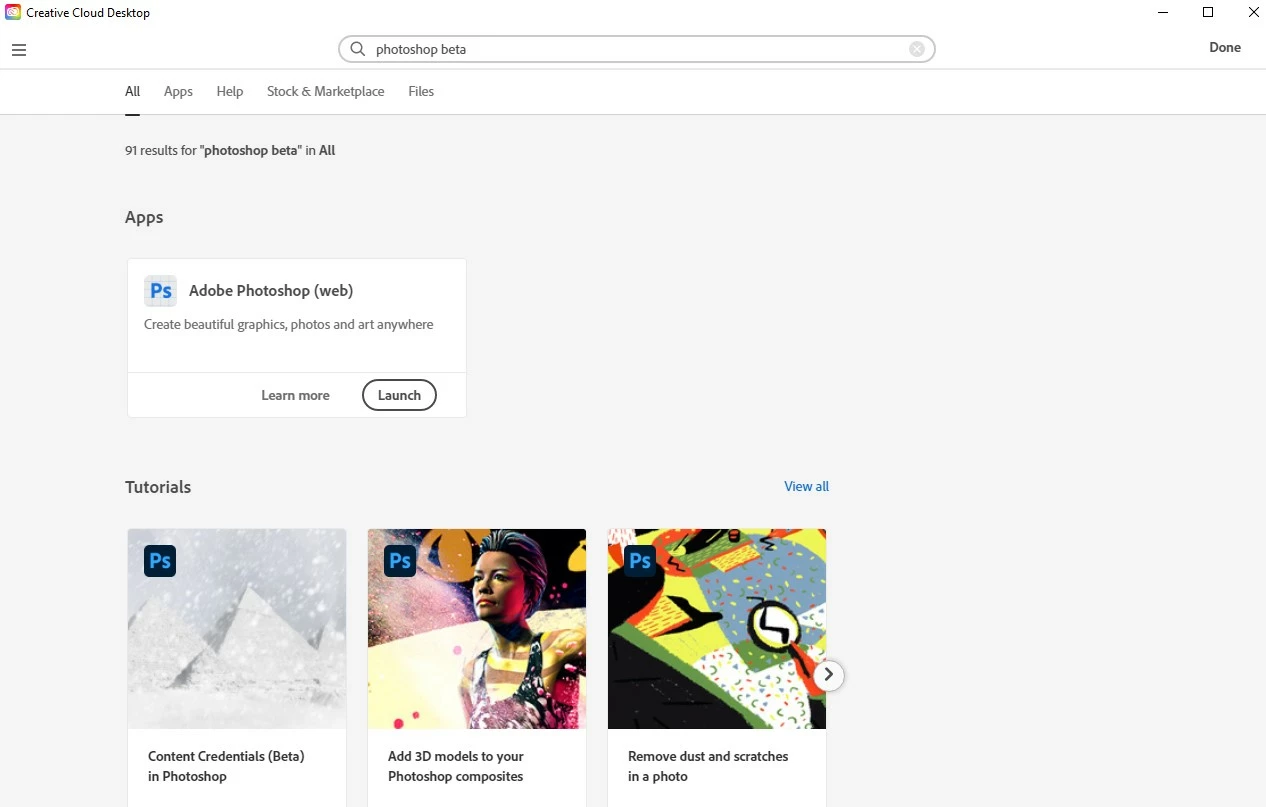
I can't find Photoshop Beta at my creative cloud, only for web

  • July 7, 2023
  • 2 replies
  • 560 views

Hi.

I have question regarding Phototshop Beta for desktop. Few day ago app was enable for me to using it on dekstop now on my creative cloud I can find it, what I found is only for web - but for me it isnt so useful. I also see on your Cretative Cloud Services / Costumization that you need to ENABLE INTSTALL OF BETA APPS, but I can't find it on my settings? So can somebody help where can I find these settings?:)

Regards,

Maja
This topic has been closed for replies.
Correct answer Kevin Stohlmeyer

Hi @Sebastien27368311vzer Your Admin has to grant access to beta for enterprise users using the Admin Console. They also need to allow access to new versions within 30 days of release. There is nothing you can do when in an enterprise environment - the Admin controls all of it. Contact your IT Admin.

2 replies

CShubert
Community Manager
Community Manager
July 7, 2023

Hi @Deverstudio your individual subscription should be fine and if you saw it before, it should still be there.  If you search your applications, do you see both Ps release, the blue icon, and Ps beta, the while icon?  We want to make sure you have downloaded the beta to your computer.


Kevin Stohlmeyer
Community Expert
Community Expert
July 7, 2023

Hi @Deverstudio you should find it in the CC Desktop App here:

If you do not see it - are you in a managed account like Enterprise, Teams or Education? if so your plan Admin controls access to beta software through their Admin Console. They will have to grant access.

Participant
July 14, 2023

Hi, 

I have the same problem, impossible to find anywhere the App Beta. 

My acount is Entreprise. 

Someone told me that the solution is change the date of birth on my Behace acount but impossbile to find the date of birth option. 

i log out, log in in creative cloud, i removed and install again but nothing changed.. 

Let me crazy !!

Thanks a lot for helping. 

Regards.


Sebastien

Kevin Stohlmeyer
Community Expert
Kevin StohlmeyerCommunity ExpertCorrect answer
Community Expert
July 14, 2023

Hi @Sebastien27368311vzer Your Admin has to grant access to beta for enterprise users using the Admin Console. They also need to allow access to new versions within 30 days of release. There is nothing you can do when in an enterprise environment - the Admin controls all of it. Contact your IT Admin.