Inspiring
April 13, 2023
Answered

I have 2 files Photoshop Temp File, why ?

  • April 13, 2023
  • 2 replies
  • 2208 views

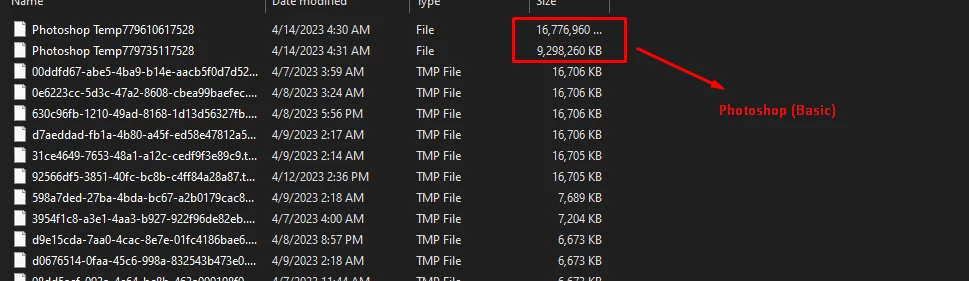
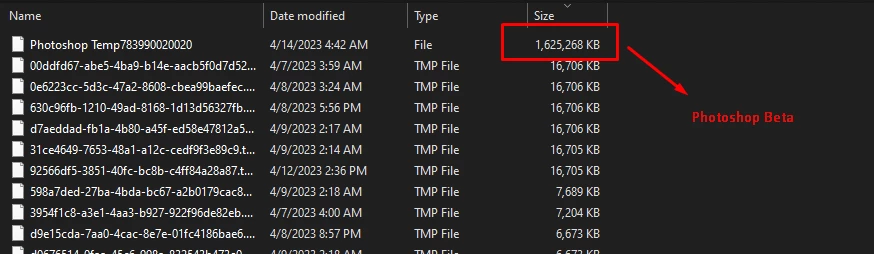
Hi there, at first I didn't mind it, but when I try to open Photoshop beta, it only has 1 temp file when opening photoshop beta, and it's not very big, but when I open Photoshop beta, it has 2 temp files with bigger size, is it is it normal?
or should it only have 1 temp file ?
Thank you, have a nice day.
 

This topic has been closed for replies.
Correct answer davescm

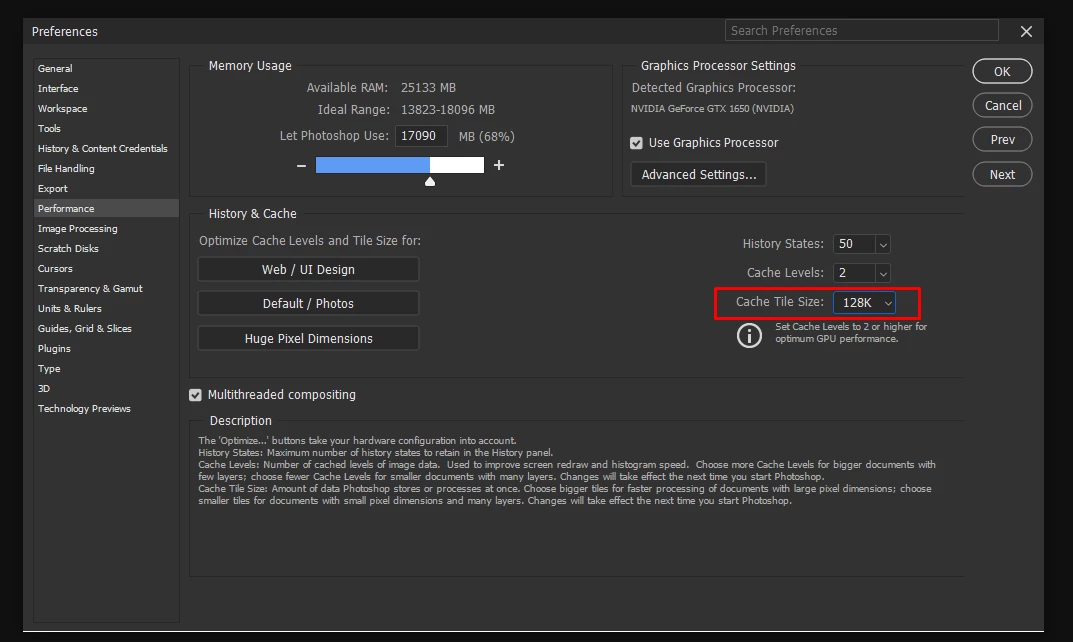
I found it, when the cache tile size is reduced to 128K, the temp file is reduced by 9GB this is the result

Previously, I chose a cache tile size of 1028K, what's the difference between these numbers?


The cache levels and cache size control how Photoshop processes your images. There are some recommendations in the description at the bottom of the panel which are backed up with the three presets to the left. For most work with a modern GPU, the 'default photo' setting works well. I would not bother changing it unless you are running into specific issues.


Dave

2 replies

D Fosse
Community Expert
Community Expert
April 14, 2023

That's the Photoshop scratch disk. Nothing to worry about.


The scratch file contains all history states for all open documents. RAM is normally not sufficient for storing Photoshop temporary working data, so a scratch file is always created. It's divided into 16 GB chunks, so when one is exhausted, another is created.


All scratch files will be deleted in a normal application exit. They can be left orphaned if Photoshop doesn't shut down properly, and in that case you can just delete them manually.

SotoshopAuthor
Inspiring
April 14, 2023

Thank you for answering, Sorry maybe because I explained badly, I know it's a scratch file, what I'm asking here is:
1. Is it natural, every time I open PS it has 2 scratch files? it's different when I use PS Beta, it's smaller and only has 1 scartch file.
2. I have 2 PS in my system, latest version and PS 2021, could this be the cause?

For information on my PC specifications:
AMD Ryzen 3
NVIDIA GTX 1650 4GB
32GB of RAM
270GB Free size on my drive C

D Fosse
Community Expert
Community Expert
April 14, 2023

As I said: it's divided into 16 GB chunks, when one is full a new is created. 


It all depends on what you have open - sizes, number of files, history states used.

Inspiring
April 14, 2023

Hello
I think this is more like cache to photoshop

I think you can delete them safely