
Issues with Crop Tool Fill
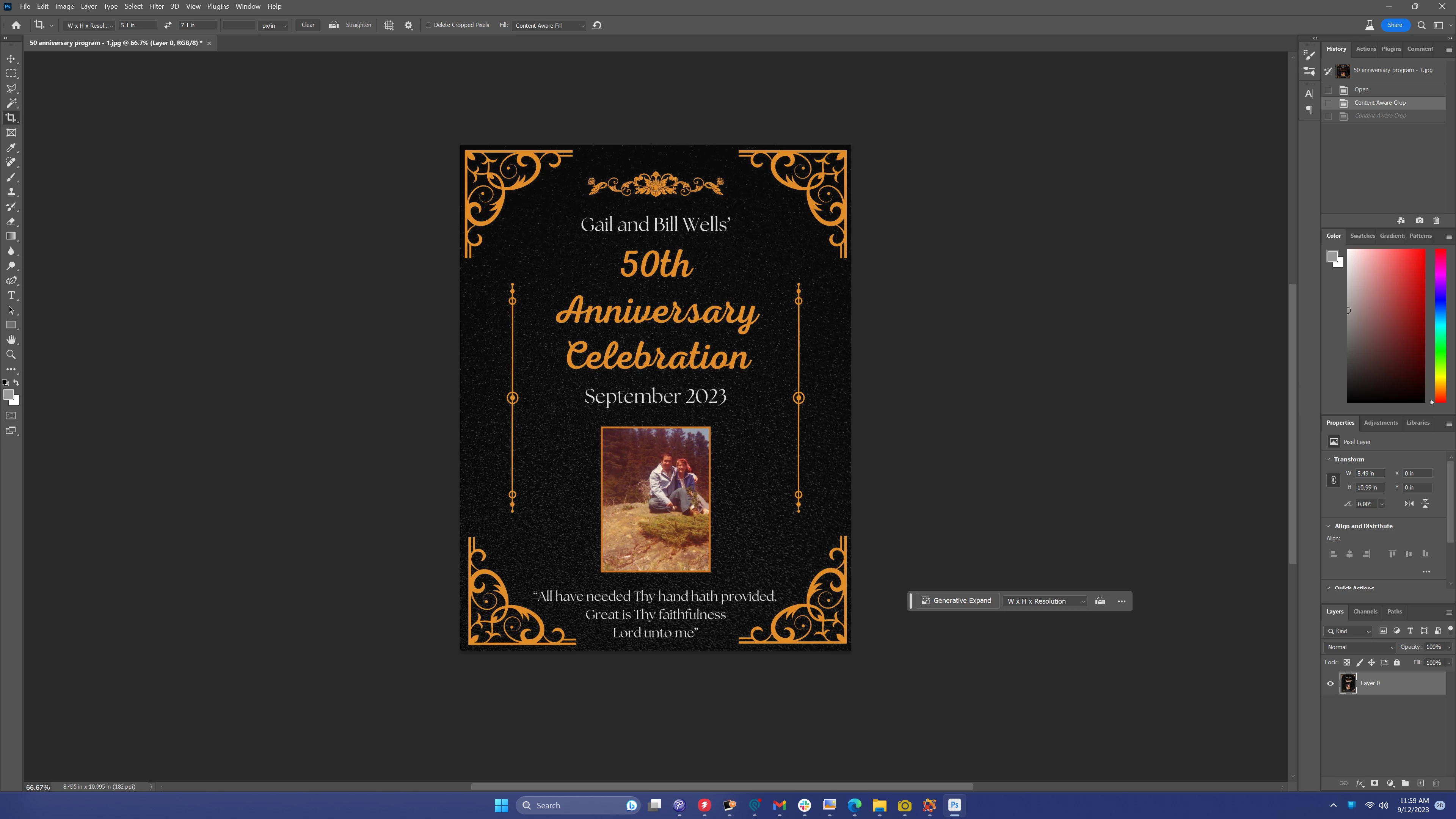
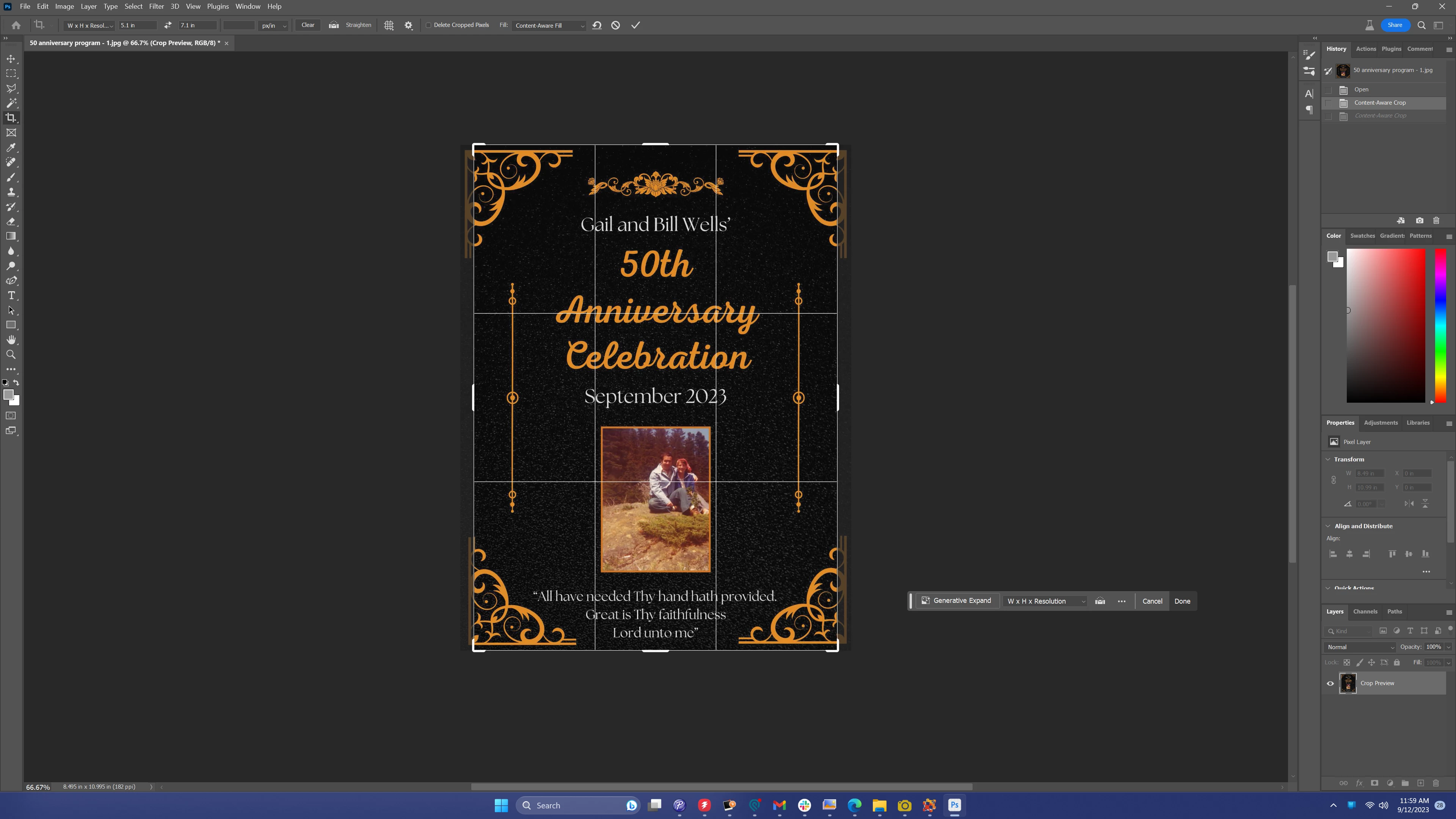
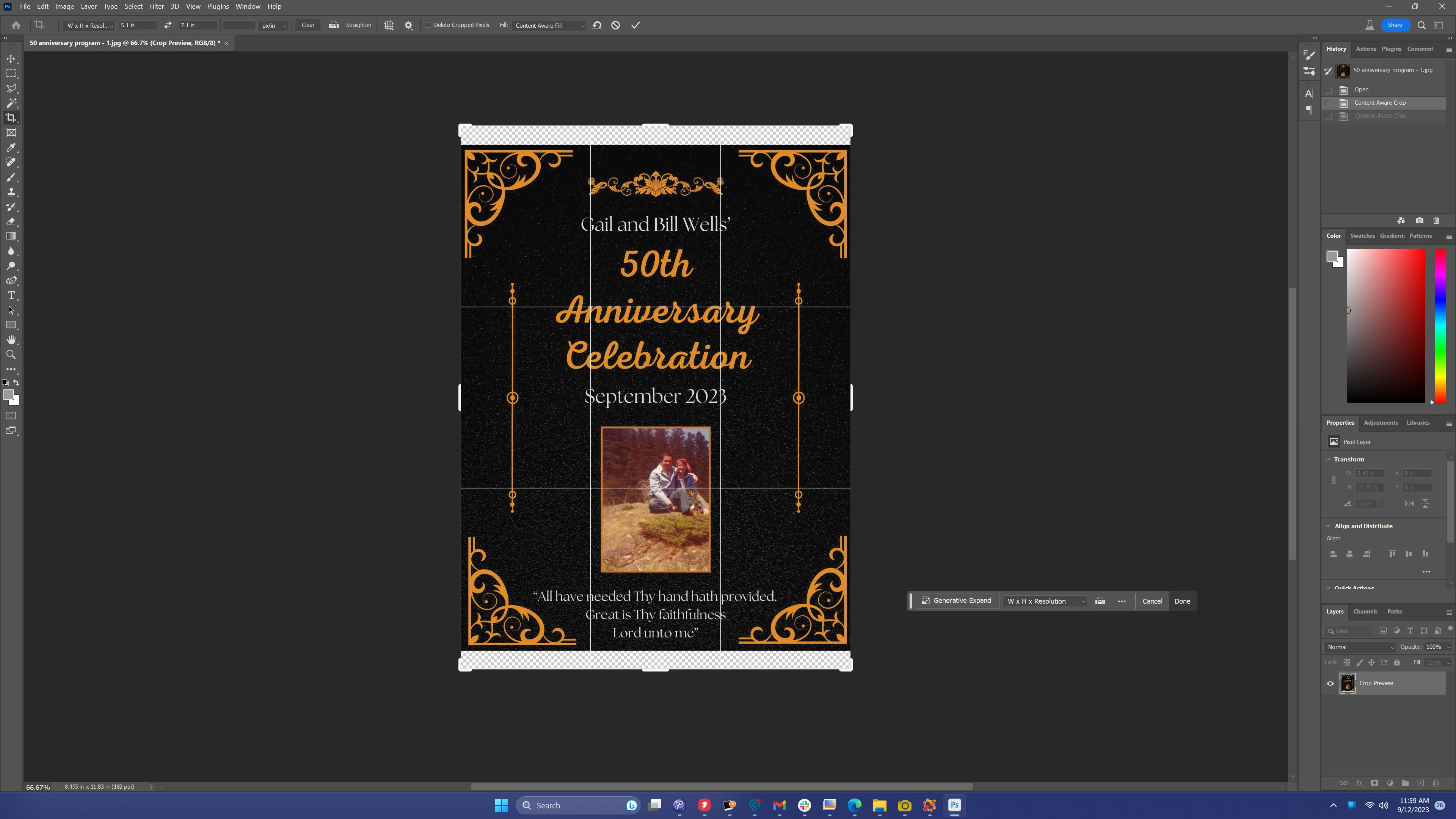
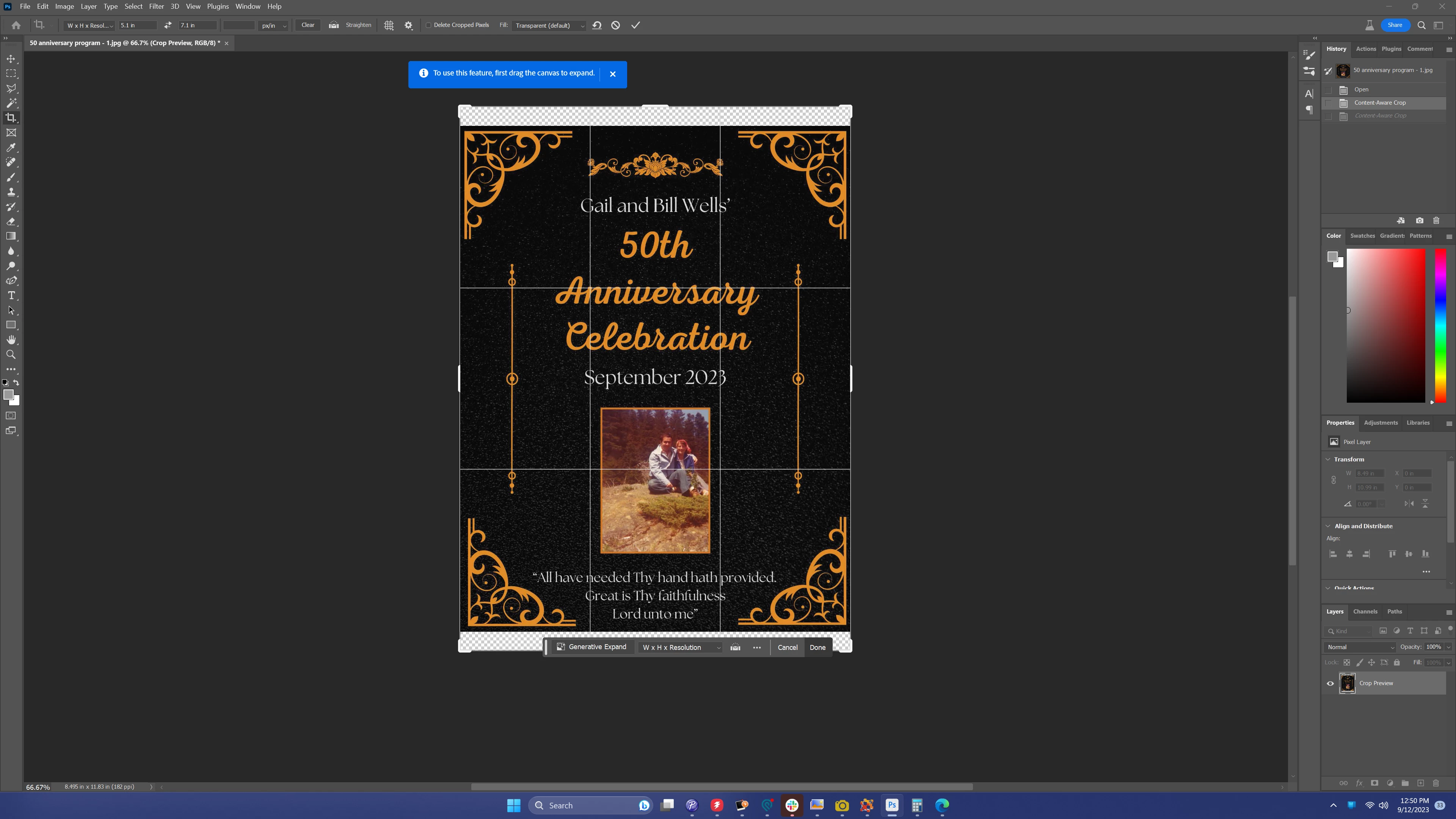
I'm running into an issue where Photoshop isn't filling in the extra space left by the crop tool. It doesn't fill with Content aware or Generative fill. I feel like there used to be another option as well that wasn't working for me. I've had this issue for a few updates. This has been happening since before updating to beta. Based on the last image, it almost seems liek photoshop isn't seeing that I have expanded the canvas. See the images for a step by step through my process and I'll attach my System Info as a seperate comment.
1. Select Crop tool. Content-Aware Fill has been selected as fill
 2. Click image to start cropping
 3. Expand canvas beyond image boundary
 4. Apply crop. Expanded canvas does not fill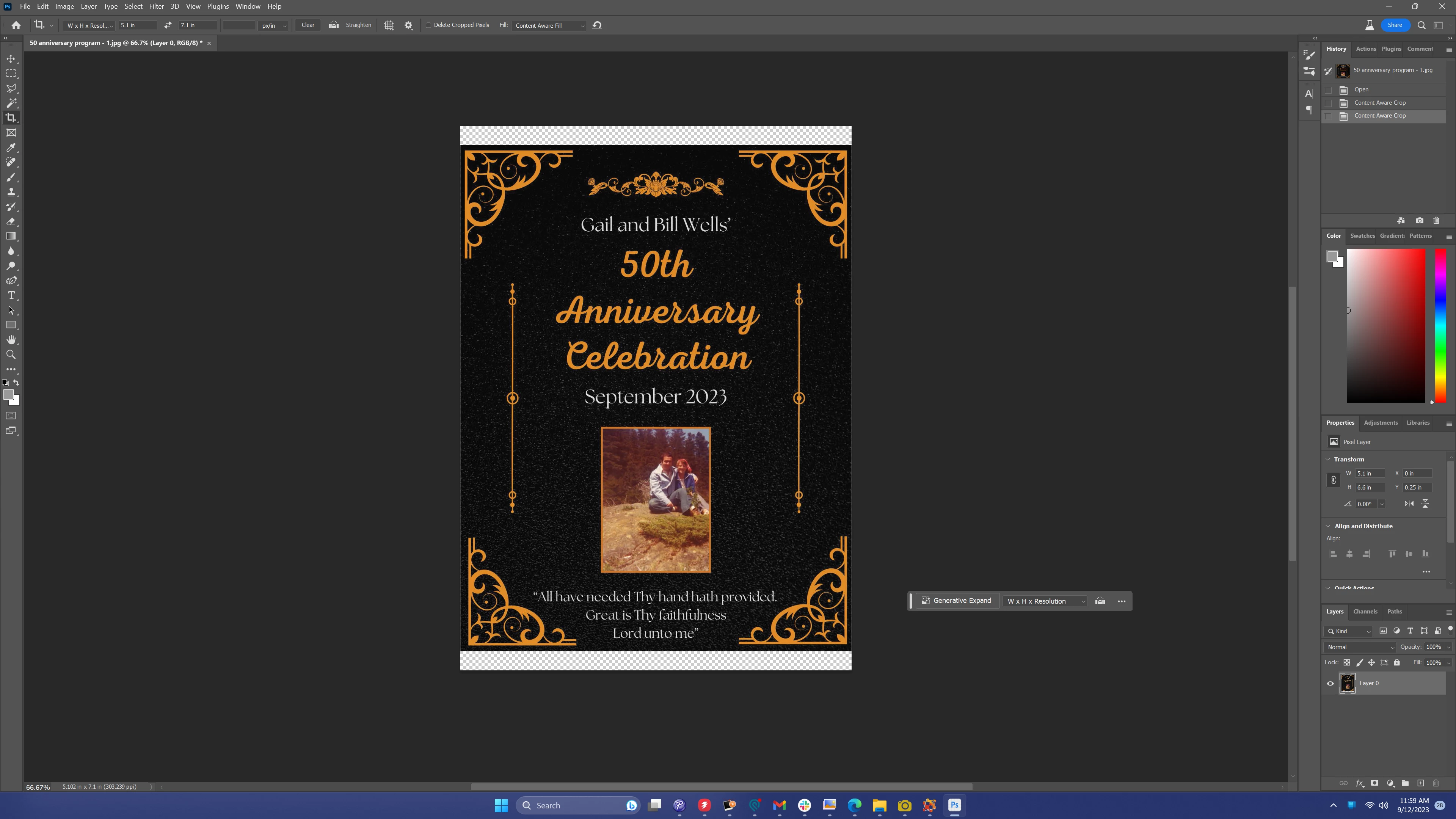
Seperately, I tried repeating the steps and then selecting Generative Expand from the floating bar and get the following messge:
 AdChoices