
Participant
May 23, 2023
Answered

No AI feature with new update

  • May 23, 2023
  • 139 replies
  • 287056 views

Just updated to the new beta version for PS, 24.6.0. (with AI)
I got the new UI but it lacks the AI portion (or option) in the menu bar, or anywhere else.
Is there a minimum hardware requirement that I need? I might have missed the minimum requirements.
I am running Apple iMac Monterey 12.6.6. (Late 2015 build).
I am providing a screen shot of the UI I have available to me at this moment.
Thanks for any help you could provide.
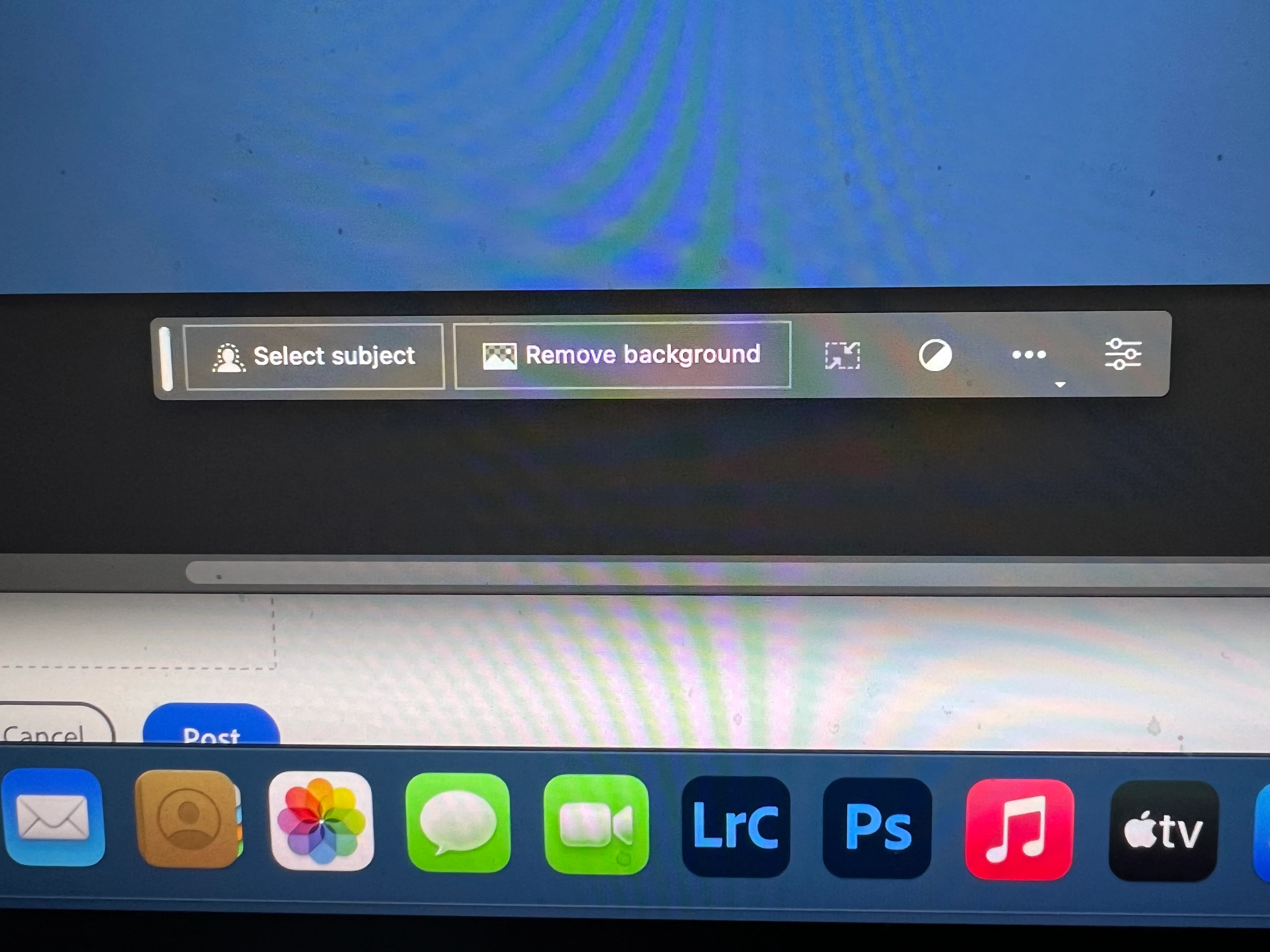
Correct answer Kevin Stohlmeyer

Hi @Andrew30210510i27y uninstall that version then reinstall. The iterative version with Generative fill is 24.6.0 20230520.m.2181 4e0245f arm64 you are on the 516 release.

139 replies

Participant
May 23, 2023

I selected an area of the image and the contextual menu contains nothing related to the new generative functionality.

Participant
May 23, 2023

v24.6

Participant
May 23, 2023

Hello! I have just bought an Individual licence to use Generative Fill. I am over 18 and Generative Fill is visible but disabled. Do I need to confirm my age somehow? Or is it something else? 

Participant
May 23, 2023

same issue

Participant
May 23, 2023

I have reviewed your other problem posts from other users but haven't found the solution. I am using the PS Beta 24.6.0 Apple silicon/intel version. I have tried different photos, different ways of selcting: Marquee tool, laso, object select and the "Generative fill" option never come up in the menu below the selection. I have also looked for it under "Edit" in the menu bar at the top and searched for it using "Help" in the menu bar. It is not anywhere in the app.


I am using a Mac Book Pro with an M1 Pro chip, MacOS Ventura 13.4


Looking forward to using it. Thanks!

pascalg23534373
Participant
May 23, 2023

I cannot see the generative fill textbox in the latest beta.

Participant
May 23, 2023

Version 24.6.0 Beta

Mac Ventura 13.3.1 (a)


The Generative Fill tool is missing from the toolbar, Window menu, and from right-click as well. I've tried uninstalling/reinstalling and resetting the workspace. Any help would be greatly appreciated.

Thanks

Adrienne


Participant
May 23, 2023

I have the new Photoshop Beta (v24.6.0)


I am trying to use the new Regenerative fill feature.  I have checked the "contextual task bar" - the task bar appears.


When I use a selection tool (like the lasso tool), the Regenerative Fill Section of that contextual task bar DOES NOT APPEAR.

Am I doing something wrong or is an actual bug for the beta version??

Participant
May 23, 2023

I can't find any way to use Generative Fill in the PS Beta that I just recieved an email for. I follow the instructions but there is no option to use GF in the tool bar that appears when I make a selection. 

Participant
May 23, 2023

It seems the feature is not available in the Photoshop Beta 24.6. 


Participant
May 23, 2023

i am unable to use the new generative fill

Participant
May 23, 2023

You have to make a selection using one of the selection tools first. Then you will see generative fill.