
Participant
May 23, 2023
Answered

No AI feature with new update

  • May 23, 2023
  • 139 replies
  • 286924 views

Just updated to the new beta version for PS, 24.6.0. (with AI)
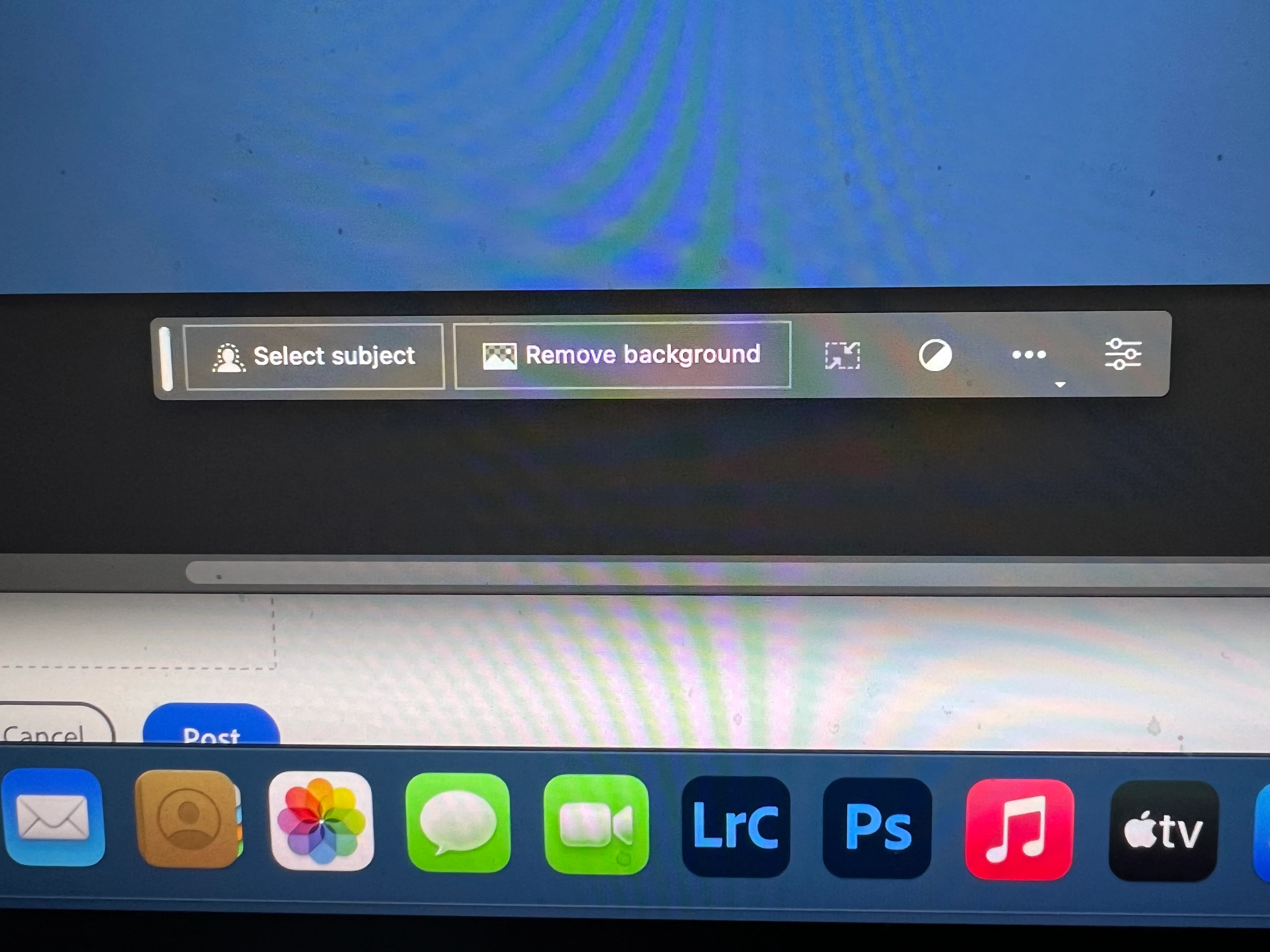
I got the new UI but it lacks the AI portion (or option) in the menu bar, or anywhere else.
Is there a minimum hardware requirement that I need? I might have missed the minimum requirements.
I am running Apple iMac Monterey 12.6.6. (Late 2015 build).
I am providing a screen shot of the UI I have available to me at this moment.
Thanks for any help you could provide.
Correct answer Kevin Stohlmeyer

Hi @Andrew30210510i27y uninstall that version then reinstall. The iterative version with Generative fill is 24.6.0 20230520.m.2181 4e0245f arm64 you are on the 516 release.

139 replies

Participant
May 25, 2023

Cory, I've installed and uninstalled this beta four times. Every time it has been the correct 24.6. I've restarted my MacBook Pro three times as well.. What am I doing wrong or what's going on?

Participant
May 25, 2023

It's simple: Close Photoshop Beta, go to Behance and sign in. You'll be asked for your date of birth. Add birthdate over 18 years old and save, re-start PS Beta and it will work. 

Participant
May 25, 2023

You'll need to log into Behance and confirm your age. You need to be 18 in order to use AI tools. This did the trick for me!

Participant
May 24, 2023

I am having a problem getting the new Generative Fill to work in Photoshop Beta. I went to Preferences > Early Access and have no options for Synthetic Fill which I found out you are supposed to do. Any help would be greatly appreciated.

Participant
May 27, 2023

Hi Rick 33, have you discovered why and how to fix it ?

Participant
May 24, 2023

I followed the instructions for downloading the beta version for the Generative Fill feature, but after making a selection in Photoshop, the toolbar doesn't appear, nor is it accessable via the menus or right-clicking.  I am using a PC.

Kevin Stohlmeyer
Community Expert
Community Expert
May 24, 2023

Why is the Generative Fill button not available?
If you find that Generative Fill is greyed out for you, it is possible that you may not have a valid Date of Birth associated with your Adobe ID account. To update your Date of Birth, you can do any of the following:
• Log into Behance with your Adobe ID and enter your Date of Birth.
• Log into your Adobe account and enter your Date of Birth. To learn more, see Error: "Not eligible to use Creative Cloud services".
Once your Date of Birth is up to date, relaunch the Photoshop (beta) app to enable Generative Fill.
https://helpx.adobe.com/photoshop/using/generative-fill.html

Participant
May 24, 2023

None of the AI features are present in the beta desktop version?????

Participant
May 24, 2023

I don't have Generative Fill button at all. Photoshop beta is up to date, I'm old enough, restarted my computer and all...

Participant
May 24, 2023

betada yeni gelen generative fill kısmını kullanamıyorum ne yapdıysam olmadı bunu en kısa zamanda düzeltmeniz lazım .


I can't use the new generative fill part in beta, no matter what I did, you need to fix this as soon as possible.

Keith23242116exw5
Known Participant
May 25, 2023

See the fix above from Michel Berube. It worked for me

Participant
May 24, 2023

The generative fill and associated features are not available even though it says that it should in my version.

MacBook Pro 16 2019, Intel i9, 32 GB 2667 MHz DDR4, AMD Radeon Pro 5500M 8 GB
MacOS Ventura 13.3.1 (a) (22E772610a)

Participant
May 24, 2023

the generative fill option is not avalible on my version i dont know when i go to general settings a look on the beta tap is no options there , can you help me pleace.

keithc49674561
Inspiring
May 24, 2023

Generative Fill option not showing in 24.6.0 m.2147. Region Europe, France. Signed out of Creative Cloud, signed in again. Re-installed 24.6. No difference.

geraldjoehri
Participating Frequently
May 24, 2023

It's simple: Go to Behance and sign in. You'll be asked for your date of birth. Add what is asked, start PS BETA and have fun!