

Photo Restoration Neural Filter now available in Photoshop Beta!
Hello Beta Community!
We are excited to share that Photo Restoration is now available in the Photoshop Beta. Photo Restoration is a new Neural Filter that uses an AI trained model to help restore old or damaged photographs. Using the Photo Restoration filter, users can restore the quality of their images using the basic editing options or choose to further refine using our advanced options (adjustments). Once complete, there is always an option to export the image to the main Photoshop workspace for further refinement.
Main Editing Features:
- Photo enhancement - Improve color, contrast, and details
- Enhance faces - Improve the detail on face specifically
- Scratch reduction - Restore areas of the photo that have been scratched or damaged (off by default)
Advanced Editing Features (Adjustments):
- Noise reduction
- Color noise reduction
- Halftone artifact reduction
- JPEG artifacts reduction
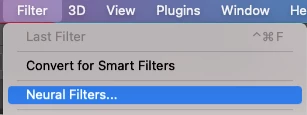
To access the filter, go to File > Neural Filters > Photo Restoration and switch the toggle to “on”. This will initiate the filter download and activate it for use.

Please share any thoughts and comments here on our community thread, or in-app through our Beta feedback panel (accessed via the flask icon in the upper righthand corner of the application). We look forward to hearing your feedback and seeing what you create!


 AdChoices