bobb84053049
Participating Frequently
November 18, 2024
解決済み

Photoshop Beta - Adjustment Layers in LAB color not working

  • November 18, 2024
  • 返信数 3.
  • 585 ビュー

Several adjustment layers, including curves, are not working in the latest Phgotoshop Beta version in the LAB color space.

このトピックへの返信は締め切られました。
解決に役立った回答 silk-m

There seems to be a problem with the menu, I have requested a fix.
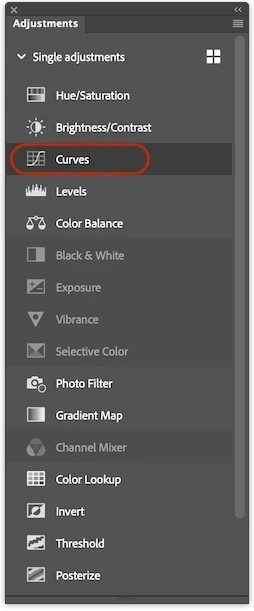
Until then you can add it from the Adjustments panel.
返信数 3

silk-m
Community Expert
Community Expert
December 24, 2024

This is fixed in Beta_26.3.0 20241222.m.2915.

Adjustments Layer Menu


Adjustments Panel

This has been a problem for some time, but the display order of the Adjustments Panel Menu and Adjustments Panel List View is not consistent, which makes it difficult to use, so I would like this to be fixed.

--Susumu Iwasaki
silk-m
Community Expert
silk-mCommunity Expert解決!
Community Expert
November 30, 2024

There seems to be a problem with the menu, I have requested a fix.
Until then you can add it from the Adjustments panel.

--Susumu Iwasaki
ArtWPhoto
Participating Frequently
December 20, 2024

thank you!  I found the same issue as I always use the curves layer in lab color when I enhance colors...

Jeff Arola
Community Expert
Community Expert
November 29, 2024

What operating system are you using?


Yes i see this on the Mac side with the latest Photoshop Beta 26.2 m2885