
Participant
April 26, 2023
Answered

Photoshop Beta Live Gradient Tool Back to Legacy

  • April 26, 2023
  • 2 replies
  • 792 views

Hi
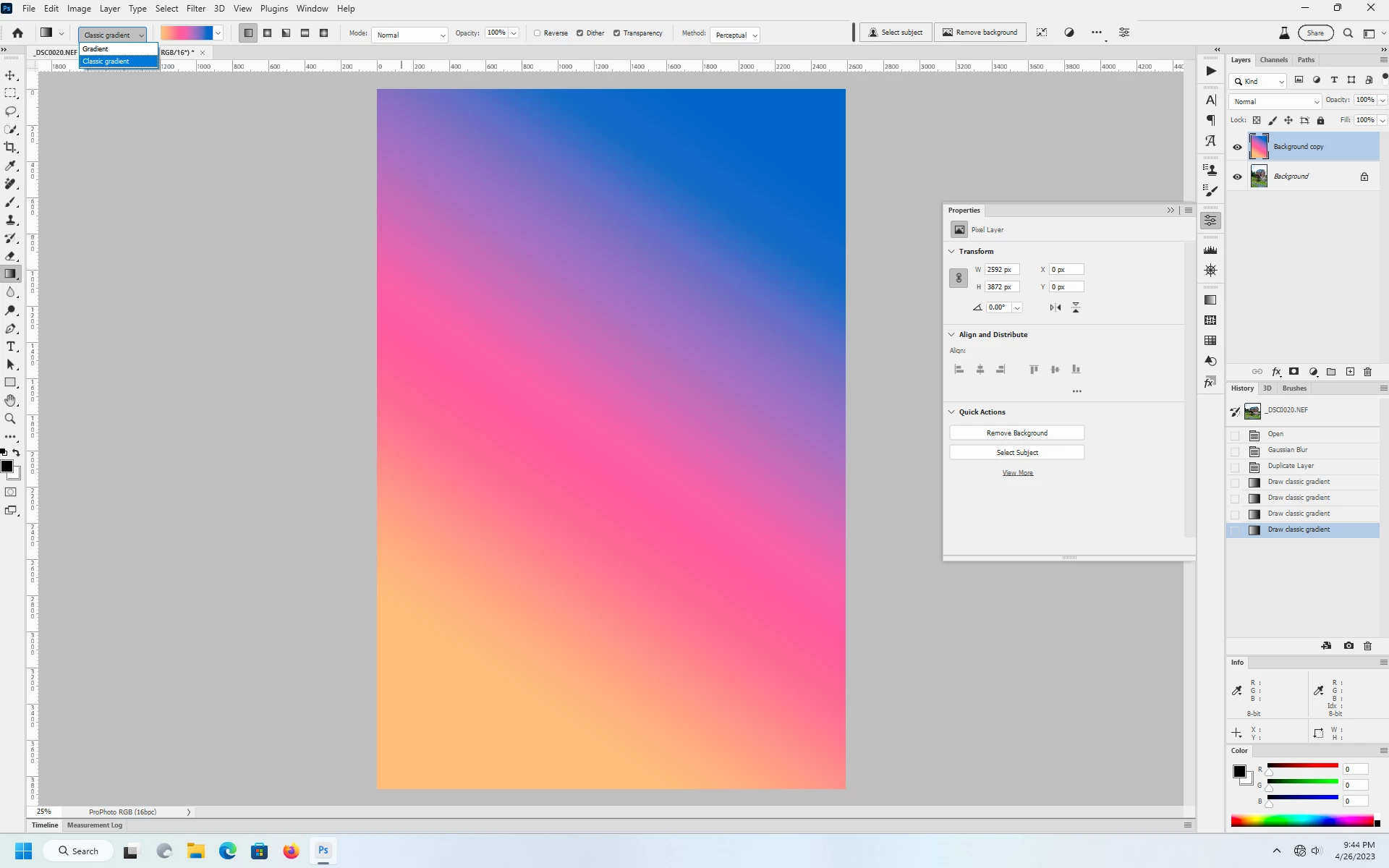
I love a lot of the new features in the 2023 Photoshop Beta. However it would be great if there was an option to revert the live gradient tool to the legacy version.

What i dont like is that it makes a new layer for it. It's a good feature but not usefull for me and it would be great if there was an option to use it flat on the current layer selected.

I also dont like that i cant just color pick and have the picked color paired with the gradient tool. I have to do an extra step by clicking on the gradient colors and use the eyedropper from there.

Is there a solution for this?
Thanks in advence!
This topic has been closed for replies.
Correct answer Jeff Arola

In the Gradient Tool Options, change to Classic Gradient before using the tool.


2 replies

Participant
September 7, 2023

To be clear, Selecting  "Classic Gradient" DOES NOT revert it to the legacy 2019 version.  So please stop advertising it as such. 


CShubert
Community Manager
Community Manager
November 7, 2023

Hi all,

If a fill has been created using the Modern Gradient tool, changing the dropdown to Classic is disabled. It can be done by deselecting all layers or selecting/creating  a raster/new layer. The dropdown setting is sticky which means all following gradients will be using legacy implementation.


Jeff Arola
Community Expert
Jeff ArolaCommunity ExpertCorrect answer
Community Expert
April 27, 2023

In the Gradient Tool Options, change to Classic Gradient before using the tool.


Participant
April 27, 2023

Thank you! this is what i was looking for.