




Photoshop beta update adds Import/Export to Adjustment Presets.
Hey everybody,
We are happy to announce an update to the feature “Adjustment Presets”. It is available in the Photoshop beta build: Adobe Photoshop Version: 25.5.0 20240111.m.2462.
- What is in the update?
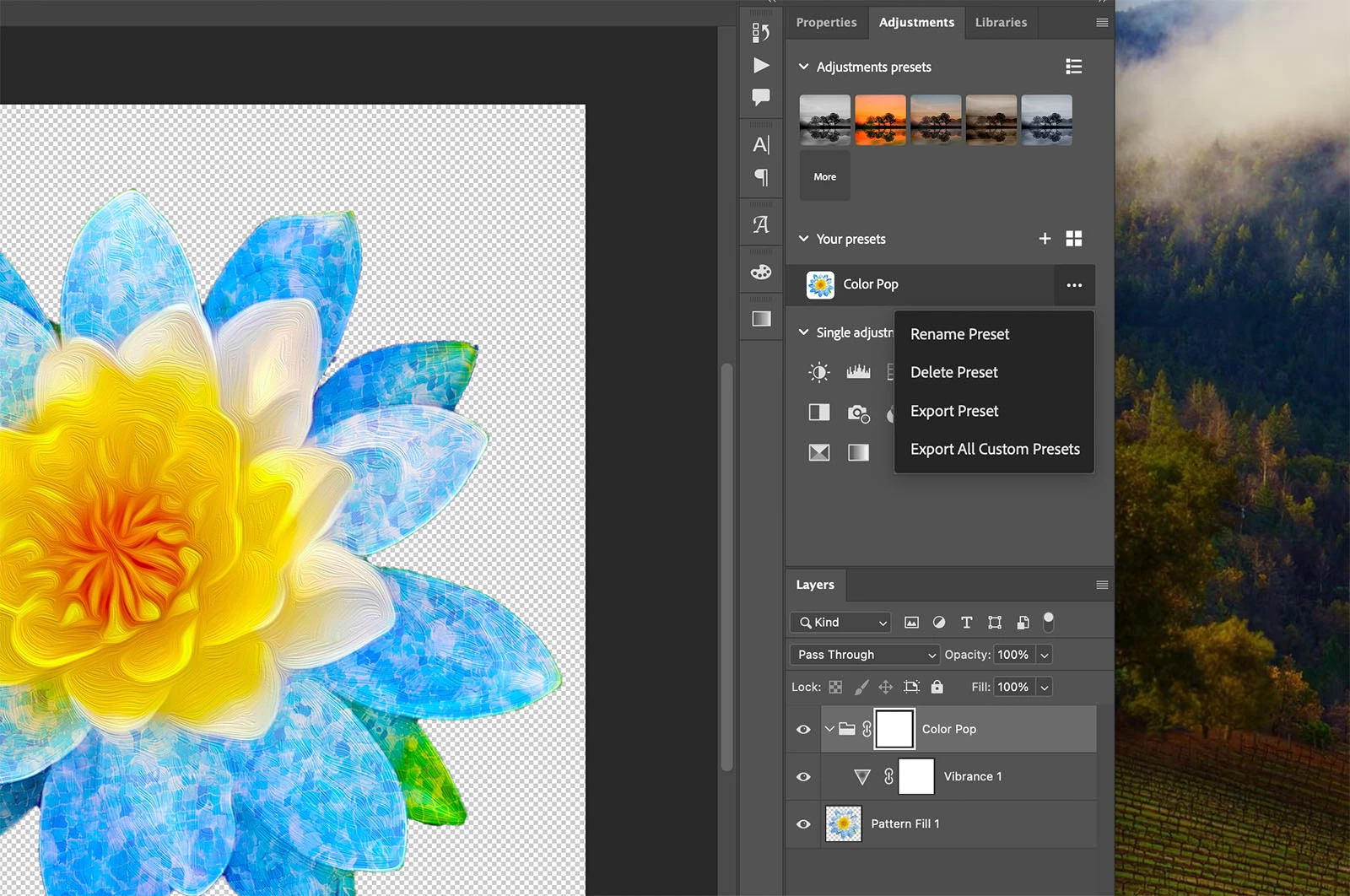
You are now able to import and export presets. You can:
• Export a single Preset
• Export All Custom Presets
If you are in the list view, you can click on the ellipses to reveal the dropdown menu. If you are in the icon view, you can right click on the thumbnail to review the same menu.
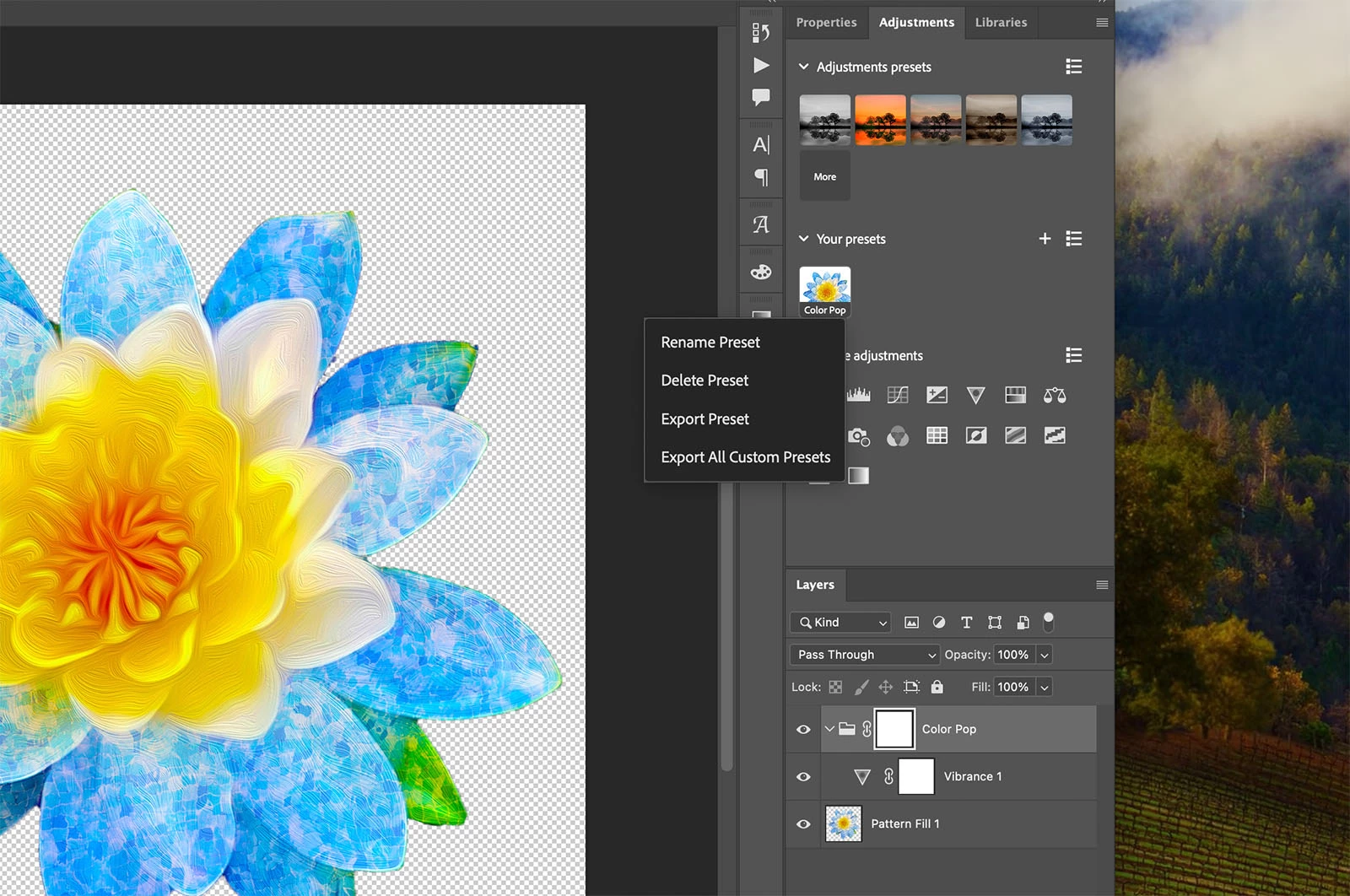
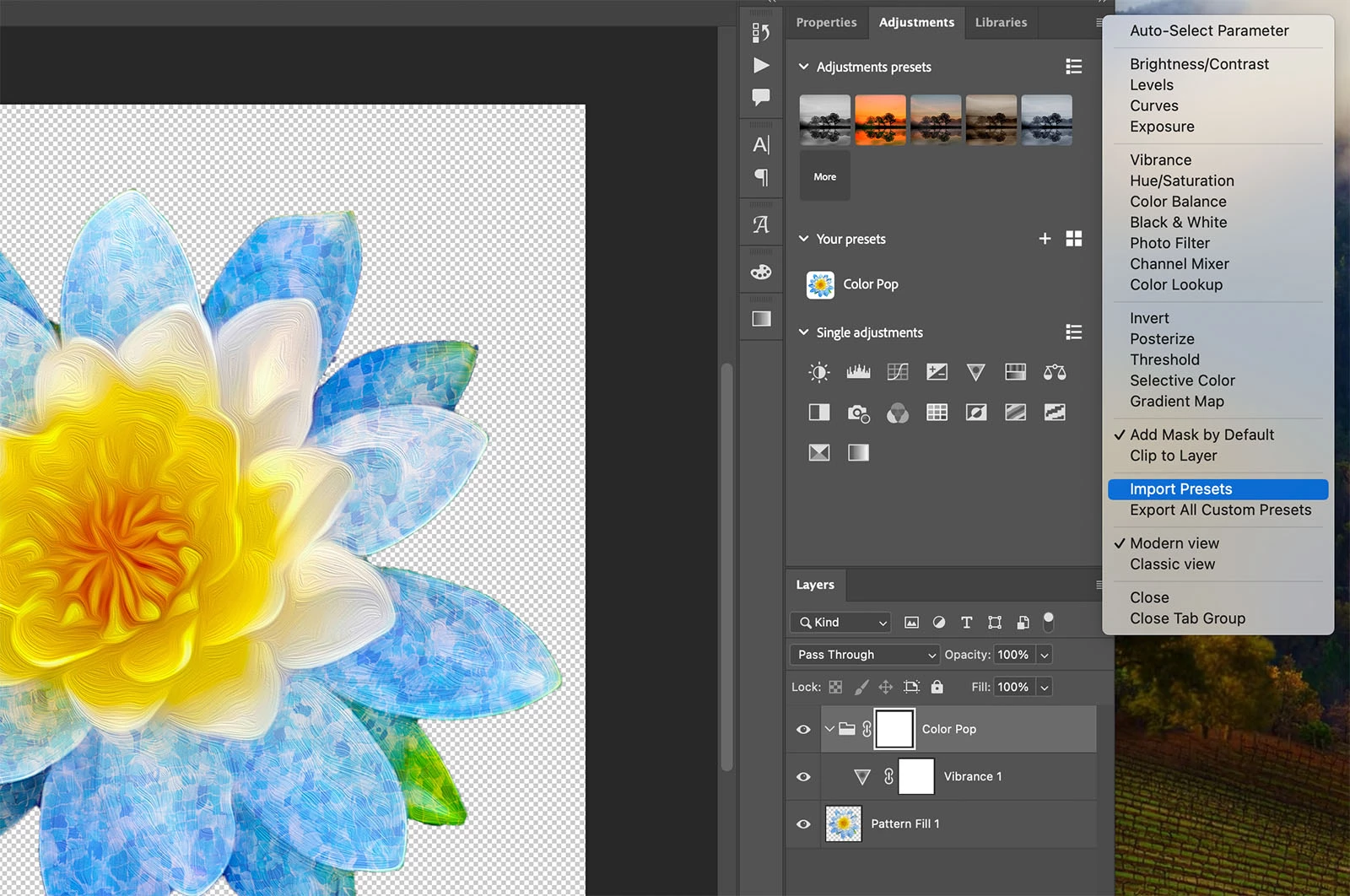
The panel flyout menu now has two new entries:
• Import Presets
• Export All Custom Presets
Export will create a preset file with the extension "psap". Starting with this Beta build, files of this type will be associated with Photoshop and you will be prompted to save the presets in Photoshop’s default folder location, or wherever you choose.
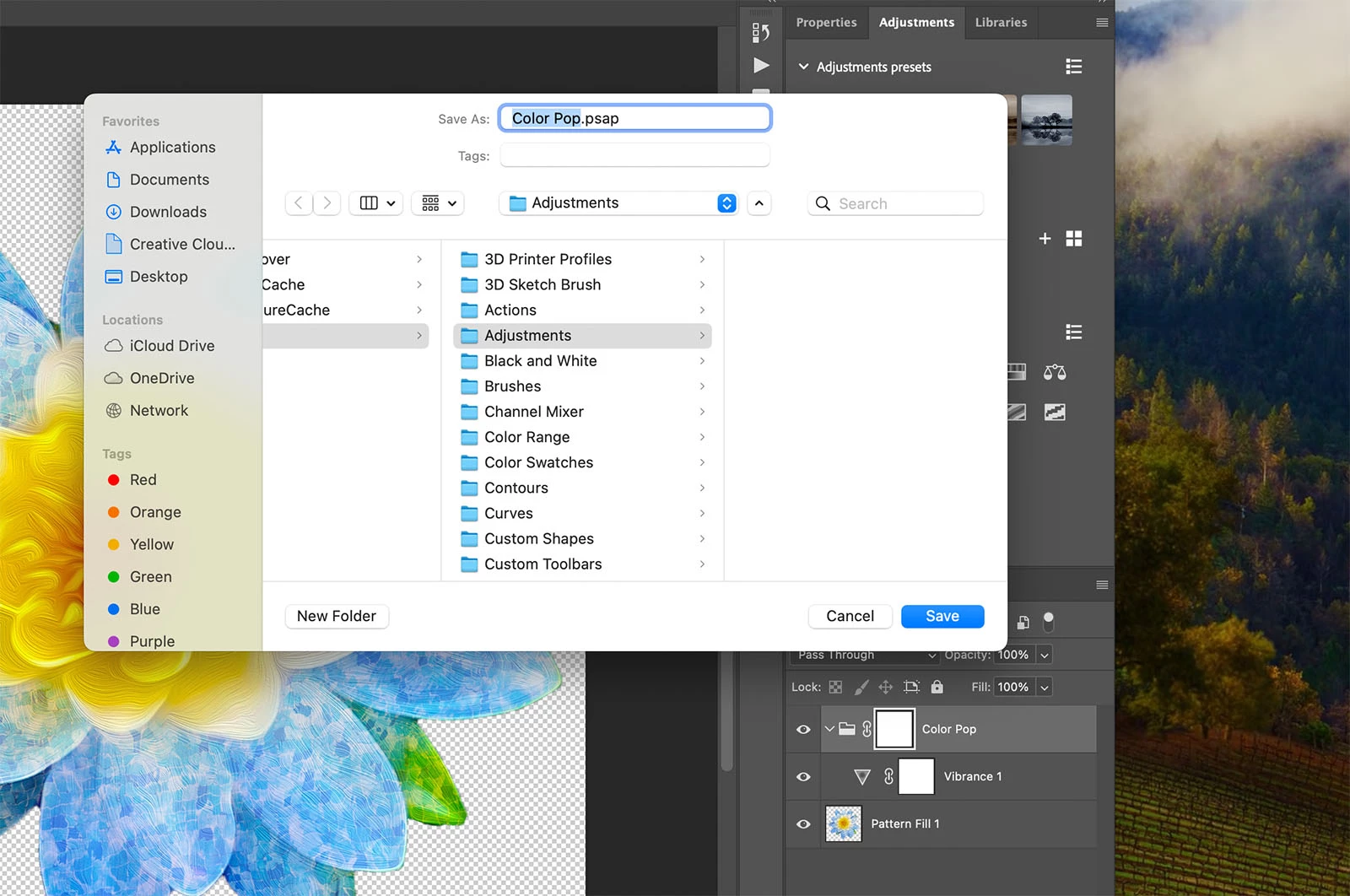
When importing, you will be presented with a file dialog to select a .psap file on your computer. The presets contained in the selected file will be added to the "Your presets" section at the top of the list.
The team hopes these are useful updates and as always welcome your feedback and suggestions.
Cheers,
Cory - Photoshop Product Manager
 AdChoices