
leeingrove
Known Participant
January 13, 2025
Question

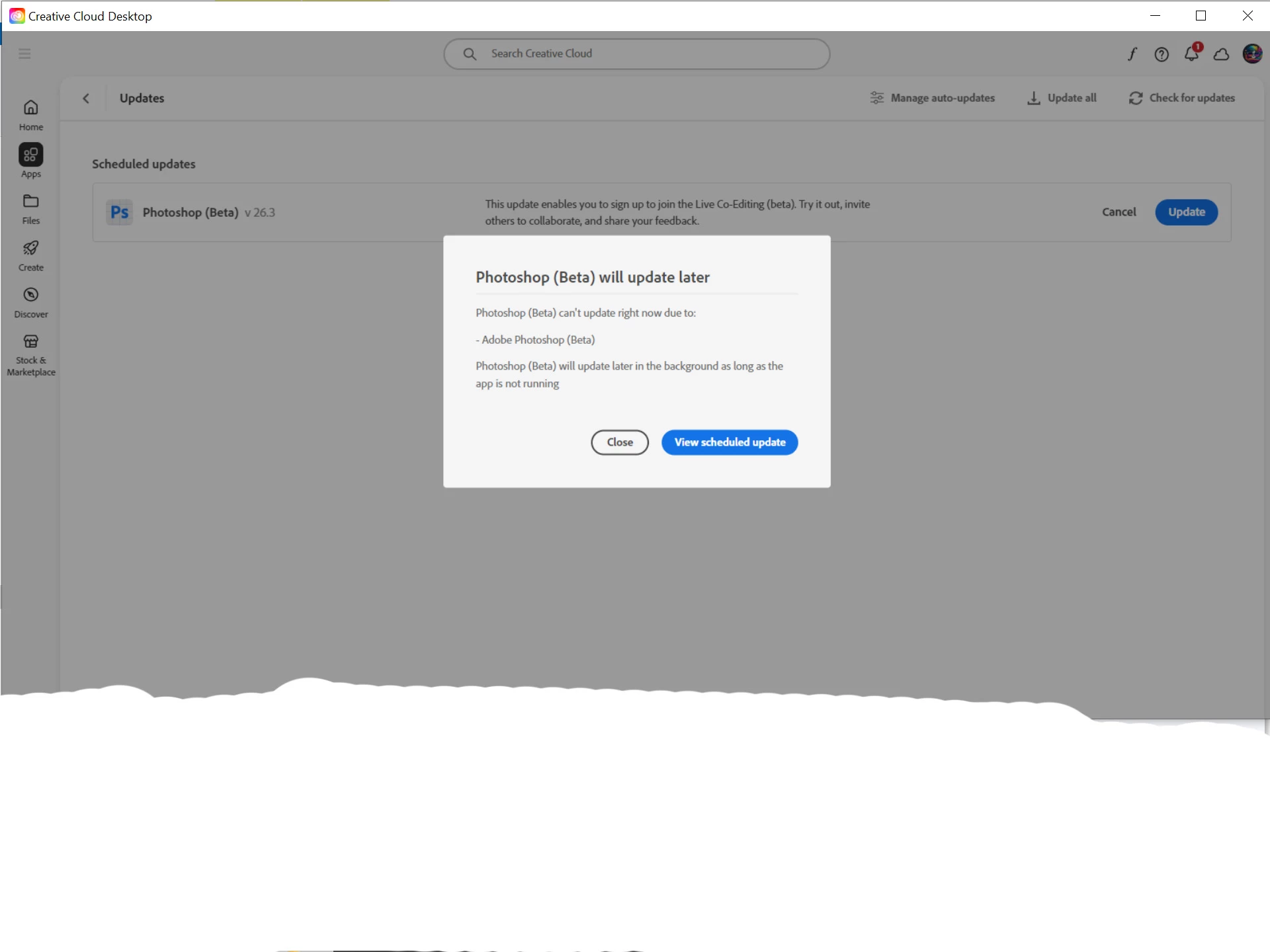
Photoshop (Beta) will update later

  • January 13, 2025
  • 2 replies
  • 230 views

I am currently using PS Beta 26.3 version and accordingly I need to upgrade my version to the latest version which I have installed so when I click on update I get the image below and when I click on "View Scheduled Update" I get nothing.


2 replies

Trevor.Dennis
Community Expert
Community Expert
January 19, 2025

For other people's information:


I had the same problem today. The CC desktop app told me there were updates for both beta and release versions, and I had the Update later pop-up dialog.  I'd been experiencing significant issues with the Beta version (I use the beta version most of the time) .  Adjustment layers would not open from the panel, but the direct to layer adjustments would work from the menus.


So I set Preferences to reset when I closed PS beta prior to updating.  It failed to update twice, and I am fairly sure PS had not closed properly — Lazy Nezumi Pro was still open — and that there was still a process running that was blocking the update.


I restarted my Windows 11 system, and both updates worked flawlessly, and my adjustment layer issues were gone.


So if you keep getting this pop-up dialog, try restartying your computer.


kglad
Community Expert
Community Expert
January 13, 2025

in the future, to find the best place to post your message, use the list here, https://community.adobe.com/

p.s. i don't think the adobe website, and forums in particular, are easy to navigate, so don't spend a lot of time searching that forum list. do your best and we'll move the post (like this one has already been moved) if it helps you get responses.


<"moved from cc desktop bugs">
leeingrove
Known Participant
January 13, 2025

I'm sorry but if the problem is persistent in CC then one would think it goes into CC