
Participant
September 22, 2023
Question

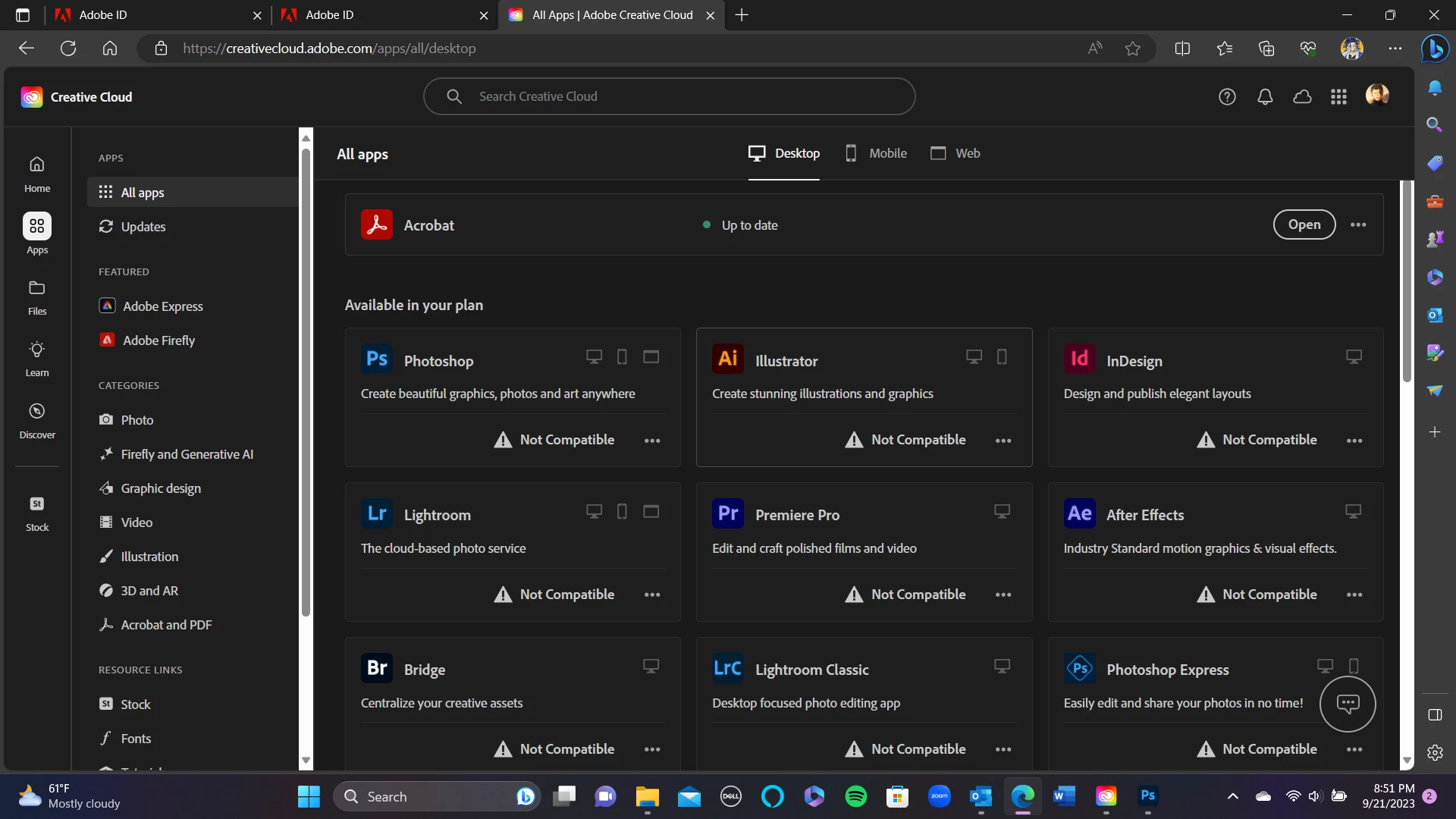
Photoshop update not compatible

  • September 22, 2023
  • 3 replies
  • 1350 views

Hi, hopefully I can get an answer to my problem. 

I have the newest Windows update installed in my device and enough RAM. Yet, I keep getting a pop up stating that Photoshop v 25.0 cannot be downloaded because I need to update my system. 


Processor 11th Gen Intel(R) Core(TM) i7-1165G7 @ 2.80GHz 2.80 GHz
Installed RAM 16.0 GB (15.7 GB usable)
System type 64-bit operating system, x64-based processor
Edition Windows 11 Home
Version 22H2
Installed on ‎2/‎19/‎2023

Am I missing something? Is this an easy fix? Another thing is, I am not being allowed to download Illustrator for the same reason - I am being told it is not compatible so I am assuming it is the same issue. Anything helps.
This topic has been closed for replies.

3 replies

Kevin Stohlmeyer
Community Expert
Community Expert
September 22, 2023

Also not sure your RAM assessment is correct. Windows 11 uses more than 300 mb RAM...

Kevin Stohlmeyer
Community Expert
Community Expert
September 22, 2023

@AdrianC9 What do you have for Graphics Card specs?

AxelMatt
Community Expert
Community Expert
September 22, 2023

Is your system up-to-date? Do you have installed all recent updates and patches for the operating system and the device drivers, especially the graphic driver. Please make also sure that you have installed the Studio version and not the Game Ready version of your NVidia driver.


Try resetting the CC App.

To reset the Creative Cloud desktop app, make sure it's in the foreground, then press:

Win: Ctrl + Alt + R

Mac: Cmd + Opt + R


If that doesn't work, try uninstalling and reinstalling the CC App:

https://helpx.adobe.com/creative-cloud/help/uninstall-creative-cloud-desktop-app.html

https://helpx.adobe.com/download-install/kb/creative-cloud-desktop-app-download.html


My System: Intel i7-8700K - 64GB RAM - NVidia Geforce RTX 3060 - Windows 11 Pro 25H2 -- LR-Classic 15 - Photoshop 27 - Nik Collection 8 - PureRAW 6 - Topaz Photo AI